5 Singlish Email Phrases That Make You Look Unprofessional (And What to Say Instead)
Common Singlish phrases can hurt your professional image in global emails. Learn how to fix them and improve Singapore business English with AI Grammar Buddy.
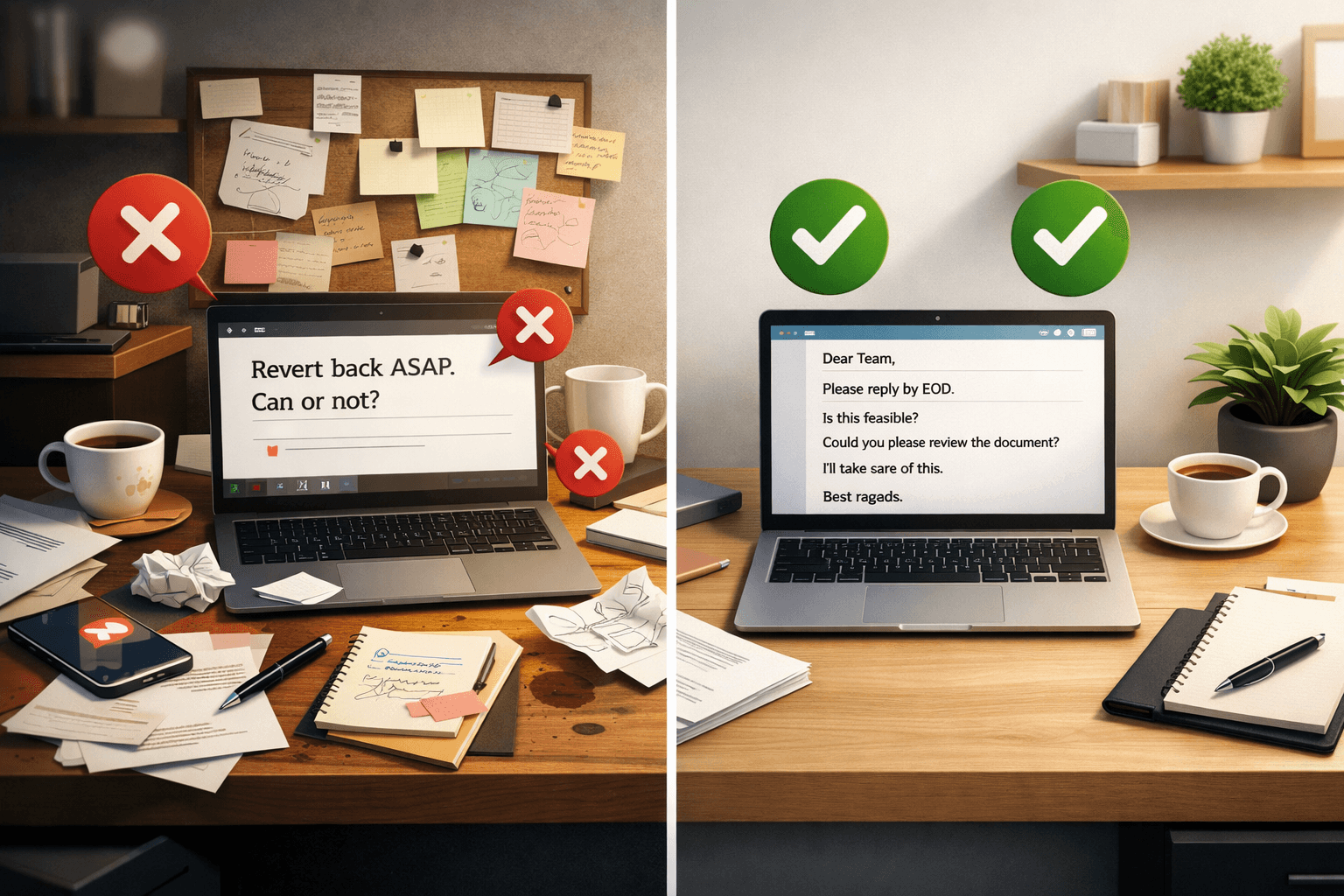
If you work in Singapore, Singlish is second nature. It's efficient, friendly, and gets things done fast.
But here's the uncomfortable truth: what works in local conversations can quietly hurt you in international business emails.
AI Grammar Buddy
Make this sound professional
Improve tone for work emails without changing your meaning.
Global clients don't share our context. Phrases that sound normal to us can come across as casual, unclear, or even unprofessional to them. This isn't about "bad English" - it's about business email etiquette and trust.
Below are 5 common Singlish habits that often slip into emails, and how to fix them so you sound confident, professional, and credible.
Jump to sections
Use these anchors to jump straight to the section you need.
1. "Revert back" vs. "Reply"
Singlish style: "Please revert back ASAP."
Professional version: "Please reply by EOD today."
Why this matters
"Revert" actually means go back to a previous state. Native speakers rarely use it this way. While they may understand you, it subtly signals non-native business writing.
Using "reply" is clear, direct, and universally accepted in Singapore business English.
2. "Can or not?" vs. "Is this feasible?"
Singlish style: "Can or not by Friday?"
Professional version: "Is this feasible by Friday?"
Why this matters
"Can or not?" sounds efficient, but in writing it feels abrupt and informal. International clients may read it as rushed or demanding.
"Is this feasible?" shows professional consideration, not pressure.
3. "Help me check" vs. "Could you please review?"
Singlish style: "Help me check the document."
Professional version: "Could you please review the document?"
Why this matters
"Help me check" sounds like a spoken instruction. In emails, it can feel transactional.
Adding polite framing ("Could you please...") immediately softens the tone and builds rapport - a key part of effective business email etiquette.
4. "I do for you" vs. "I'll take care of this"
Singlish style: "I do for you by tomorrow."
Professional version: "I'll take care of this by tomorrow."
Why this matters
This is a classic example of how spoken Singlish doesn't translate well into writing. The original sounds unnatural and may confuse international readers.
The professional version signals ownership, reliability, and confidence.
5. "Noted with thanks" vs. "Thank you for the update"
Singlish style: "Noted with thanks."
Professional version: "Thank you for the update."
Why this matters
"Noted with thanks" is extremely common in Singapore, but outside the region it can sound stiff or robotic.
A simple, natural sentence feels warmer and more human - and that matters when building long-term working relationships.
The Real Problem: You Don't Notice These Habits
The hardest part? Most professionals don't realise they're doing this.
You're not trying to fix broken English - you're trying to switch tone automatically when writing to global clients. And that's hard to do manually, especially when you're busy.
The Simple Fix: AI Grammar Buddy
That's where AI Grammar Buddy comes in.
It's designed for professionals in Singapore who want to:
- spot Singlish habits instantly
- rewrite emails in clear, professional global English
- sound confident without overthinking
Think of it as a formal email writer that understands how Singaporeans actually write - and helps you adjust before you hit send.
If you want help rewriting your draft in one pass, try Email Improver.
Final Tip (Before You Send Your Next Email)
Before sending your next email to a client in the US, UK, or Europe, ask yourself: "Would this sound professional if I received it?"
For spelling, sentence structure, and punctuation, check your email grammar before you hit send.
Next step
Make this sound professional
Improve tone for work emails without changing your meaning.
Keep going
Continue with AI Grammar Buddy
AI Grammar Buddy
Email Improver
Paste your draft and rewrite it for clearer, more professional English.
Improve My ToneRelated guide
Business Trip English Phrases: Airport, Hotel & Meetings
Learn practical business trip English phrases for airports, immigration, hotels, meetings, and delays, with mini dialogues and ready-to-use examples.
30 July 2026
Related guide
OK Noted Meaning in Email: Rude? Better Replies
What does OK noted mean in email? Is okay noted rude? Why noted on this is wrong, plus clearer professional replies you can copy.
18 July 2026
Related guide
AI Email Rewriter for Professional Emails (Before & After)
Turn rough drafts into professional emails. See before-and-after rewrites, better prompts, and common mistakes that affect tone, clarity, and structure.
17 June 2026