50 Professional Email Subject Lines That Get Opened (2026 Singapore Guide)
Copy and paste these 50 professional email subject lines for every situation — from follow-ups to cold emails. Proven to increase open rates in Singapore business culture.
Jump to sections
Use these anchors to jump straight to the section you need.
Quick Answer
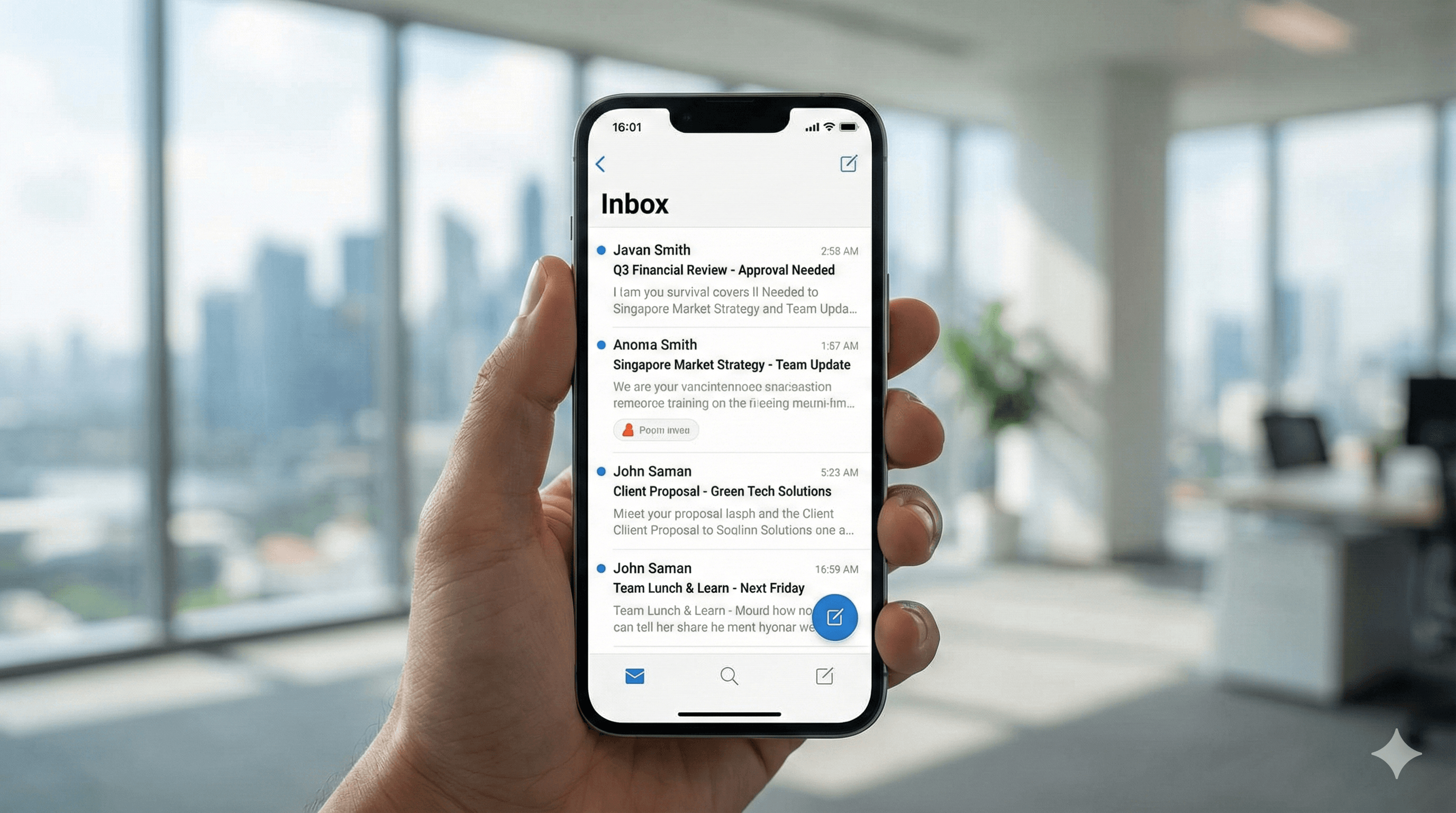
What makes a good email subject line? A successful email subject line is clear, specific, and actionable. Ideally, it should be under 50 characters to display fully on mobile devices. It acts as a headline for your message, telling the recipient exactly what the email is about and why they need to open it now.
AI Grammar Buddy
Turn this template into your email
Start with the example, then rewrite it for your real situation.
Why Email Subject Lines Matter (Especially in Singapore)
Singapore is a fast-paced business hub where professionals are constantly bombarded with information. An average office worker receives over 120 emails a day. In this cluttered inbox environment, your email subject line is the single most critical factor determining whether your message gets read or ignored.
A vague subject line like "Hi" or "Update" often gets buried or deleted. Conversely, a strong, descriptive subject line respects the recipient's time and signals professionalism. In Singapore's efficient work culture, clarity is king. If your subject line doesn't immediately convey value or urgency, you risk being overlooked. Whether you are emailing a potential client, a senior manager, or a colleague, mastering the art of the perfect subject line is essential for effective communication and career advancement.
The Anatomy of a Perfect Email Subject Line
Before we dive into the 50 examples, let's break down the 5 essential elements that make up a perfect professional email subject line:
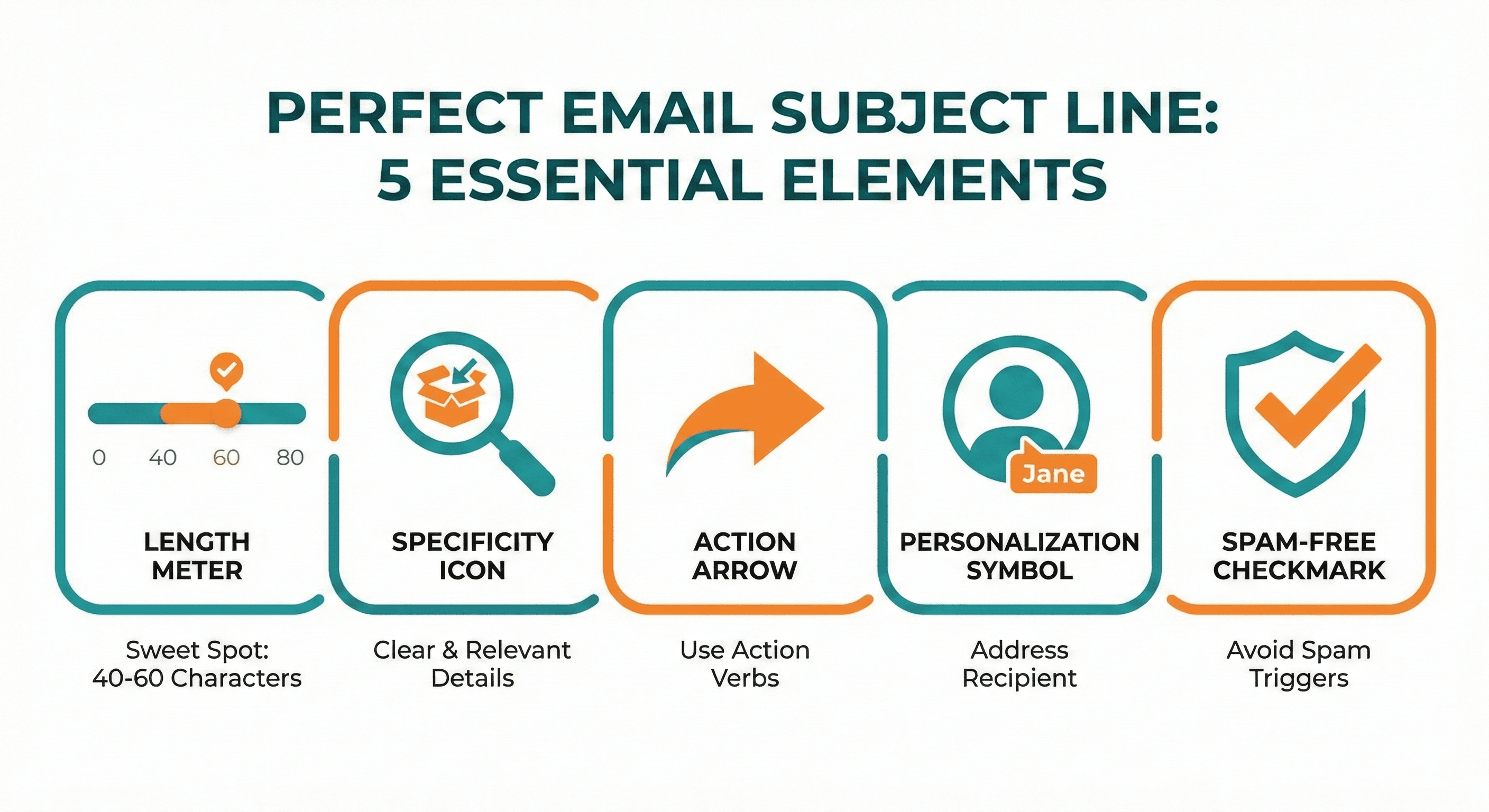
- Length (40–50 characters ideal): With more people checking emails on smartphones, space is limited. Keep it short and punchy. If it cuts off, the key message is lost.
- Specificity (Avoid vague words): "Meeting" is bad. "Project Alpha Kickoff Meeting — Tuesday" is good. Specificity builds trust and sets expectations.
- Actionability (What do you want?): Use verbs or clear indicators of what is required. Words like "Action Required," "Review Needed," or "FYI" help the recipient prioritize.
- Personalization (If appropriate): Including the recipient's name or company name can increase open rates, but use it sparingly to avoid looking like spam.
- No Spam Trigger Words: Avoid words like "Free," "Guarantee," "Urgent!!!" or excessive capitalization. These trigger spam filters and look unprofessional.
50 Email Subject Line Examples (By Category)
Here is a curated list of 50 professional email subject line examples categorized for different business scenarios. Feel free to copy and paste these for your next email.
Category 1: Follow-Up Email Subject Lines (10 Examples)
Use these when you haven't received a reply or need to check status.
- "Following up on [Topic] from [Date]" When to use: Standard follow-up when referencing a previous email.
- "Quick follow-up: [Action Item]" When to use: Short and polite reminder for a specific task.
- "Checking in on [Project Name]" When to use: Checking progress on a project without being pushy.
- "Any updates on [Proposal/Request]?" When to use: Asking for a status update directly.
- "Next steps for [Project/Deal]?" When to use: Moving a conversation forward after a stall.
- "Regarding [Topic]: Do you have 5 mins?" When to use: Proposing a quick call to resolve an email thread.
- "Thoughts on [Proposal] sent last week?" When to use: polite nudge for feedback.
- "Closing the loop on [Topic]" When to use: Final follow-up before assuming the matter is closed.
- "Re: [Original Subject Line] — Checking in" When to use: Replying to your own thread to bump it up.
- "[Name], quick question about [Topic]" When to use: Personalized nudge for a specific person.
Category 2: Introduction Email Subject Lines (8 Examples)
Use these when connecting two people or introducing yourself.
- "[Mutual Connection] suggested I reach out" When to use: The most powerful intro—referencing a mutual friend/colleague.
- "Quick intro: [Your Company] + [Their Company]" When to use: B2B introduction clearly stating both parties.
- "Introduction: [Your Name] — [Your Role]" When to use: Standard self-introduction to a new team or client.
- "Connecting [Name 1] and [Name 2]" When to use: You are the one making the introduction.
- "Hello from [Your Company] / [Your Name]" When to use: Friendly, semi-formal introduction.
- "Reach out re: [Specific Opportunity]" When to use: Intro with a specific business purpose.
- "Nice meeting you at [Event Name]" When to use: Following up after a networking event.
- "[Name], meet [Name] (Re: [Topic])" When to use: Direct email connecting two professional contacts.
Category 3: Meeting Request Subject Lines (8 Examples)
Use these to schedule calls or face-to-face meetings.
- "Meeting request: [Topic] — [Proposed Date]" When to use: Formal meeting request with specific details.
- "15-minute call to discuss [Specific Topic]?" When to use: Asking for a short, low-commitment call.
- "Availability for [Topic] meeting next week?" When to use: Checking schedules for a future discussion.
- "Coffee chat: [Topic] / [Date]?" When to use: Informal catch-up or networking request.
- "Schedule link: Call regarding [Project]" When to use: Sending a booking link for efficiency.
- "Time to chat about [Strategy/Proposal]?" When to use: Checking for immediate or near-term availability.
- "Urgent: syncing on [Crisis/Issue] today?" When to use: ONLY for genuine emergencies.
- "Invitation: [Webinar/Demo] on [Date]" When to use: Inviting to a structured event or demo.
Category 4: Thank You Email Subject Lines (6 Examples)
Use these to express gratitude.
- "Thank you for [Specific Thing]" When to use: Specificity makes the thanks feel genuine.
- "Grateful for your time today" When to use: After a meeting or interview.
- "Thanks! (Re: [Topic])" When to use: Short acknowledgment of a completed task.
- "Appreciate your help with [Project]" When to use: Thanking a colleague for support.
- "Great catching up! (+ Next steps)" When to use: Thank you + action items combined.
- "Feedback on [Event] — Thank you" When to use: Thanking organizers or speakers.
Category 5: Apology Email Subject Lines (5 Examples)
Use these when you've made a mistake or need to reschedule. (Read more: How to Apologize Professionally in Email)
- "Apologies for [Specific Issue]" When to use: Direct apology for a clear error.
- "Following up on [Mistake] + next steps" When to use: Apology with a solution attached.
- "Correction: [Topic] (My mistake)" When to use: Sending a corrected file or information.
- "Rescheduling our meeting on [Date]" When to use: Polite way to change a meeting time.
- "So sorry for the delay regarding [Topic]" When to use: Apologizing for a late reply (don't overuse).
Category 6: Request Email Subject Lines (7 Examples)
Use these when you need something from the recipient.
- "Request: [Specific Action Needed] by [Date]" When to use: Clear deadline and action driven.
- "Quick question about [Topic]" When to use: Low-friction request for information.
- "Action Required: Please review [Document]" When to use: When it's mandatory for them to act.
- "Employee feedback needed: [Survey Name]" When to use: Internal request for participation.
- "Quote request for [Service/Product]" When to use: Asking vendors for pricing.
- "Permission to [Action]?" When to use: Seeking approval from a manager.
- "Help needed with [Task]" When to use: Asking a colleague for assistance.
Category 7: Cold Email Subject Lines (6 Examples)
Use these for sales or outreach to strangers.
- "[Specific Pain Point] solution for [Company Name]" When to use: Addressing a problem they likely have.
- "Quick idea to help [Company] with [Goal]" When to use: offering value upfront.
- "Collaborating with [Company Name]?" When to use: Proposing a partnership.
- "Question about [Their Recent News/Post]" When to use: Showing you did your research.
- "[Name], check this out for [Role]" When to use: Highly targeted resource sharing.
- "Are you the right person for [Topic]?" When to use: Asking for navigation/referral within a company.
What NOT to Write in Your Subject Line (Common Mistakes)
Even a good email subject line can be ruined by bad habits. Here are 8 common mistakes to avoid in Singapore:
- ❌ "Important" / "Urgent" (Overused): Unless the building is on fire, avoid these. They lose meaning quickly and annoy recipients.
- ❌ ALL CAPS: "MEETING CHANGE" looks like you are shouting. It is aggressive and unprofessional.
- ❌ Too Vague: "Quick question" or "Hi" gives no context. The recipient has to open it to know if it's relevant, which wastes their time.
- ❌ Too Long: Subject lines over 60 characters get cut off on mobile screens. Keep the vital info at the front.
- ❌ Spam Words: "Free," "Limited time," "Guarantee," "$$$". These will likely send your email straight to the Junk folder.
- ❌ Empty Subject Line: Never send an email with no subject. It looks like a mistake or spam.
- ❌ "RE:" when it's not a reply: Don't fake a reply to trick people into opening. It destroys trust immediately.
- ❌ Emojis: In a formal Singapore business context (banking, law, government), emojis in subject lines can look childish. Use with extreme caution.
Before & After Examples (Real Improvements)
Let's see how tweaking a few words creates a professional email subject line that gets results.
-
❌ Before: "Meeting"
- ✅ After: "Project X Kickoff — Tuesday 2pm?" (Specific and time-bound)
-
❌ Before: "Following up"
- ✅ After: "Following up: Proposal sent Jan 15" (Provides context immediately)
-
❌ Before: "Question"
- ✅ After: "Question regarding Q3 Budget Allocation" (Clear topic)
-
❌ Before: "Please read"
- ✅ After: "Action Required: Please review attached contract by Friday" (Action + Deadline)
-
❌ Before: "Checking in"
- ✅ After: "Checking in on [Project] progress" (Specific project mention)
Subject Line Best Practices for Singapore Business Culture
To truly succeed with your email subject line examples in Singapore, keep these cultural nuances in mind:
- Formal tone preferred: Singapore business culture is still quite hierarchical. Avoid overly casual slang like "Yo" or "What's up" in subject lines.
- Time-specific is better: Singaporeans value efficiency. "Meeting next week" is okay, but "Meeting Request: Tuesday 10am" is better because it allows for a quick Yes/No mental check.
- Reference previous conversation: If you met at a conference or spoke on the phone, mention it. E.g., "Follow-up to our call on Monday."
- Avoid Singlish: While common in speech, Singlish ("Can or not?", "Got time?") should usually stay out of professional email subject lines to maintain a polished image.
FAQ: Email Subject Lines
Q1: How long should an email subject line be? Ideally, keep it between 40–50 characters. This ensures the full message is visible on mobile devices, where many professionals check their email first.
Q2: Should I use the recipient's name in the subject line? Yes, occasionally. Using their name (e.g., "John, quick question about Project X") can catch their eye, but don't do it in every email or it loses its effect.
Q3: Can I use emojis in business email subject lines in Singapore? It depends on the industry. For creative, marketing, or tech startups, it might be acceptable. For finance, legal, or government sectors, definitely avoid them. When in doubt, leave them out.
Q4: What are spam trigger words to avoid? Words like "Free," "Win," "Cash," "Urgent," "100%," "Guarantee," and using multiple exclamation marks (!!!) often trigger spam filters.
Summary + Downloadable Checklist
Mastering professional email subject lines is a small change that yields big results. By being specific, concise, and polite, you ensure your emails get opened and respected.
Subject Line Checklist:
- ☐ Under 50 characters
- ☐ Specific and clear (No vague words)
- ☐ Action-oriented (What is needed?)
- ☐ No spam words (Free, Urgent!!!)
- ☐ Matches email content exactly
Not sure if your email subject line is strong enough? Use Grammar Buddy to check tone and clarity before sending.
Related Articles
Next step
Turn this template into your email
Start with the example, then rewrite it for your real situation.
Keep going
Continue with AI Grammar Buddy
AI Grammar Buddy
Email Improver
Paste your draft and rewrite it for clearer, more professional English.
Rewrite My EmailRelated guide
50 Professional Email Templates for Work (With Examples)
Professional email templates for work with examples and quick rewrites from AI Grammar Buddy.
17 March 2026
Related guide
Essential Client & Vendor Email Templates: Apology Email to Customer, Quotations and More
Copy, personalize, and send practical apology email to customer templates, request for quotation email examples, payment reminders, complaint replies, and vendor follow-ups.
13 March 2026
Related guide
Interview Invitation Email: 18 HR Templates That Work in 2026
Interview invitation email, job rejection, meeting minutes & confirmation templates. 18 copy-paste HR samples for modern workplace communication.
12 March 2026