50 Professional Email Templates for Work (With Examples)
Professional email templates for work with examples and quick rewrites from AI Grammar Buddy.
Most workplace emails fail for a simple reason: the reader cannot tell why the email exists or what should happen next.
Grammar matters, but clarity matters first.
If your template sentence sounds awkward even after you fill in the details, check the sentence-level fixes in our business email grammar guide.
This guide gives you 50 professional email templates for work, organized around the situations people actually handle: meetings, follow-ups, reminders, thank-you notes, apologies, update requests, and polite declines.
If you are preparing for an overseas client visit, pair the scheduling templates with these business trip English phrases for airports, hotels, and meetings.
TL;DR
A professional email template is a reusable work email structure that helps you sound clear, polite, and efficient. It should include a subject line that states the purpose, a first sentence that gives context, and one clear next step so the reader knows exactly how to respond.
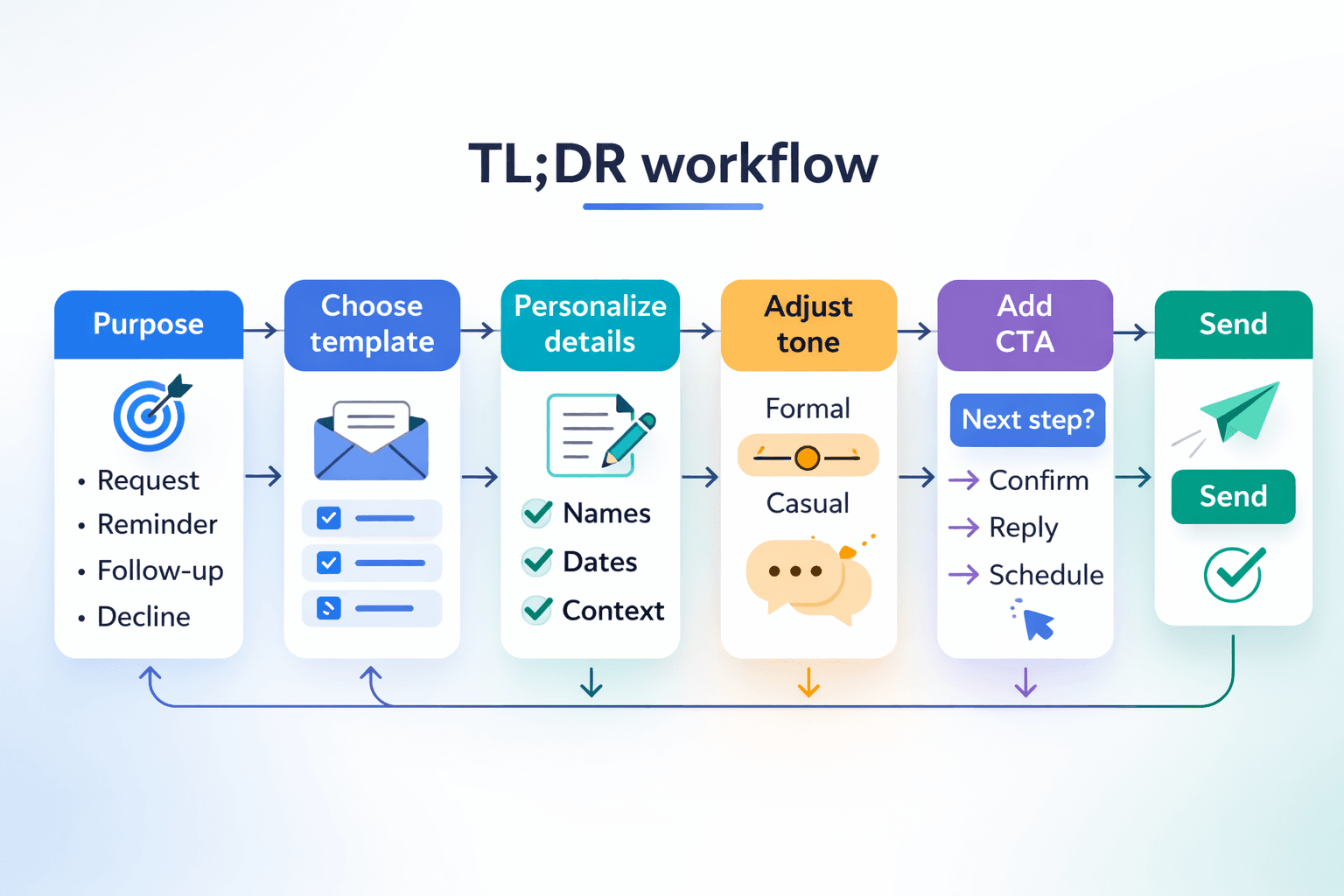
Choose the closest scenario, replace the placeholders, and adjust the tone for the relationship.
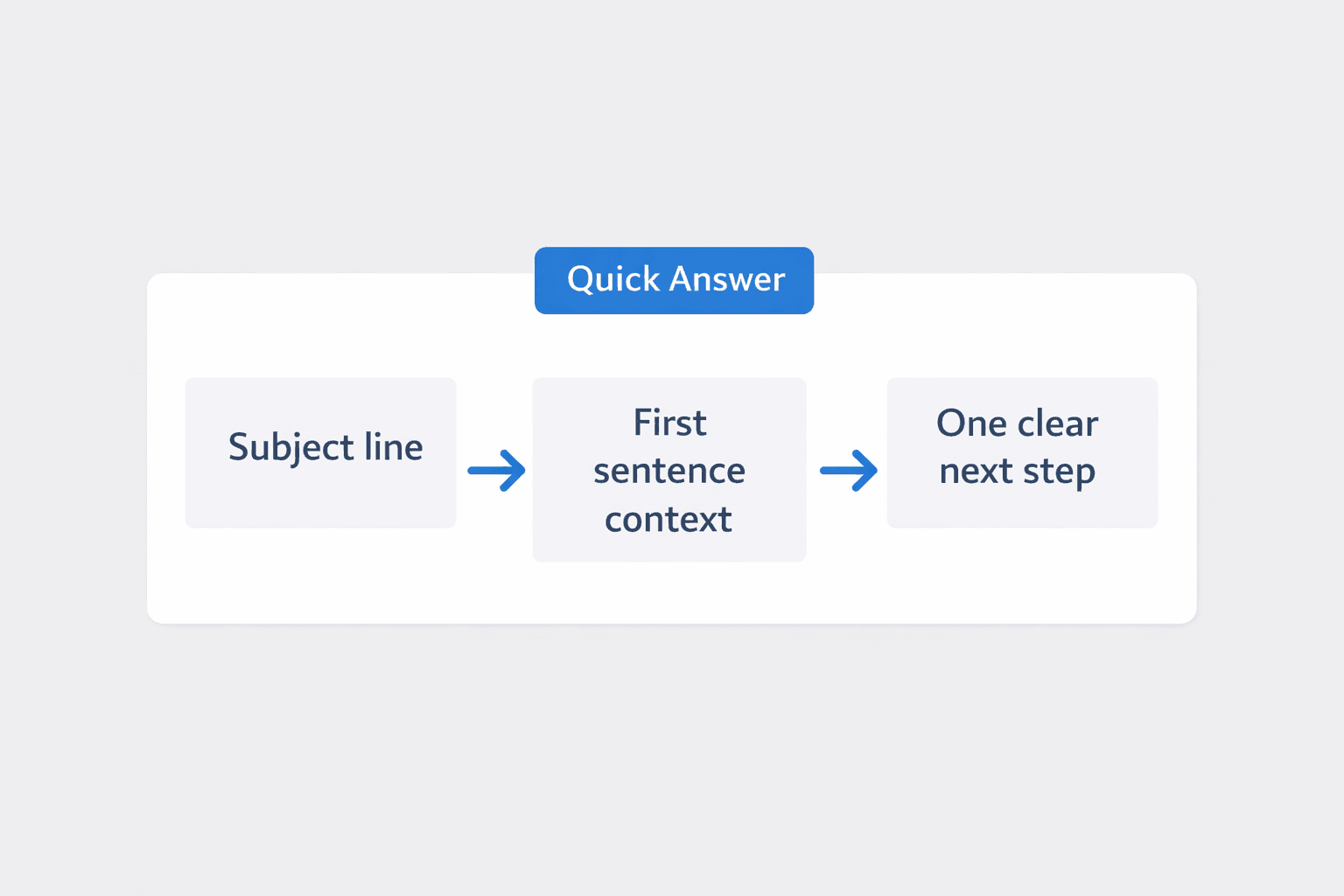
Use this rule:
- •Subject line: state the purpose fast.
- •Opening line: give the missing context.
- •Closing line: ask for one clear next step.
AI Grammar Buddy
Turn this template into your email
Start with the example, then rewrite it for your real situation.
Jump to sections
Use these anchors to jump straight to the section you need.
Quick Answer
A professional email template is a reusable work email structure that helps you sound clear, polite, and efficient. It should include a subject line that states the purpose, a first sentence that gives context, and one clear next step so the reader knows exactly how to respond.
If you already know your use case, jump to the right section:
- Need a meeting request email template? Start with templates 1 to 8.
- Need an invoice reminder email template? Jump to templates 17 and 18.
- Need a follow up email after meeting example? Start with template 9.
If your draft still sounds stiff after you personalize it, paste it into AI Grammar Buddy to tighten the tone before sending.
What Makes Professional Email Templates Work
The best template does three things quickly:
- It uses a subject line that helps the reader triage the email.
- It gives just enough context in the first line.
- It ends with one visible next step.
If you want stronger openings, see our guide to professional email subject lines.
If tone is the real problem, our broader email tone guide will help you match formality to the situation.
If you are chasing a reply, use the more specific patterns in follow-up email after no response.
For calendar wording that is proposed but not final, use this tentative meaning in emails and meetings guide.
If you need to say no without sounding cold, borrow the phrasing in polite ways to decline a request.
I have found that most "bad templates" are not actually bad templates. They are vague drafts pretending to be templates.
In my experience, the opening line does most of the work. When the first sentence tells the reader why the email exists, the rest of the message usually becomes shorter and clearer.
I have also found that a template becomes much more useful once you remove old office phrases and replace them with one specific action.
Before You Copy a Template
Use the template as structure, not as a script.
Replace the topic, timeline, owner, and action first.
Then cut any sentence that does not help the reader decide, reply, approve, or move.
For request templates, do not use a polite phrase to hide a real due date. The guide to “at your earliest convenience” meaning and alternatives shows how to turn a vague timeline into a clear, professional ask.
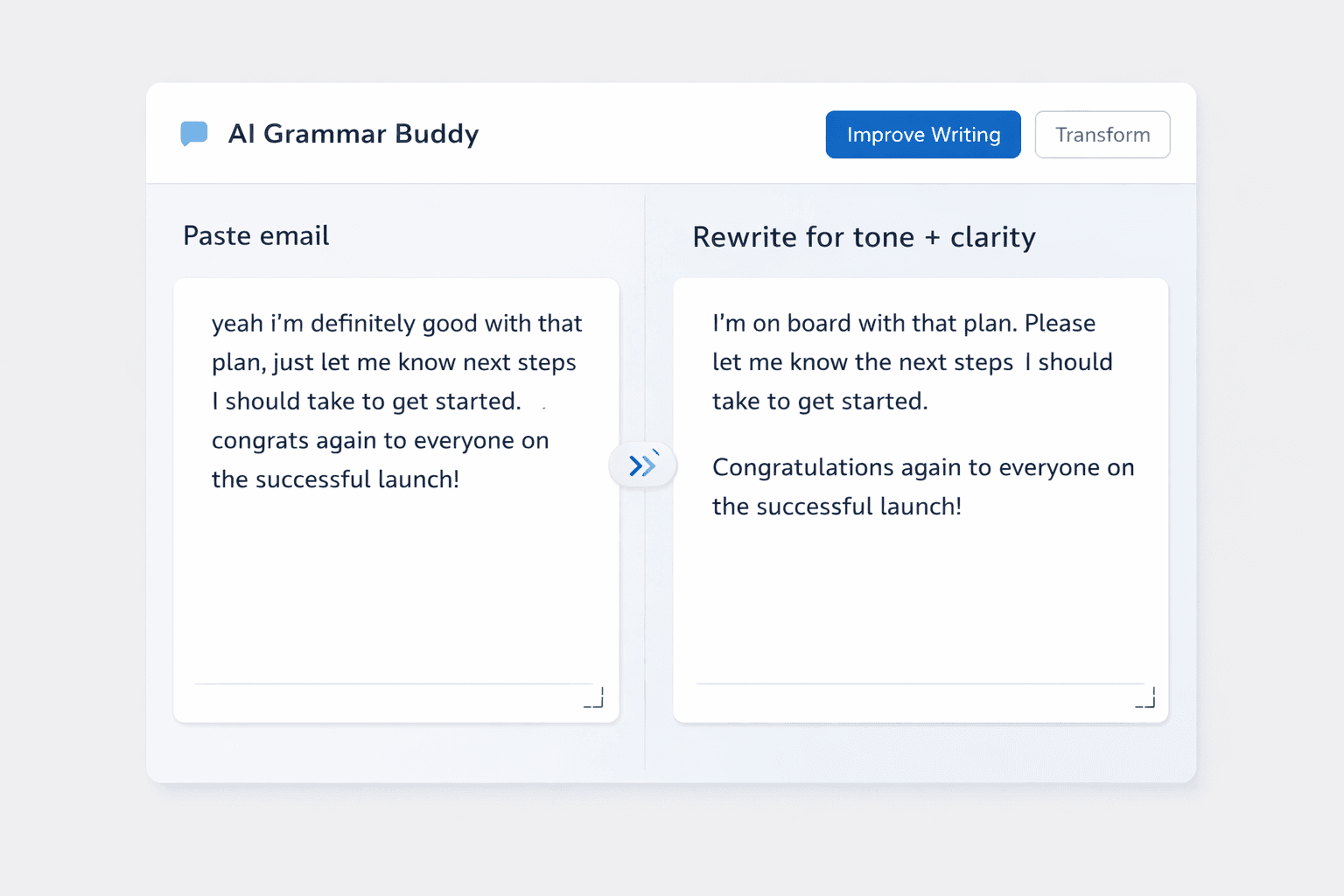
Before -> After with AI Grammar Buddy
Before (stiff):
Kindly revert on whether the proposed meeting timing is suitable.
After (clearer with AI Grammar Buddy):
Could you confirm whether Thursday at 2 PM works for you? If it does, I will send the calendar invite.
The rewrite improves tone and clarity at the same time.
It removes vague office language, names the exact action, and makes the next step obvious.
For a request that ends with “kindly do the needful,” use this three-part reply structure and email examples to acknowledge the message, confirm the action, and set a timeline.
For attachments that need a named task rather than a vague closing, use “for your kind action” meaning and email alternatives as a quick clarity check.
If your draft feels polite but still fuzzy, AI Grammar Buddy is useful for that last cleanup pass.
Meeting Request Emails
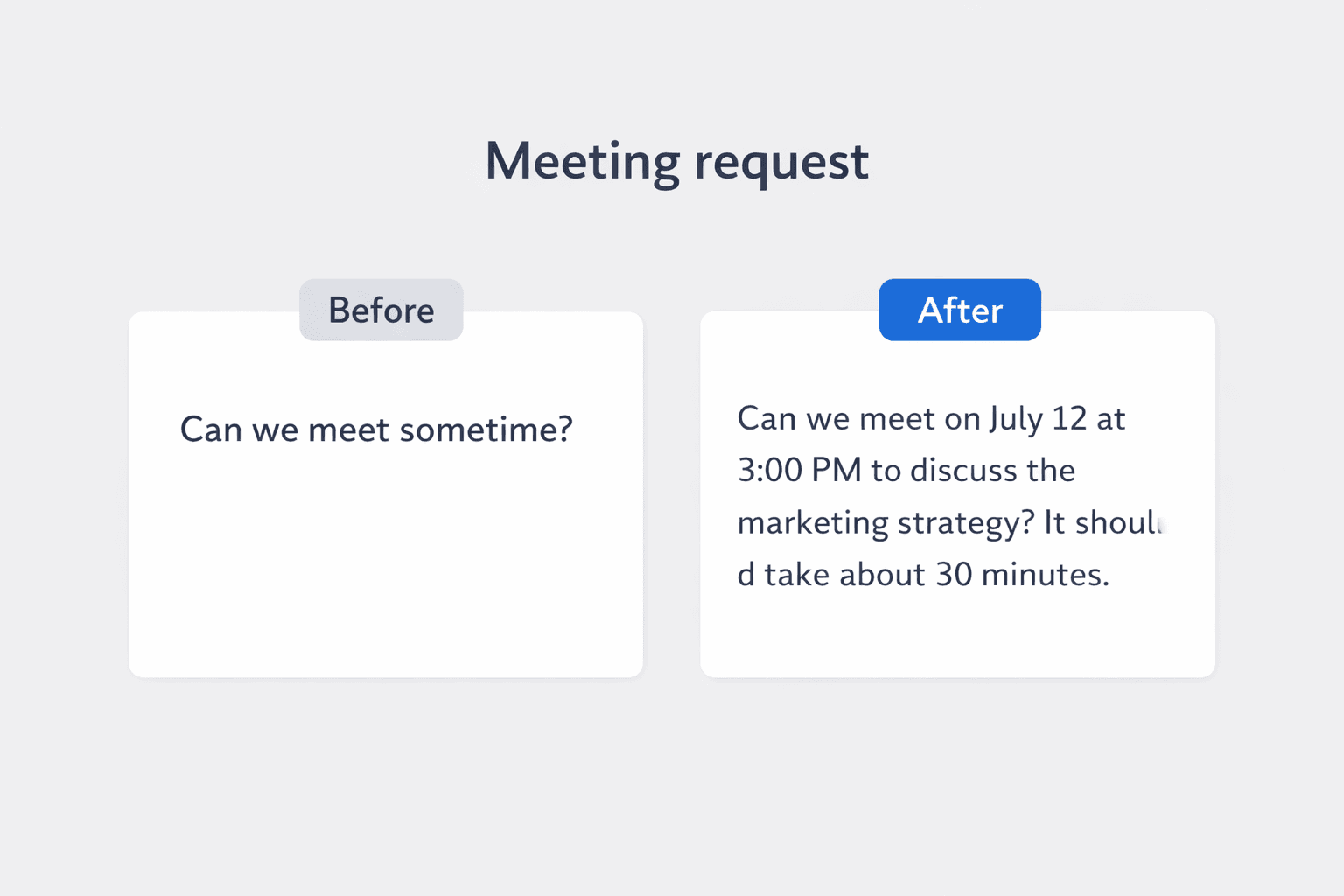
Meeting request emails work when the reader can answer yes, no, or propose another slot in under ten seconds.
State the topic, the purpose, and the expected length early.
Template 1: Internal project sync
Subject: Meeting request: [Project Name] sync on [Day]
Hi [Name],

Could we meet on [Day] at [Time] to align on [project or topic]?

I'd like to cover [point 1], [point 2], and the next deadline. The meeting should take about [30 minutes].

If that slot does not work, please suggest another time.

Best,
[Your Name]
Template 2: Client meeting request
Subject: Request to meet about [Topic]
Hi [Client Name],

I'd like to schedule a short meeting to discuss [topic].

The goal is to confirm [decision or next step], and I expect the call to take about [20/30] minutes. Would [Day] at [Time] work for you?

If not, I'm happy to adjust.

Best regards,
[Your Name]
Template 3: First meeting with a new stakeholder
Subject: Intro meeting request for [Team or Project]
Hi [Name],

I'm reaching out to set up a short introduction meeting regarding [team, project, or account].

It would be helpful to understand your priorities, current timeline, and any immediate concerns. Are you available on [Day] at [Time]?

Please feel free to suggest a better slot if needed.

Best,
[Your Name]
Template 4: Cross-functional alignment meeting
Subject: Request for alignment meeting on [Topic]
Hi team,

Could we schedule a [30-minute] meeting to align on [topic] before [deadline or event]?

I'd like us to leave with a clear owner, timeline, and next step for each open item. I'm proposing [Day] at [Time].

Please let me know if that works.

Thanks,
[Your Name]
Template 5: Manager check-in request
Subject: Quick check-in on [Topic]
Hi [Manager Name],

Could we have a quick check-in on [topic] this week?

I'd like your input on [issue], and I think [15/20] minutes should be enough. I'm free on [Option 1] or [Option 2].

Please let me know what suits you.

Best,
[Your Name]
Template 6: Urgent decision meeting
Subject: Urgent meeting request: decision needed on [Topic]
Hi [Name],

We need a quick decision on [topic] before [deadline].

Could we meet today at [Time] for [15/20] minutes? I'll keep it focused on the available options and the recommended next step.

If that time is not possible, please send an alternative as soon as you can.

Best,
[Your Name]
Template 7: External vendor meeting request
Subject: Meeting request regarding [Project or Service]
Hi [Vendor Name],

I'd like to arrange a short meeting to review [project, service issue, or scope update].

The main purpose is to confirm [deliverable, timeline, or commercial point]. Would [Day] at [Time] work on your side?

If needed, I can send a calendar invite once you confirm.

Regards,
[Your Name]
Template 8: Rescheduled meeting request
Subject: Rescheduling our meeting on [Topic]
Hi [Name],

Could we move our meeting on [topic] to [New Day] at [New Time]?

Something urgent came up on my side, but I still want to discuss [main point] this week. The meeting should still take about [duration].

Please let me know if the new slot works for you.

Best,
[Your Name]
Follow-Up Emails
Good follow-up emails are calm, specific, and easy to answer.
They restate the topic, remind the reader what is pending, and make the next action obvious.
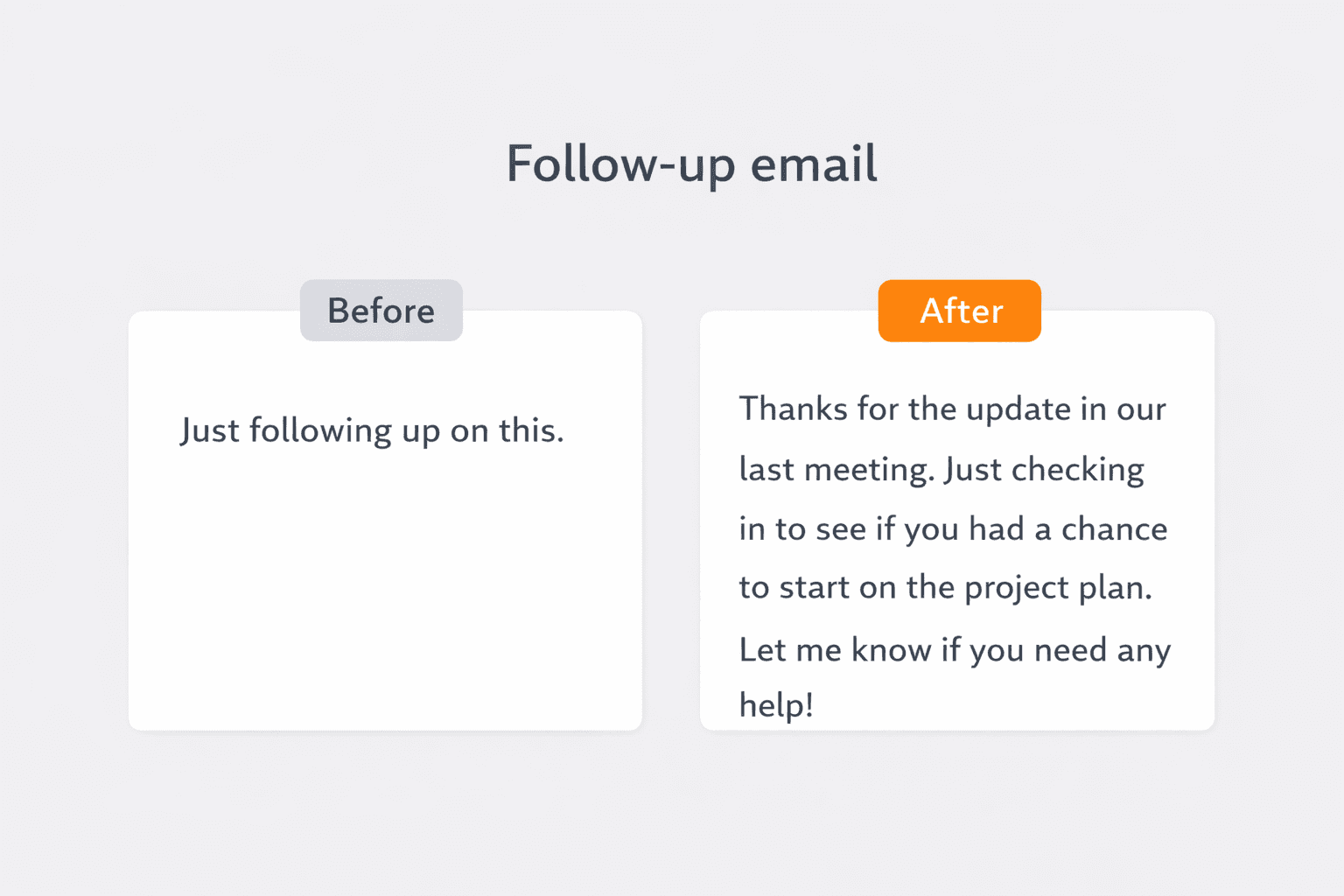
Template 9: Follow up after meeting
Subject: Follow-up on today's meeting about [Topic]
Hi [Name],

Thanks for meeting earlier.

As discussed, the main next steps are [action 1], [action 2], and [action 3]. I'll handle [your item], and I'm following up on [their item].

Please let me know if I missed anything from the discussion.

Best,
[Your Name]
Template 10: Follow-up after sending a proposal
Subject: Following up on the proposal for [Project Name]
Hi [Name],

I'm following up on the proposal I sent on [Date] for [project or service].

I wanted to check whether you had any questions, or if you would like to discuss the scope before deciding.

Please let me know your thoughts when you have a moment.

Best regards,
[Your Name]
Template 11: Follow-up after no response
Subject: Quick follow-up on [Topic]
Hi [Name],

Just checking in on the email below regarding [topic].

When you have a moment, could you let me know whether we should proceed with [action]?

If it helps, I'm happy to resend the details in a shorter format.

Best,
[Your Name]
Template 12: Follow-up after interview
Subject: Thank you for the interview
Hi [Interviewer Name],

Thank you again for speaking with me today about the [Job Title] role.

I enjoyed learning more about the team and the priorities for the position, especially [specific detail]. Please let me know if there is anything else you need from me.

I appreciate your time and look forward to hearing from you.

Best regards,
[Your Name]
Template 13: Follow-up after networking chat
Subject: Great speaking with you today
Hi [Name],

It was great speaking with you earlier.

I appreciated your advice on [topic], especially your point about [specific takeaway]. I'll follow up on [next step] and keep you posted.

Thanks again for your time.

Best,
[Your Name]
Template 14: Follow-up on open approval
Subject: Follow-up on approval for [Item]
Hi [Name],

I'm checking in on the approval for [item or request].

We are aiming to move forward by [date], so a quick yes, no, or revision request would help us plan next steps.

Please let me know what you'd prefer.

Best,
[Your Name]
Template 15: Follow-up with a vendor
Subject: Follow-up on [Request or Order Number]
Hi [Vendor Name],

Following up on [request, quotation, or order number].

Could you share a quick update on the status and expected next milestone? We are planning around [date or deliverable] on our side.

Thank you in advance.

Best regards,
[Your Name]
Template 16: Second follow-up before closing the loop
Subject: Final follow-up on [Topic]
Hi [Name],

I wanted to send one final follow-up on [topic].

If this is no longer a priority, no problem. If you still want to move ahead, please reply by [date], and I'll take it from there.

Either way, a quick update would be appreciated.

Best,
[Your Name]
If you need a softer follow-up sequence after this, start with follow-up email after no response.
Reminder Emails
A reminder email should feel helpful, not passive-aggressive.
Keep it factual. Mention the item, the timeline, and the action you need.
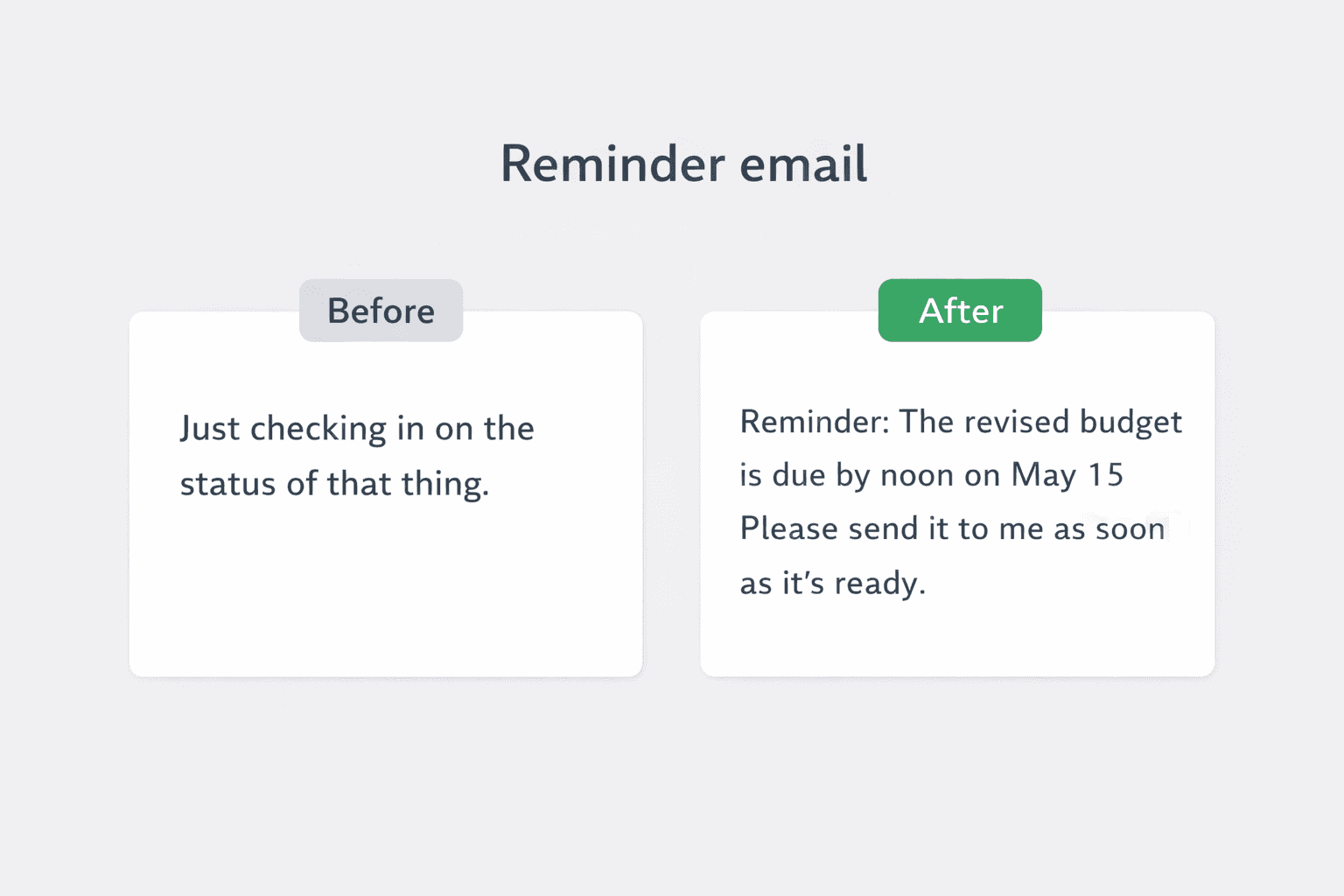
Template 17: Invoice reminder before due date
Subject: Friendly reminder: invoice [Invoice Number] due on [Date]
Hi [Name],

Just a friendly reminder that invoice [Invoice Number] is due on [Date].

Please let me know if payment is already in process or if you need anything from my side to complete it.

Thank you.

Best regards,
[Your Name]
Template 18: Overdue payment reminder
Subject: Follow-up on overdue invoice [Invoice Number]
Hi [Name],

I'm following up on invoice [Invoice Number], which was due on [Date].

Could you please confirm the expected payment date? If there is any issue with the invoice, I'm happy to help resolve it quickly.

Thanks in advance.

Best,
[Your Name]
Template 19: Deadline reminder
Subject: Reminder: [Task or Deliverable] due on [Date]
Hi [Name],

Just a reminder that [task or deliverable] is due on [Date].

Please let me know if you are on track, or if anything is likely to affect the timeline.

Thanks,
[Your Name]
Template 20: Meeting reminder
Subject: Reminder: meeting on [Day] at [Time]
Hi [Name],

Just a quick reminder about our meeting on [Day] at [Time].

We'll be discussing [topic], and the invite link is below for easy reference: [link].

See you then.

Best,
[Your Name]
Template 21: Document submission reminder
Subject: Reminder to send [Document Name]
Hi [Name],

Just checking in on [document name], which we need by [date].

Please send it over when ready, or let me know if you need more time.

Best regards,
[Your Name]
Template 22: Event RSVP reminder
Subject: Reminder to confirm attendance for [Event Name]
Hi [Name],

This is a quick reminder to confirm your attendance for [event name] on [date].

If you plan to join, please reply by [deadline] so we can finalize the headcount and logistics.

Thanks,
[Your Name]
Template 23: Contract signature reminder
Subject: Reminder: signed agreement for [Project or Account]
Hi [Name],

Just following up on the signed agreement for [project or account].

Once we receive it, we can move ahead with [next step]. Please let me know if you need the document resent.

Best,
[Your Name]
For finance or vendor workflows, the more specific examples in our client and vendor template guide are useful once the reminder needs payment, quotation, or shipment context.
Thank You Emails
Thank-you emails should be short, warm, and purposeful.
Show appreciation, then reinforce the relationship, the decision, or the next step.
Template 24: Thank you after help from a coworker
Subject: Thank you for your help on [Topic]
Hi [Name],

Thank you for your help with [topic].

Your support on [specific point] made a real difference, and it helped us move faster on [project or deadline].

I appreciate it.

Best,
[Your Name]
Template 25: Thank you after a meeting
Subject: Thank you for your time today
Hi [Name],

Thank you for taking the time to meet today.

I appreciated the discussion around [topic], and I now have a much clearer view of the next step. I'll follow through on [action].

Thanks again.

Best regards,
[Your Name]
Template 26: Thank you to a client
Subject: Thank you for your continued support
Hi [Client Name],

Thank you for your continued support and trust.

We appreciate the opportunity to work with you on [project or account], and we are committed to keeping things smooth on our side.

Please let me know if there is anything more we can do.

Best,
[Your Name]
Template 27: Thank you after an introduction
Subject: Thank you for the introduction
Hi [Name],

Thank you for making the introduction to [Person Name].

I appreciate the help, and I'll take it forward from here. I'll keep you posted if anything meaningful comes out of the conversation.

Best regards,
[Your Name]
Template 28: Thank you after feedback
Subject: Thank you for the feedback
Hi [Name],

Thank you for the clear feedback on [draft, project, or presentation].

Your comments on [specific point] were especially helpful, and I'm updating the work based on them today.

I appreciate your time.

Best,
[Your Name]
Template 29: Thank you after receiving approval
Subject: Thank you for the approval
Hi [Name],

Thank you for approving [item or request].

We'll move ahead with the next step and keep you updated on progress.

Appreciate the quick turnaround.

Best,
[Your Name]
Template 30: Thank you after an interview
Subject: Thank you for the opportunity
Hi [Interviewer Name],

Thank you for the opportunity to interview for the [Job Title] role.

I enjoyed learning more about the position and the team, especially [specific detail]. The conversation made me even more interested in the role.

Thank you again for your time and consideration.

Best regards,
[Your Name]
Apology Emails
Apology emails work when they are clear, accountable, and calm.
Do not over-explain. Own the issue, name the fix, and show the next update.
Template 31: Apology for a late reply
Subject: Sorry for the late reply
Hi [Name],

Sorry for the delayed reply.

I should have responded sooner on [topic]. Thank you for your patience, and please find my response below.

Best regards,
[Your Name]
Template 32: Apology for missing a deadline
Subject: Apology for missing the deadline on [Task]
Hi [Name],

I'm sorry that I missed the deadline for [task].

The revised completion date is [new date], and I'm taking [specific action] to avoid further delay. I understand the impact this may have caused.

I'll keep you updated.

Best,
[Your Name]
Template 33: Apology for an error in a document
Subject: Apology and corrected version of [Document Name]
Hi [Name],

I'm sorry for the error in the previous version of [document name].

I've attached the corrected copy here and highlighted the updated section for easy review. Thank you for flagging it.

Please let me know if anything else needs to be fixed.

Best regards,
[Your Name]
Template 34: Apology to a client for a service issue
Subject: Apology for the issue with [Service or Order]
Hi [Client Name],

I'm sorry for the issue with [service or order].

We understand the inconvenience this caused, and we are already working on [fix or next step]. I will send you the next update by [time or date].

Thank you for your patience.

Best,
[Your Name]
Template 35: Apology for rescheduling a meeting
Subject: Apologies for needing to reschedule
Hi [Name],

I'm sorry, but I need to reschedule our meeting due to [brief reason].

Would [new day and time] work instead? I appreciate the inconvenience and your flexibility.

Please let me know what suits you best.

Best regards,
[Your Name]
Template 36: Apology for sending incomplete information
Subject: Apology - updated details for [Topic]
Hi [Name],

I'm sorry that my earlier email did not include the full details on [topic].

Here is the complete information: [brief summary]. I've also attached the updated file for reference.

Thank you for your patience.

Best,
[Your Name]
Template 37: Apology for internal miscommunication
Subject: Apology for the confusion on [Topic]
Hi [Name],

I'm sorry for the confusion around [topic].

We gave inconsistent information earlier, and that is on us. To confirm, the correct next step is [correct action].

Thanks for bearing with us while we cleared this up.

Best regards,
[Your Name]
Template 38: Apology for a delayed deliverable
Subject: Apology and revised delivery timing
Hi [Name],

I'm sorry that we are behind on [deliverable].

We now expect to send the completed version by [date or time]. We are prioritizing [specific action] to get this back on track.

I'll keep you posted if anything changes.

Best,
[Your Name]
For a deeper breakdown, see how to apologize professionally in an email.
Asking for Update Emails
There is a difference between chasing someone and asking for an update professionally.
A good update request sounds collaborative and explains why the update matters now.
Template 39: Asking for a project status update
Subject: Request for update on [Project Name]
Hi [Name],

Could you share a quick update on [project name] when you have a moment?

I'd like to understand the current status, any blockers, and whether the target date of [date] still looks realistic.

Thanks in advance.

Best,
[Your Name]
Template 40: Asking for an update from a vendor
Subject: Status update on [Order or Request]
Hi [Vendor Name],

Could you please share the latest status on [order, request, or shipment]?

We are currently planning around [date or milestone], so a quick update on timing would help us coordinate internally.

Best regards,
[Your Name]
Template 41: Asking for an update from HR
Subject: Follow-up on application status for [Role]
Hi [Name],

I hope you're well. I'm writing to ask whether there is any update on my application for the [Role] position.

I remain very interested in the opportunity and would appreciate any timeline you can share.

Thank you for your time.

Best,
[Your Name]
Template 42: Asking for an update on approval
Subject: Quick update on approval for [Item]
Hi [Name],

Could you let me know the current status of the approval for [item]?

We are holding the next step until we have your decision, so even a brief update would help us plan.

Thanks,
[Your Name]
Template 43: Asking for an update after sending materials
Subject: Checking on the materials sent on [Date]
Hi [Name],

I wanted to check whether you had a chance to review the materials I sent on [Date].

Please let me know if anything else is needed from my side, or if you would prefer a quick call to discuss them.

Best regards,
[Your Name]
Template 44: Asking for an update on a ticket or issue
Subject: Update request on [Issue or Ticket Number]
Hi [Name],

Could you share the latest update on [issue or ticket number]?

I'm checking because [business impact or dependency], and I want to make sure we set the right expectation with the team.

Thanks for the help.

Best,
[Your Name]
For more sensitive chasers, our guide on how to chase an email politely gives narrower examples for clients, approvals, and delayed replies.
Declining Emails
Declining emails are easiest to read when they are respectful and direct.
Say no clearly, then offer the next best option only when it is genuinely helpful.
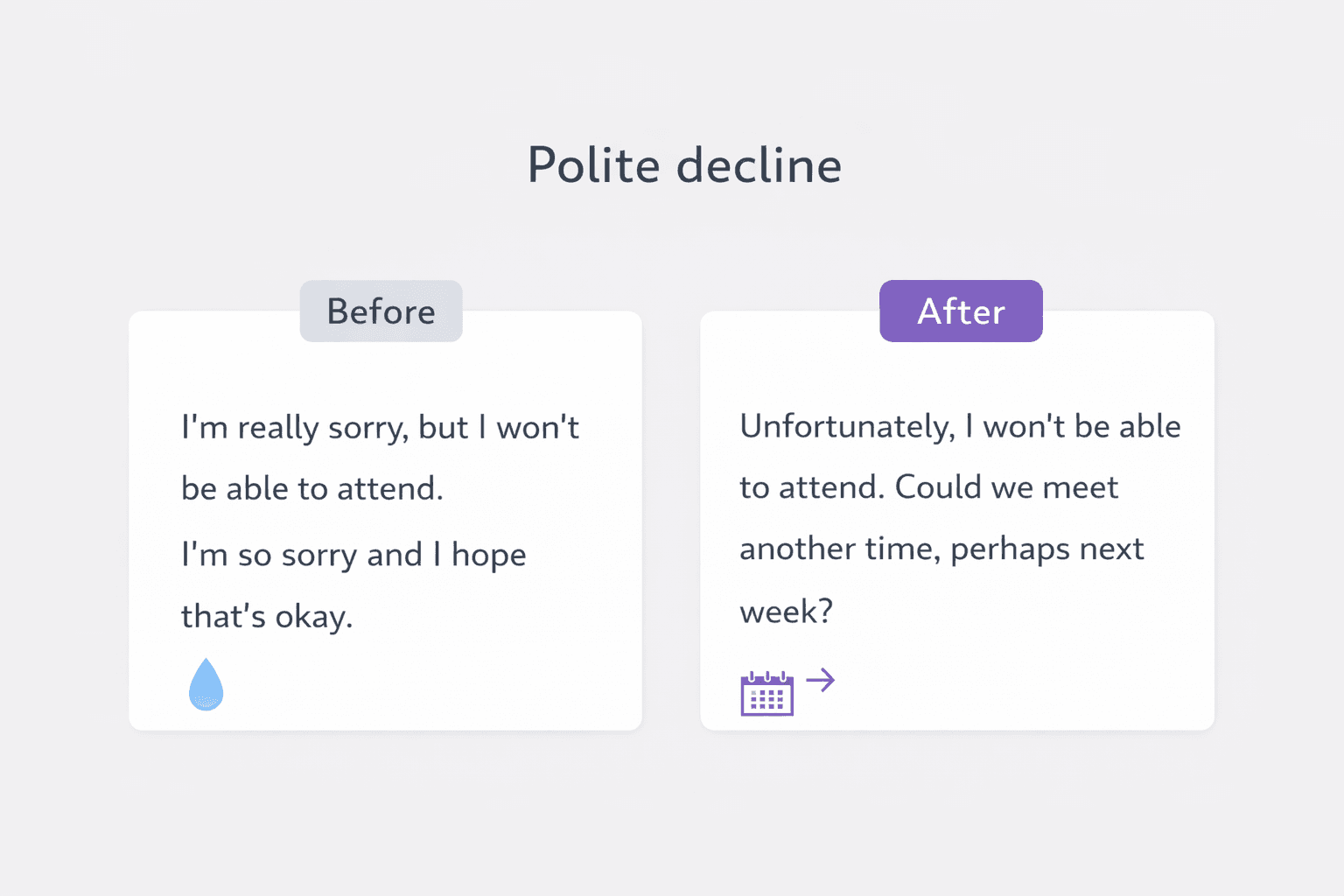
Template 45: Declining a meeting
Subject: Re: Meeting request for [Topic]
Hi [Name],

Thank you for the invitation.

I'm not able to join the meeting on [day or time]. If helpful, I can share my input by email, or we can look at another slot next week.

Best regards,
[Your Name]
Template 46: Declining a request politely
Subject: Re: Request for [Task or Support]
Hi [Name],

Thanks for reaching out.

I'm not able to take this on at the moment due to current priorities. If it helps, I can suggest [alternative person, resource, or timing].

Best,
[Your Name]
Template 47: Declining a job offer
Subject: Thank you for the offer
Hi [Name],

Thank you very much for offering me the [Job Title] role.

After careful thought, I've decided not to move forward. I sincerely appreciate the time and consideration from you and the team.

I wish you all the best.

Best regards,
[Your Name]
Template 48: Declining a vendor proposal
Subject: Update on your proposal for [Project Name]
Hi [Name],

Thank you for sending the proposal for [project name].

We've decided not to proceed with this option at the moment. We appreciate the time you put into it and may reach out again if priorities change.

Best,
[Your Name]
Template 49: Declining extra work due to bandwidth
Subject: Re: Support for [Task]
Hi [Name],

Thanks for thinking of me.

I can't give this the attention it needs right now because of my current workload. I'd rather be clear now than commit and delay the work later.

If timing changes, I'm happy to revisit it.

Best,
[Your Name]
Template 50: Declining an invitation while keeping the relationship warm
Subject: Thank you for the invitation
Hi [Name],

Thank you for inviting me.

I won't be able to attend, but I appreciate you including me. I hope the event goes well, and I'd be glad to catch up another time.

Best regards,
[Your Name]
Final Takeaway
The best professional email templates do not try to sound impressive.
They help the reader act fast.
Choose the closest example, personalize the details, and cut anything that does not support the next step.
For report summaries and final body paragraphs, see these better ways to say "in conclusion" before choosing your sign-off.
Before you send, check your email grammar for spelling, punctuation, and sentence errors. If you also want a tone and clarity rewrite, run the final version through AI Grammar Buddy.
If your template includes a file, use one of these professional alternatives to “please find attached” to name the attachment, explain its purpose, and make the next action clear.
This article was reviewed against real workplace email patterns, including meeting requests, approvals, reminders, vendor follow-ups, and polite declines.
The AI Grammar Buddy Editorial Team focuses on the choices that change reply quality in practice: vague openings, weak asks, overloaded context, and business-writing decisions that make the next step obvious.
About This Article
AI Grammar Buddy Editorial Team
Business Writing and Tone Review Team
This article was reviewed against real workplace email patterns across meetings, reminders, approvals, vendor emails, and polite declines. The AI Grammar Buddy Editorial Team focuses on the business-writing choices that change outcomes: clarity, tone, weak asks, vague openings, and next-step wording.
Last updated 17 March 2026
Frequently Asked Questions
What is a professional email template?▼
A professional email template is a reusable email structure for work. It gives you the right subject line, opening context, and next-step language so the reader can understand the purpose quickly and act without guessing.
How do I keep a professional email template from sounding robotic?▼
Replace placeholders with specific details, cut vague phrases, and make the action explicit. Most templates sound robotic when the opening line is generic or the closing does not ask for one clear next step.
Should I copy a professional email template word for word?▼
Usually no. Use the structure, then adapt the tone, names, timeline, and decision point to your situation. A template should save time, not make your email sound copied.
What is the biggest mistake in professional email writing?▼
The biggest mistake is being technically polite but practically unclear. If the reader still has to guess what you want, the template failed even if the wording sounds formal.
Can AI Grammar Buddy improve these email templates?▼
Yes. Paste any draft into AI Grammar Buddy's Email Improver to tighten tone, improve clarity, and make the wording sound more natural before sending.
Next step
Turn this template into your email
Start with the example, then rewrite it for your real situation.
Keep going
Continue with AI Grammar Buddy
AI Grammar Buddy
Email Improver
Paste your draft and rewrite it for clearer, more professional English.
Rewrite My EmailRelated guide
Essential Client & Vendor Email Templates: Apology Email to Customer, Quotations and More
Copy, personalize, and send practical apology email to customer templates, request for quotation email examples, payment reminders, complaint replies, and vendor follow-ups.
13 March 2026
Related guide
Interview Invitation Email: 18 HR Templates That Work in 2026
Interview invitation email, job rejection, meeting minutes & confirmation templates. 18 copy-paste HR samples for modern workplace communication.
12 March 2026
Related guide
Follow Up Email After No Response: 15 Professional Templates for Every Situation
Use these 15 professional follow-up email templates after no response. Includes client, vendor, payment, interview, and second follow-up examples.
11 March 2026