Essential Client & Vendor Email Templates: Apology Email to Customer, Quotations and More
Copy, personalize, and send practical apology email to customer templates, request for quotation email examples, payment reminders, complaint replies, and vendor follow-ups.
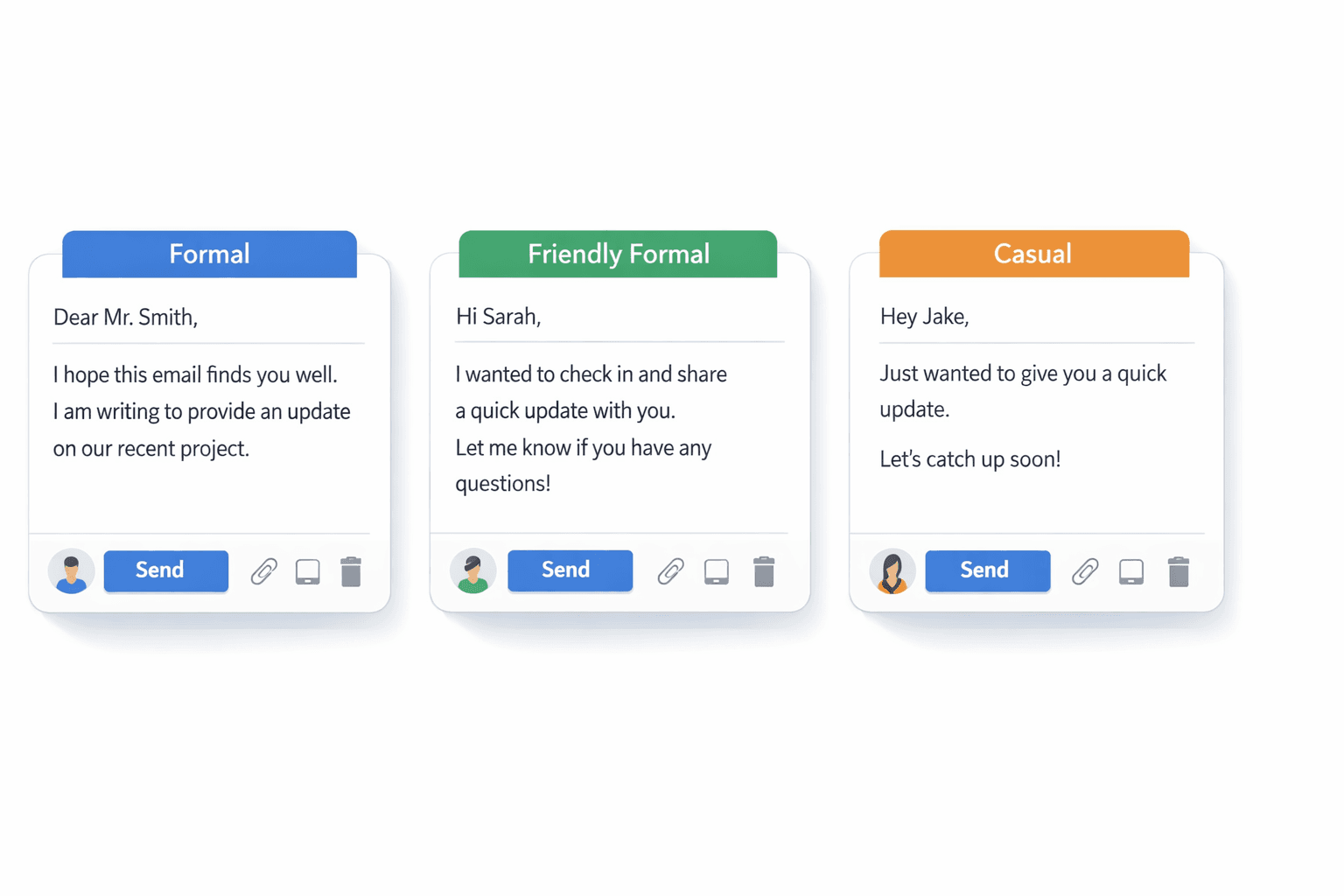
It is 8:47 AM. A customer wants to know why order [Order Number] has not arrived, finance has found a billing error, and your procurement lead still needs three prices before lunch. This is where most people either freeze or send an email that sounds too cold, too vague, or too formal.
This guide is built for that exact moment. Whether you need an apology email to customer, a quotation request, or a payment follow-up, it gives you practical client-facing and vendor-facing templates you can copy, adapt, and send quickly, without sounding like a policy memo or a generic template farm.
If you only need a deeper phrase-by-phrase apology guide, start with how to apologize professionally in an email. If you want the broader operating playbook, this pillar brings the most common client and vendor scenarios into one place.
TL;DR
An apology email to customer should own the issue, state the fix, and give a clear timeline. A request for quotation email should name the product or service, quantity, specifications, and response deadline.
Copy the template that fits your situation, replace the placeholders, then run the draft through [AI Grammar Buddy](/email-improver/) if it still sounds stiff or overly formal.
Quick answer:
- •Apology email to customer: "Hi [Client Name], I'm sorry about the delay with order [Order Number]. The revised delivery date is [Delivery Date], and I'll update you again by [Time]."
- •Request for quotation email: "Hi [Vendor Name], please share your quotation for [Product / Service], qty [Quantity], for delivery by [Delivery Date]. Please include lead time and payment terms."
- •Payment reminder: "Hi [Client Name], a quick reminder that invoice [Invoice Number] was due on [Due Date]. Please let us know if anything is needed from our side to process payment."
AI Grammar Buddy
Turn this template into your email
Start with the example, then rewrite it for your real situation.
Jump to sections
Use these anchors to jump straight to the section you need.
Quick Answer: Apology Email to Customer and Request for Quotation Email
An apology email to customer should do three things early: say sorry clearly, name the issue plainly, and tell the customer what happens next. A request for quotation email should do the opposite job: reduce ambiguity by listing what you need, when you need it, and how the supplier should price it.
Use the quick rule below:
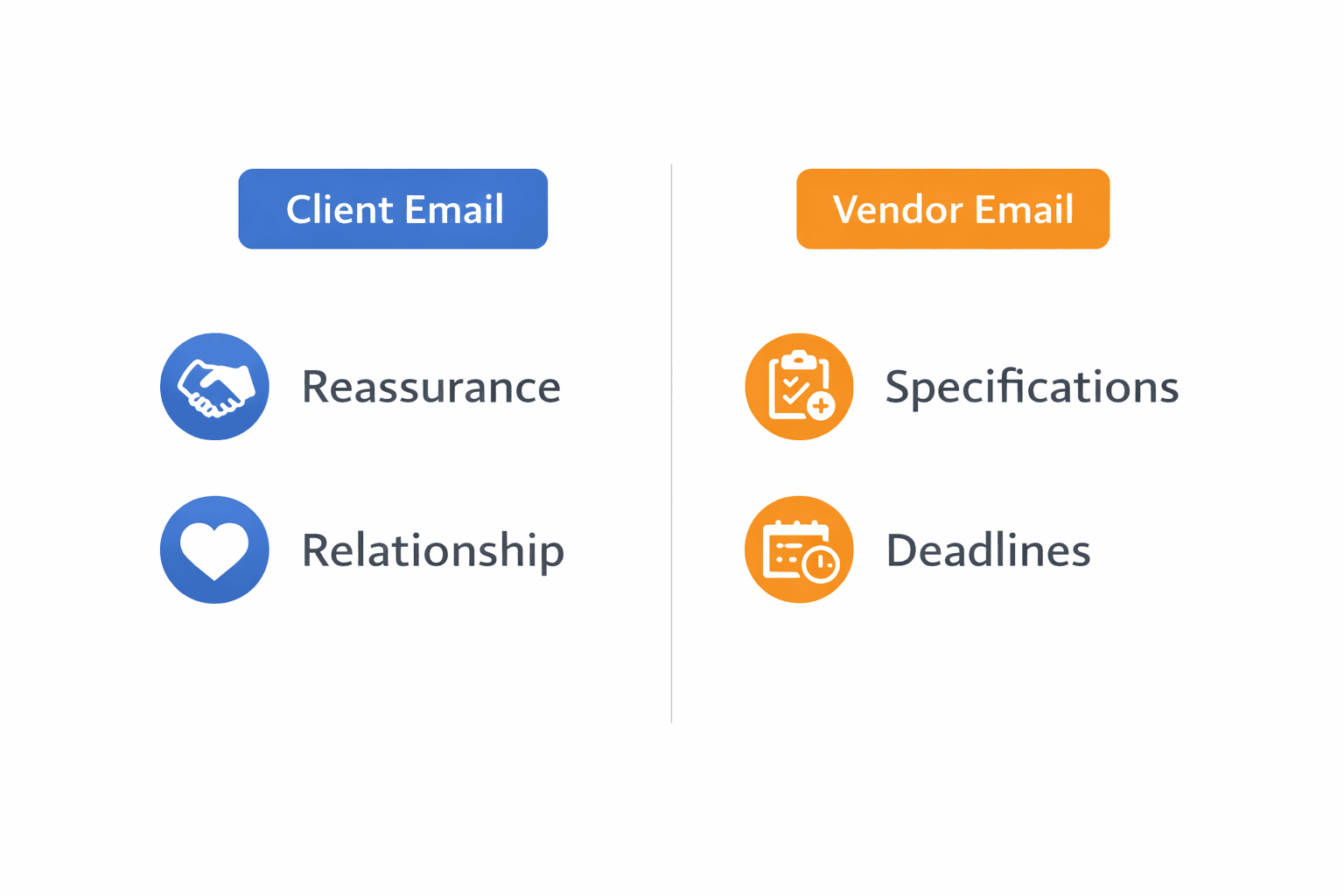
- Client issue email: accountability + reassurance + next step
- Vendor/procurement email: specifications + deadline + decision criteria
- Any template: replace every placeholder and make the next action obvious
That one shift solves a lot of the old-office language problems behind phrases like please advise, noted with thanks, and vague attachment lines. When you do send files, use clearer wording from please find attached alternatives.
Client Email Templates
These are the templates to reach for when the other side is a customer, client, or account you need to keep calm and informed.
Apology Email to Customer Templates
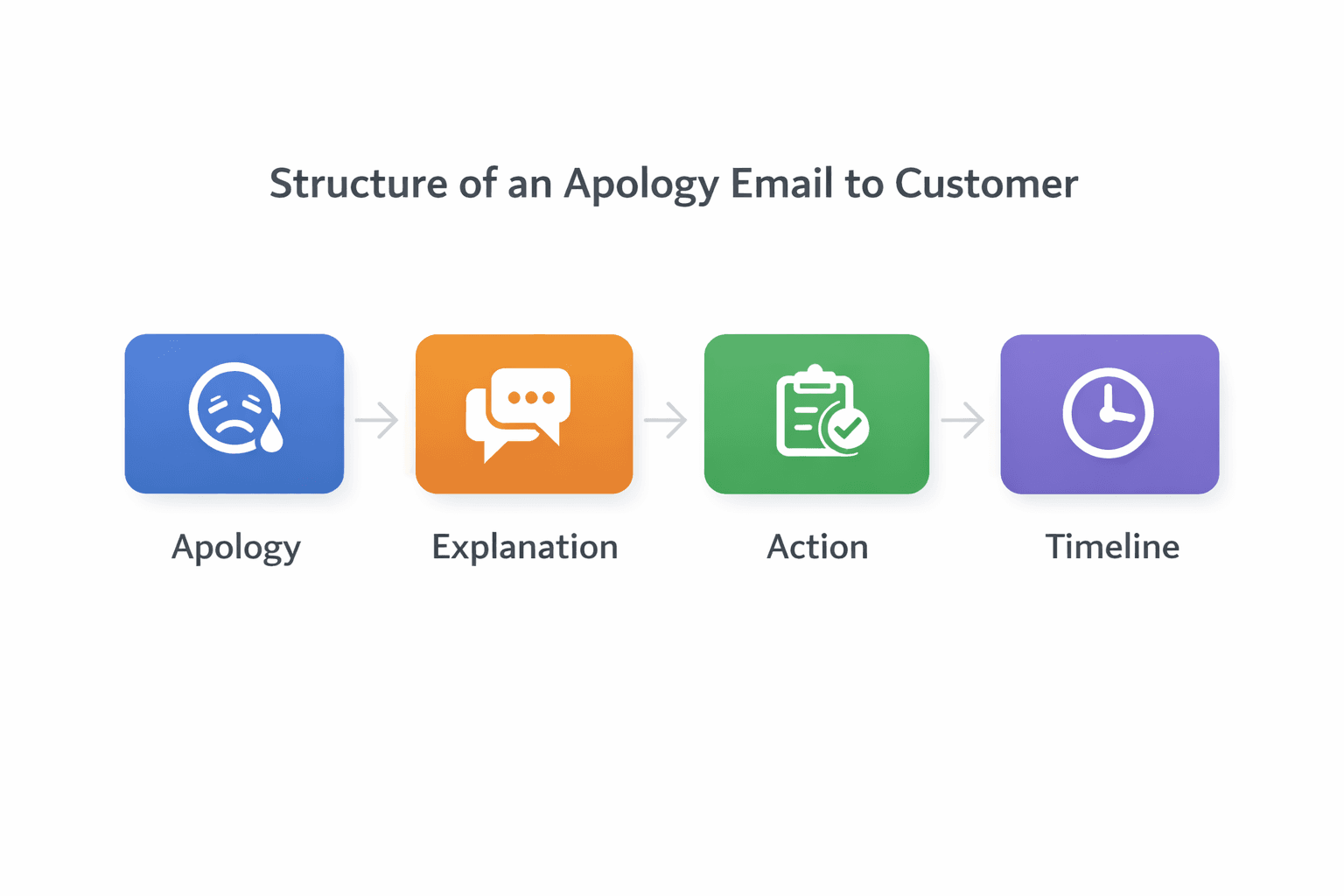
The best apology email to customer is accountable without sounding robotic. You do not need a long defense. You need a clear apology, one useful explanation, and a credible next step.
Template 1: Delayed order apology
Subject: Update on Order [Order Number]
Hi [Client Name], I’m sorry that order [Order Number] has been delayed. The revised delivery date is [Delivery Date]. We are expediting the shipment now and I will send you another update by [Time / Date]. Thank you for your patience.
Template 2: Service issue apology
Subject: Apology for today’s service interruption
Hi [Client Name], I’m sorry for the disruption to [Product / Service] today. Our team has identified the issue and is working on the fix now. We expect the next update by [Time] and will keep you posted until this is resolved.
Template 3: Billing mistake apology
Subject: Correction for Invoice [Invoice Number]
Hi [Client Name], I’m sorry about the error on invoice [Invoice Number]. We have corrected the billing amount and attached the revised invoice for your review. Please ignore the earlier version, and let me know if you would like us to walk through the changes.
Template 4: Apology with next steps
Subject: Next steps on [Issue]
Hi [Client Name], I’m sorry for the inconvenience caused by [Issue]. We are taking these steps now: [Step 1], [Step 2], and [Step 3]. You can expect a confirmed update from me by [Date / Time].
Template 5: Warmer relationship-preserving version
Subject: I’m sorry about this
Hi [Client Name], I’m sorry we let you down here. I know this caused extra work on your side, especially with [Project Name / Deadline]. We are fixing it now, and I’ll stay personally on this until the next update reaches you by [Time].
Why this works: each version owns the problem early, avoids excuses, and gives the reader a time-based next step.
Use this when: the client already feels friction and needs confidence more than detail.
Avoid this mistake: over-apologizing without action. One sincere apology is stronger than three soft apologies and no plan.
If your draft sounds stiff, blamey, or too emotional, run it through AI Grammar Buddy before sending.
Delay update, complaint, and scope update emails
These are the client templates that usually come right after the first apology or in place of one.
Template 6: Delay update email to client
Subject: Revised timeline for [Project Name]
Hi [Client Name], a quick update on [Project Name]: we now expect to complete [Milestone / Delivery] by [Delivery Date] instead of [Old Date]. The main reason is [Short Reason]. We are adjusting [Action] to reduce further delay.
Template 7: Acknowledging a customer complaint
Subject: We have received your message
Hi [Client Name], thank you for raising this. We have received your complaint regarding [Issue] and are reviewing it now. I will return with a fuller update by [Time / Date]. If you need a simple receipt confirmation format, see our guide to acknowledge receipt emails.
Template 8: Apologizing and asking for details
Subject: Sorry about this - could you share one detail?
Hi [Client Name], I’m sorry you ran into this problem with [Product / Service]. To investigate properly, could you share [Screenshot / Time / Order Number / User ID]? Once I have that, I can move this to the right team immediately.
Template 9: Apologizing and offering a next step
Subject: Next option for resolving [Issue]
Hi [Client Name], I’m sorry for the trouble caused by [Issue]. The fastest next step is for us to [Replace / Refund / Reconfigure / Schedule a call]. If that works for you, we can complete it by [Date / Time].
Template 10: Escalation update to customer
Subject: Your case has been escalated
Hi [Client Name], I’m sorry this is taking longer than expected. I have escalated the issue to [Team / Manager Name] and asked for a priority review. I will update you again by [Time / Date], even if the investigation is still in progress.
Template 11: Revised quotation or scope update email
Subject: Revised quotation for [Project Name]
Hi [Client Name], attached is the revised quotation [Quotation Number] for [Project Name]. We updated [Scope / Quantity / Delivery Date / Price] based on your latest request. Please review the changes and let me know if you would like us to proceed.
Why this works: the reader can immediately see whether you are informing, clarifying, or asking for approval.
Use this when: a client needs a calm update without reading a long explanation.
Avoid this mistake: making the customer work too hard to find the action, attachment, or deadline.
Vendor & Procurement Email Templates
Use this bucket when you are sourcing, comparing vendors, chasing a quotation, or moving an invoice or shipment forward.
Request for Quotation Email Templates
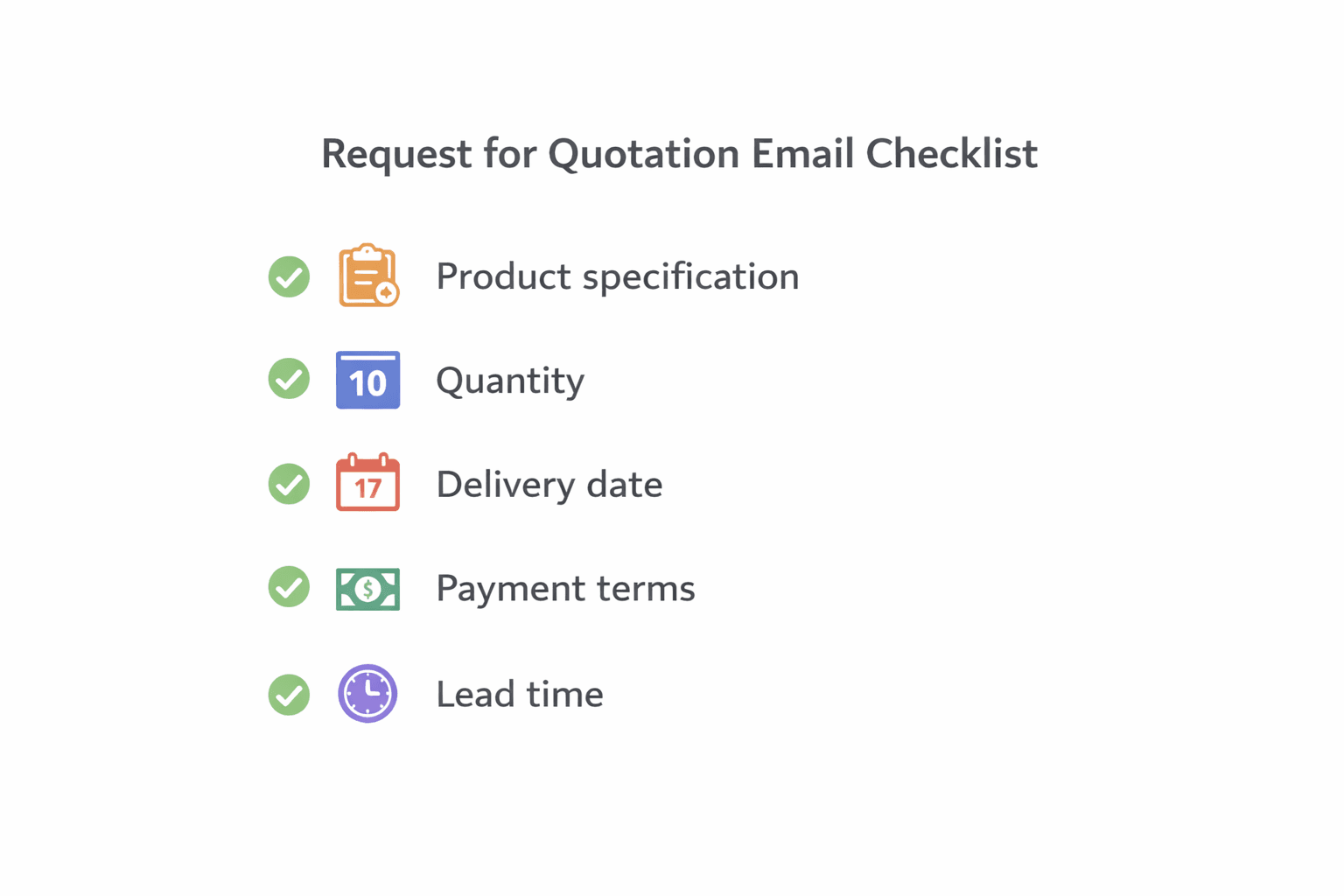
A request for quotation email is not just a pricing ask. It is a brief specification document inside an email. The clearer you are, the better the quote, and the less back-and-forth you create later.
Useful subject lines for a request for quotation email
- Request for quotation - [Product / Service]
- RFQ for [Product / Service] - delivery by [Delivery Date]
- Urgent quotation request for [Product / Service]
- Follow-up on quotation request - [Project Name]
Template 12: First quotation request
Subject: Request for quotation - [Product / Service]
Hi [Vendor Name], could you please share your quotation for [Product / Service]? We need [Quantity] for delivery to [Location] by [Delivery Date]. Please include price, lead time, and payment terms.
Template 13: Detailed RFQ with specifications
Subject: RFQ for [Product / Service] - specifications attached
Hi [Vendor Name], please provide your quotation for [Product / Service] with the attached specifications. Kindly include [Material / Dimensions / Compliance / Warranty], MOQ, production lead time, freight options, and quotation validity. We would appreciate your response by [Date].
Template 14: Urgent quotation request
Subject: Urgent quotation request for [Product / Service]
Hi [Vendor Name], we need a quotation for [Product / Service] by [Time / Date] to complete an internal approval today. Please confirm whether you can quote within that timeline and include your earliest delivery date.
Template 15: Quotation follow-up
Subject: Follow-up on quotation request - [Project Name]
Hi [Vendor Name], following up on my quotation request for [Product / Service] sent on [Date]. Could you let me know whether you expect to share the quote by [New Date / Time]? A clear yes or no helps us plan next steps.
Request for Quotation Email Sample
Sample 1: More formal procurement-style version
Subject: Request for quotation - [Product / Service] for [Project Name]
Dear [Vendor Name], please submit your quotation for [Product / Service] in accordance with the attached specifications. Kindly include unit pricing, delivery lead time, Incoterms if applicable, quotation validity, and payment terms. We would appreciate receipt by [Date] for internal review.
Sample 2: Practical SME/business version
Subject: Can you quote for [Product / Service]?
Hi [Vendor Name], we are sourcing [Product / Service] for [Project Name] and would like your price for [Quantity] units. Please include your best lead time, delivery charge, and whether pricing changes at higher volume. If possible, send it by [Date].
Why this works: good RFQ emails reduce ambiguity before the supplier writes back.
Use this when: you want comparable quotes instead of three wildly different responses.
Avoid this mistake: writing "please advise your best quote" without the quantity, spec, location, or deadline. If you need a separate chase sequence later, use our pillar on follow-up email after no response and the more targeted guide on how to chase an email politely.
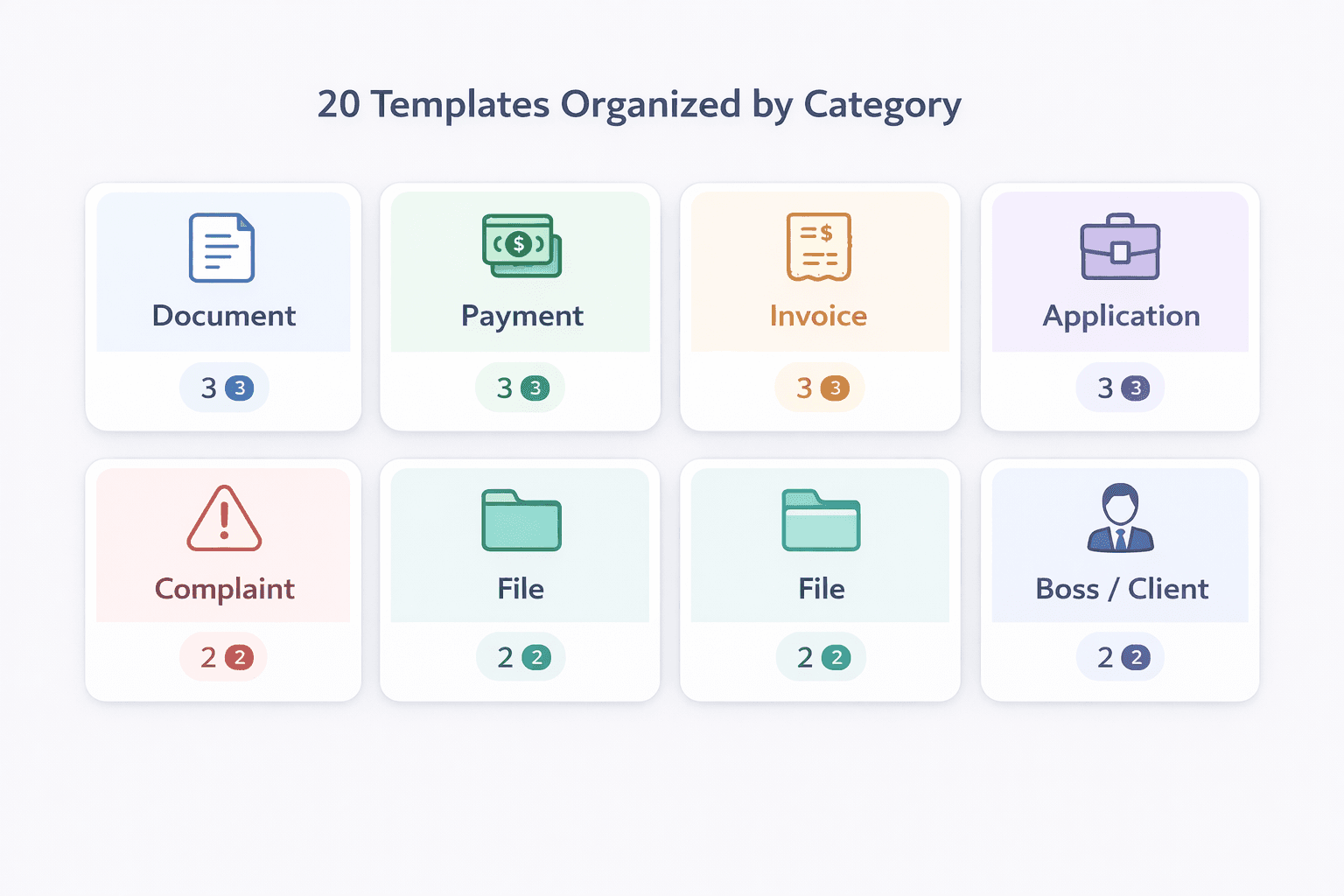
If your RFQ still sounds too stiff, overly regional, or unclear on action, paste it into AI Grammar Buddy before you send it to suppliers.
Vendor follow-up and update emails
Template 16: Follow-up on delayed response
Subject: Quick follow-up on [Request / RFQ]
Hi [Vendor Name], just checking in on the request below for [Product / Service]. Could you let me know if you are able to support this and when we can expect your reply?
Template 17: Follow-up on quotation
Subject: Clarification on quotation [Quotation Number]
Hi [Vendor Name], thanks for sharing quotation [Quotation Number]. Could you please confirm whether the quoted price includes [Freight / Installation / Tax / Packaging] and whether the lead time is fixed at [X] days?
Template 18: Shipment or status update request
Subject: Status update for order [Order Number]
Hi [Vendor Name], could you share the latest shipment status for order [Order Number]? We are currently planning around the expected arrival on [Delivery Date] and would appreciate any update on dispatch, tracking, or customs timing.
Template 19: Revised delivery timeline request
Subject: Request for updated delivery timeline
Hi [Vendor Name], please let us know the revised delivery timeline for [Product / Service] under order [Order Number]. If the original date is no longer feasible, please share the earliest realistic alternative so we can update our client plan.
Payment and invoice emails
Template 20: Polite payment reminder
Subject: Friendly reminder - invoice [Invoice Number]
Hi [Client Name], a quick reminder that invoice [Invoice Number] for [Product / Service] was due on [Due Date]. Please let us know if payment is already in process or if you need anything from our side to complete it.
Template 21: Overdue invoice follow-up
Subject: Follow-up on overdue invoice [Invoice Number]
Hi [Client Name], invoice [Invoice Number] remains outstanding past the due date of [Due Date]. Could you please confirm the expected payment date? If there is any billing issue, I’m happy to help resolve it quickly.
Template 22: Confirmation of payment received
Subject: Payment received - thank you
Hi [Client Name], thank you. We have received payment for invoice [Invoice Number] and updated our records. Please let me know if you need a receipt or statement from our side.
Template 23: Request to resend invoice or billing details
Subject: Could you resend invoice [Invoice Number]?
Hi [Vendor Name / Client Name], could you please resend invoice [Invoice Number] or the relevant billing details for [Product / Service]? We want to ensure the amount, billing entity, and due date are correct before processing.
Why this works: every template names the document, order, or amount, which makes finance and operations replies faster.
Use this when: money, shipment timing, or approvals are involved and silence creates operational risk.
Avoid this mistake: sounding accusatory too early. Start factual, not emotional.
Common Mistakes That Make These Emails Worse
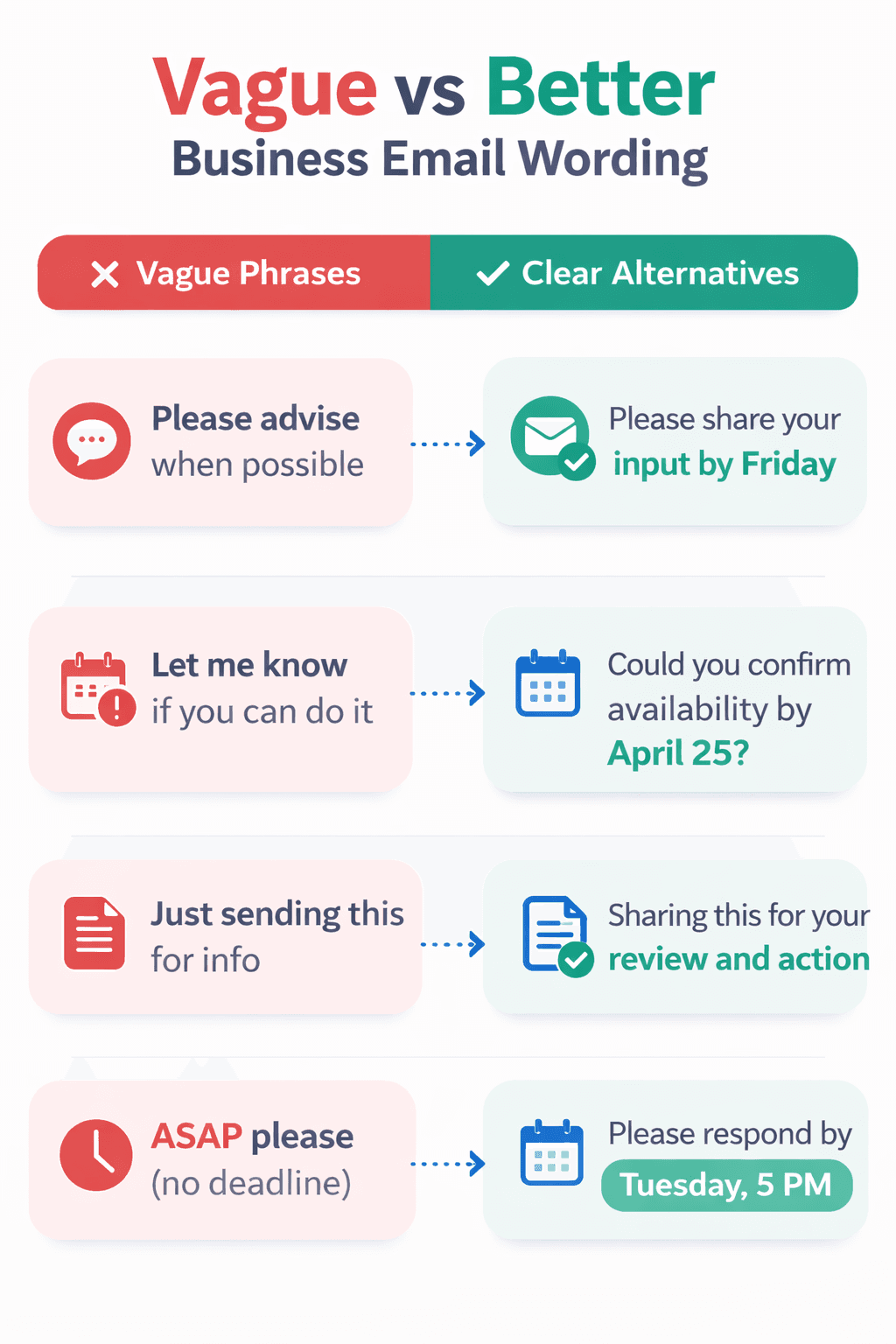
- Sounding too cold. "Noted" or "received" may be correct, but for clients they can feel abrupt. Use a warmer sentence when trust matters.
- Over-apologizing without action. An apology email to customer should not become a paragraph of self-defense.
- Being too vague. "Please advise" and "revert soonest" create work for the reader instead of clarity.
- Making the reader hunt for the ask. Put the deadline, attachment purpose, or required reply in the first few lines.
- Sounding too stiff or outdated. If your email reads like old office shorthand, it will travel badly across regions.
- Leaving next steps unclear. Always show what happens after the email is sent.
After personalizing a template, check your English grammar and verify every amount, date, attachment, and recipient name separately.
Final Guidance: Tone, Personalization, and Brevity
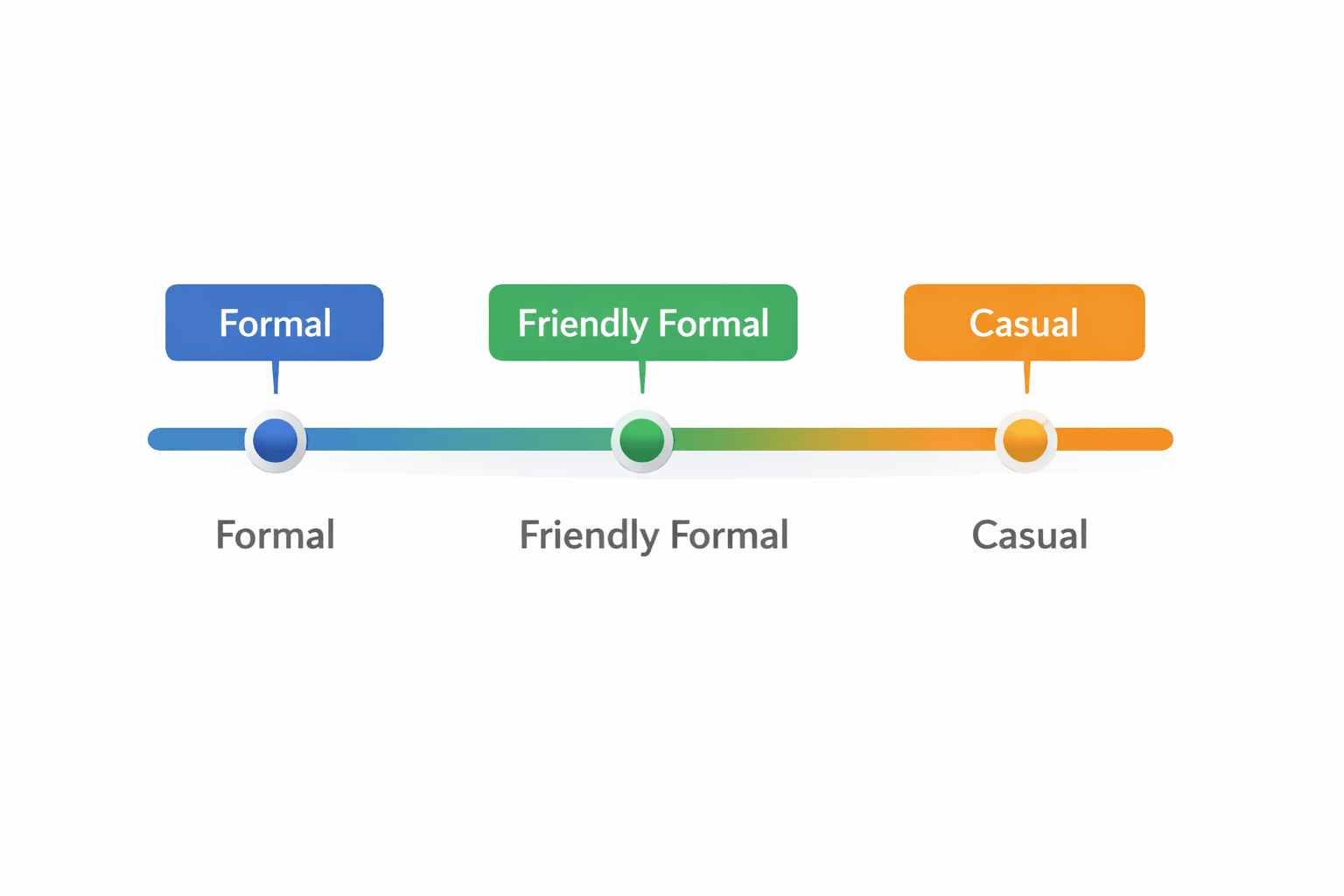
For clients, lead with reassurance. For vendors, lead with precision. That one distinction usually fixes tone. A customer cares whether you are accountable and easy to work with. A supplier cares whether your request is complete enough to quote or act on.
To personalize a template quickly, change three things first: the exact issue, the exact deadline, and the exact next step. That does more for credibility than swapping in a fancy greeting. If your draft still sounds regional, stiff, or outdated, AI Grammar Buddy can modernize it fast.
Be brief when you are only confirming receipt, payment, or a timing checkpoint. Add more reassurance when money, delay, customer frustration, or delivery risk is involved. If your role also overlaps with HR or admin communication, our interview invitation email guide covers that adjacent workflow.
A strong apology email to customer protects trust because it pairs accountability with action. A strong RFQ or vendor update email protects time because it removes ambiguity. Use the templates as starting points, then make them sound like a real person wrote them.
Frequently Asked Questions
What should an apology email to customer include?▼
A good apology email to customer includes a clear acknowledgment of the issue, a brief factual explanation, the next step you are taking, and a timeline for the customer. The best versions sound accountable without becoming defensive or dramatic.
How detailed should a request for quotation email be?▼
It depends on the purchase. For routine buying, product name, quantity, delivery location, and deadline may be enough. For a more formal request for quotation email, include technical specifications, delivery terms, pricing format, and validity period.
What is the difference between an RFQ email and a quotation follow-up?▼
An RFQ email starts the pricing request. A quotation follow-up comes later when you have not received the quote yet or when you need clarification on validity, lead time, or scope.
Should complaint response emails be short or detailed?▼
Start short if you are only acknowledging receipt and need time to investigate. Be more detailed when you already know the issue, the fix, and the exact next step.
Can I use the same tone with clients and vendors?▼
Not always. Client emails usually need more reassurance and relationship care. Vendor emails can be more transactional, but they still work better when the ask, deadline, and decision point are explicit.
Can AI Grammar Buddy help personalize these templates?▼
Yes. Paste the filled-in draft into AI Grammar Buddy to soften harsh wording, reduce outdated phrasing, and make the email sound more natural for clients, vendors, or regional teams.
Next step
Turn this template into your email
Start with the example, then rewrite it for your real situation.
Keep going
Continue with AI Grammar Buddy
AI Grammar Buddy
Email Improver
Paste your draft and rewrite it for clearer, more professional English.
Rewrite My EmailRelated guide
50 Professional Email Templates for Work (With Examples)
Professional email templates for work with examples and quick rewrites from AI Grammar Buddy.
17 March 2026
Related guide
Interview Invitation Email: 18 HR Templates That Work in 2026
Interview invitation email, job rejection, meeting minutes & confirmation templates. 18 copy-paste HR samples for modern workplace communication.
12 March 2026
Related guide
Follow Up Email After No Response: 15 Professional Templates for Every Situation
Use these 15 professional follow-up email templates after no response. Includes client, vendor, payment, interview, and second follow-up examples.
11 March 2026