How to Apologize Professionally in an Email (8 Templates)
A practical guide with 8 copy-paste email templates to apologize for late replies, mistakes, missed deadlines, and client issues.
You already know you messed up. The deadline slipped, the wrong file went out, or you ghosted someone for three days.
The hard part isn't knowing you need to apologize - it's writing an email that doesn't sound defensive, robotic, or worse: insincere.
AI Grammar Buddy
Turn this template into your email
Start with the example, then rewrite it for your real situation.
Skip the lecture. Here are 8 copy-paste apology email templates (or see our guide on writing formal emails professionally if you need a broader framework) for the situations that actually happen at work - from late replies to client complaints. Grab the one you need, fill in the blanks, and send it.
Jump to sections
Use these anchors to jump straight to the section you need.
The 3 Rules Every Professional Apology Email Must Follow
Use these three rules for every professional apology email:
-
Own the mistake (No excuses).
Say exactly what went wrong and take responsibility in plain language. -
Explain the fix (Action-oriented).
State what you have already done, what happens next, and when. -
Keep it brief (Do not over-explain).
Long explanations sound defensive. Keep the apology clear and solution-focused.
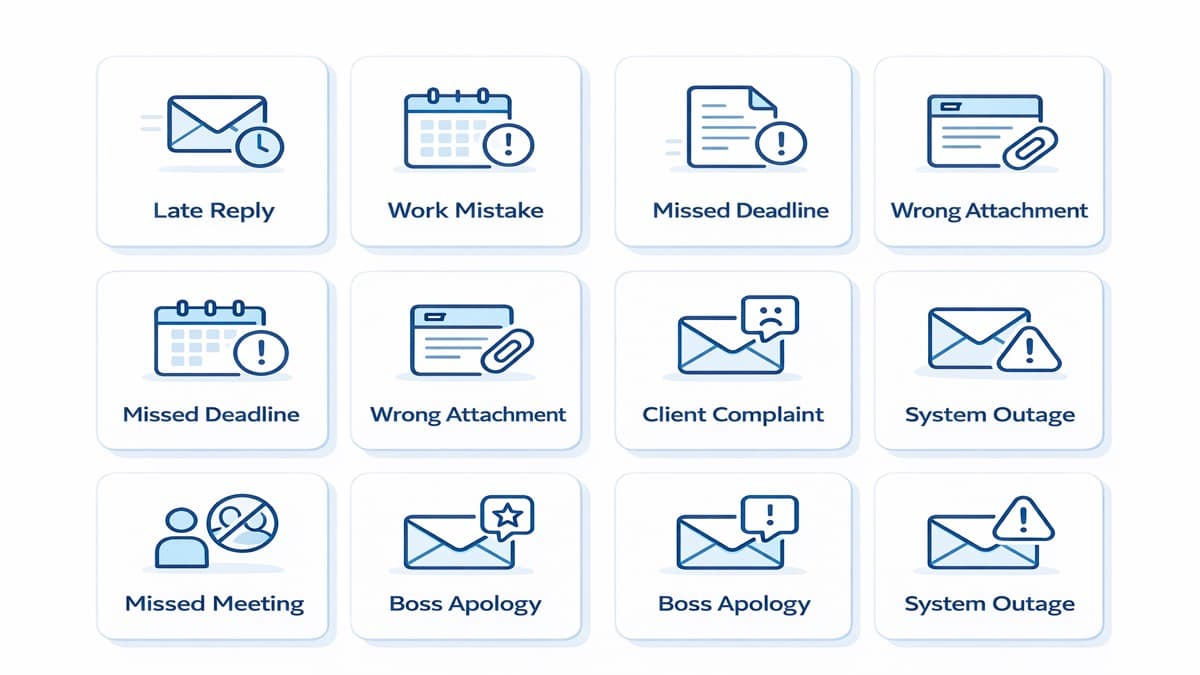 Choose the right template for your situation
8 Professional Apology Email Templates (Copy & Paste)
Use these templates as a base, then tailor details like names, dates, and deliverables.
Template 1: Apologizing for a Late Reply
Use this when you need to apologize for late reply while keeping a calm, professional tone. Lead with appreciation, not guilt.
Subject: Thank you for your patience - Re: [Topic]
Hi [Name],
Thank you for your patience. I should have replied sooner on [Topic], and I appreciate your understanding.
Here is the update: [Concise Update].
Next step: [Action] by [Date/Time].
Best regards,
[Your Name]
Template 2: Apologizing for Making a Mistake/Error in Work
When you need to apologize for the mistake, be direct and show the corrected version immediately.
Subject: Correction: [Project Name / Deliverable]
Hi [Name],
I apologize for the mistake in [Document/Task]: [One-line description of error].
I have corrected it. The updated version is attached here: [File Name / Link].
I have also added a [QA/Review] step to prevent this in future.
Regards,
[Your Name]
Why Most Work Apologies Backfire (And How to Fix Yours)
Most people instinctively write apologies that sound defensive without realising it. Here is a real example of what that looks like - and what it should look like instead.
❌ Before (typical unedited draft):
"Hi Sarah, I'm really sorry about the report issue. I think there might have been some confusion about the requirements, and I want to make sure this doesn't happen again going forward. Please let me know if there's anything I can do."
Problems: vague ("report issue"), blame-shifting ("some confusion"), no concrete fix, no timeline, ends with an empty offer.
✅ After (cleaned up):
"Hi Sarah, I apologize for the error in the Q3 report. I've corrected the revenue figures in the attached version. I've also added a peer-review step to my workflow to prevent this from recurring."
What changed: specific error named, fix already done, prevention plan stated, no passive voice, no excuses.
Not sure if your draft sounds defensive or vague? Paste it into AI Grammar Buddy's Email Tone Checker - it flags passive voice, hedge words, and unclear commitments before your manager or client reads them.
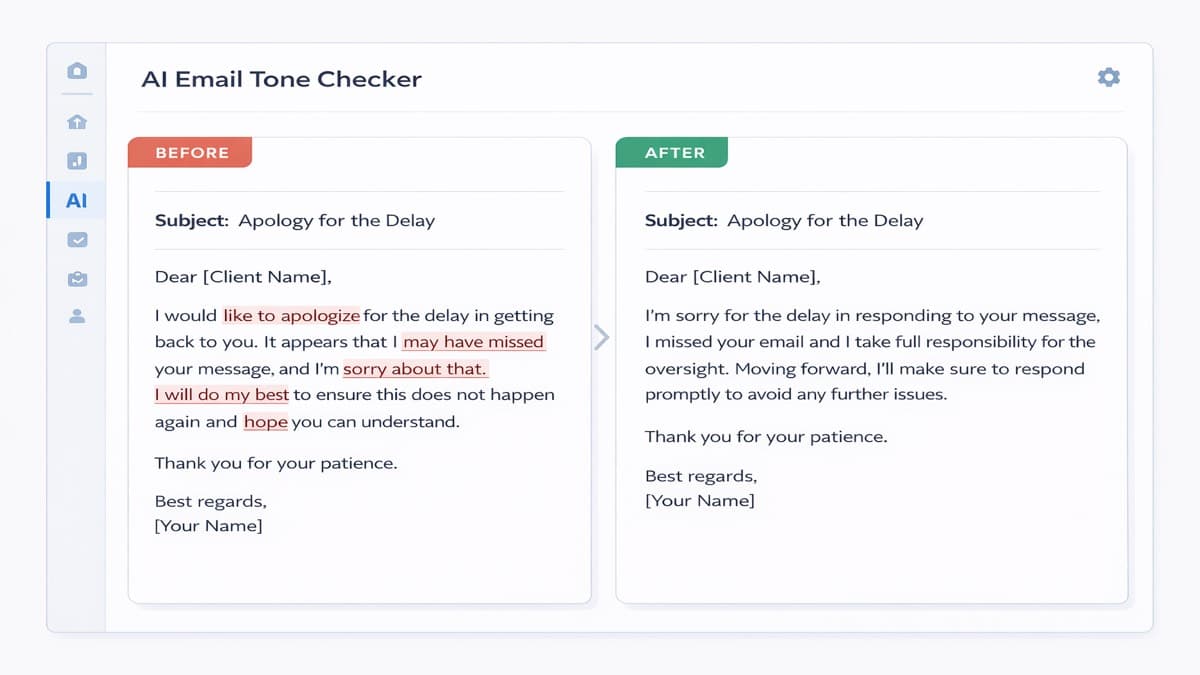 AI Grammar Buddy flags passive voice, hedge words, and blame-shifting language before you send
Template 3: Missing a Deadline
Use this when a timeline slipped. The key is a concrete replacement deadline, not vague promises.
Subject: Update and Apology - [Project Name] Timeline
Hi [Name],
I apologize for missing the [Date] deadline for [Project Name].
Revised plan: I will deliver [Specific Output] by [New Date/Time], and I will share a progress update by [Checkpoint Date].
Thank you for your patience.
Best,
[Your Name]
Template 4: Sending the Wrong Attachment or Information
For small but urgent errors, correct quickly and move on without drama.
Subject: Corrected Attachment - [Original Subject]
Hi [Name],
Quick correction: I sent the wrong [attachment/information] in my last email.
Please use this version instead: [Correct File/Link].
Thanks for flagging this.
Best regards,
[Your Name]
Template 5: Missing a Scheduled Meeting
If you missed a meeting, keep the apology sincere and offer options to reschedule immediately.
Subject: Apology for Missing Today's Meeting
Hi [Name],
I sincerely apologize for missing our meeting on [Date/Time].
If you are available, I can meet at:
- [Option 1]
- [Option 2]
- [Option 3]
I appreciate your flexibility and will be fully prepared.
Regards,
[Your Name]
Template 6: Apologizing to a Client for Poor Service/Issue
Client apologies should show empathy, ownership, and a clear recovery plan with next steps.
Subject: Our Apology and Resolution Plan - [Issue]
Dear [Client Name],
I sincerely apologize for the disruption caused by [Issue]. You should have received better service from us.
What we have done: [Action Taken].
What happens next: [Next Step] by [Date/Time].
Your contact point: [Name/Role/Email].Thank you for your patience while we resolve this.
Sincerely,
[Your Name]
[Title]
Template 7: Apologizing to Your Boss/Manager
For upward communication, focus on accountability and your prevention plan. This is the best format for how to say sorry in an email to leadership.
Subject: Accountability Update - [Issue/Project Name]
Hi [Manager Name],
I apologize for [Issue]. This was my responsibility, and I should have handled it better.
I have completed [Immediate Fix].
Prevention plan: [Process Change 1], [Process Change 2].I will send you a status check on [Date] to confirm progress.
Best regards,
[Your Name]
For more on upward communication, see how to write a professional email to your manager.
Template 8: Mass Apology for a Tech Glitch or Service Downtime
For broad incidents, communicate transparently at scale. Keep updates factual and include ETA.
Subject: Service Update: [System/Product] Incident on [Date]
Hello [Customer/Team Name],
We apologize for today's disruption to [System/Product].
Issue summary: [Plain-language summary].
Current status: [In progress / Resolved].
ETA for full restoration: [Time, Time Zone].
Next update: [Date/Time].We appreciate your patience and will share a full post-incident summary once resolved.
[Company/Team Name]
Words & Phrases to Avoid in a Professional Apology Email
Avoid these phrases. They damage trust, even if your intention is good.
- "I'm sorry you feel that way." This sounds like blame-shifting, not accountability.
- "Mistakes were made." Passive voice hides ownership and weakens credibility.
- "Sorry for any inconvenience caused." This sounds robotic. Use "I apologize for the disruption" and state your fix.
- "I was just trying to..." Explaining your intention after a mistake reads as deflection. The impact is what matters, not the intent.
- "As I mentioned before..." This is condescending in an apology context and implies the other person wasn't paying attention.
- "I'm sorry if..." The word "if" turns an apology into a conditional statement. It signals that you're not fully convinced you did anything wrong.
- "I'll try to do better." Vague improvement promises signal no real change. Replace with a specific action: "I've added a calendar block to prevent this from recurring."
- "No worries if not." Appending this to an apology email undermines the urgency of your message entirely.
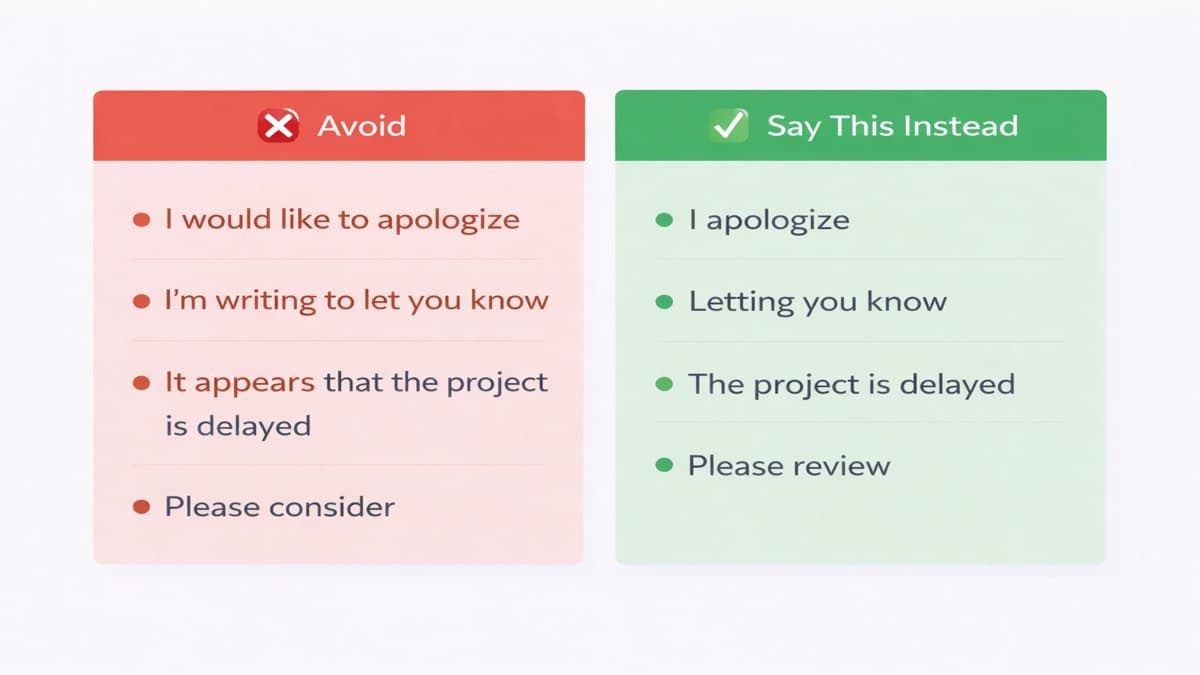 Replace these phrases to make your apology land better
How to Apologize Professionally in Asian & Singapore Workplaces
In Singapore and many East Asian workplace cultures, the concept of "face" (面子) shapes how apologies land - for both the person giving and receiving them.
What this means in practice:
- Keep it private when possible. Apologising in front of others puts the recipient in an uncomfortable position. A one-on-one email or a private message is usually more effective than a group thread.
- Lead with rectification, not emotion. Long emotional expressions of regret can feel uncomfortable and put the recipient in an awkward position of having to console you. What matters more is: what have you fixed, and what happens next?
- Cc the right people carefully. In hierarchical environments, looping in a senior manager without warning can escalate a minor issue unnecessarily. Confirm with your direct contact before adding others.
- Follow up after resolution. A short "I wanted to confirm that the issue has been fully resolved" message after the fact goes a long way in rebuilding trust quietly.
 The Acknowledge -> Rectify -> Confirm framework works across Singapore, Malaysia, and Hong Kong
A practical formula that works across Singapore, Malaysia, Hong Kong, and similar workplace cultures:
Acknowledge -> Rectify -> Confirm Next Step
Keep your tone calm and direct. Avoid overly casual language or excessive self-flagellation - both can feel unprofessional in a formal Asian workplace context.
Frequently Asked Questions (FAQ)
Q1: Is it better to apologize via email or in person?
Minor errors: email is enough. Major trust-breaking mistakes: apologize in person or on a call first, then send an email summary with commitments and timelines.
Q2: Should I explain why the mistake happened?
Briefly. Share context only if it helps prevent future issues. Do not use background details as an excuse.
Q3: How do you say sorry without saying sorry?
Shift to gratitude: "Thank you for catching that" or "I appreciate your patience." Use this for minor issues after you have already acknowledged responsibility.
Q4: How long should a professional apology email be?
Short. 3–5 sentences for minor issues, one short paragraph per point for complex ones. The goal is resolution, not catharsis. If you find yourself writing more than 150 words, you are probably over-explaining.
Q5: Should I apologize via WhatsApp or email at work?
Use the same channel the original communication happened on, then follow up with an email summary for anything involving commitments, timelines, or deliverables. This creates a written record without escalating unnecessarily.
Q6: What if the other person does not respond to my apology email?
Send one follow-up after 2–3 business days. Keep it factual: confirm your action has been completed and ask if there is anything else they need. Do not over-apologize a second time — it can come across as pressuring them to respond.
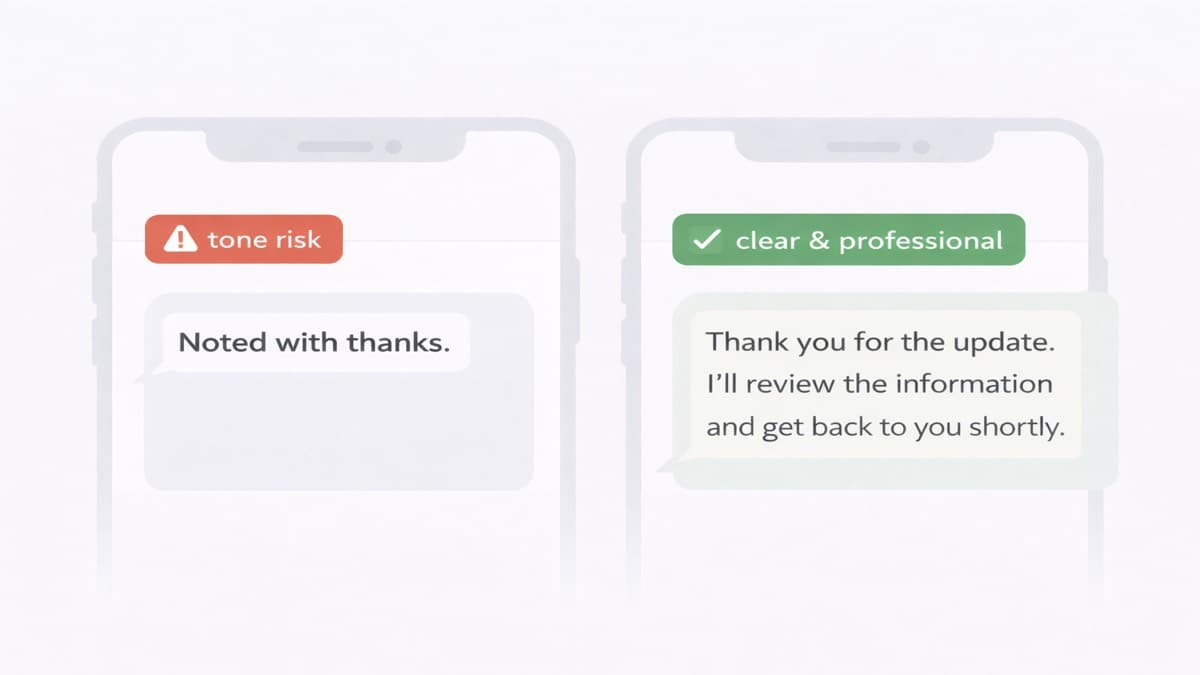 One quick check can be the difference between rebuilding trust and making it worse
Before You Hit Send, Run It Through AI Grammar Buddy
Apology emails are the ones most likely to backfire when the tone is slightly off - too defensive, too vague, or unintentionally passive-aggressive.
AI Grammar Buddy's Email Tone Checker flags the exact phrases that undermine your apology: passive constructions, hedge words, empty promises, and blame-shifting language - then suggests a cleaner version in seconds.
Next step
Turn this template into your email
Start with the example, then rewrite it for your real situation.
Keep going
Continue with AI Grammar Buddy
AI Grammar Buddy
Email Improver
Paste your draft and rewrite it for clearer, more professional English.
Rewrite My EmailRelated guide
50 Professional Email Templates for Work (With Examples)
Professional email templates for work with examples and quick rewrites from AI Grammar Buddy.
17 March 2026
Related guide
Essential Client & Vendor Email Templates: Apology Email to Customer, Quotations and More
Copy, personalize, and send practical apology email to customer templates, request for quotation email examples, payment reminders, complaint replies, and vendor follow-ups.
13 March 2026
Related guide
Interview Invitation Email: 18 HR Templates That Work in 2026
Interview invitation email, job rejection, meeting minutes & confirmation templates. 18 copy-paste HR samples for modern workplace communication.
12 March 2026