Singapore English Grammar Checker: How to Choose the Right Tool for Clearer Writing
Looking for a Singapore English grammar checker? Compare what generic tools miss, see local rewrite examples, and learn how to choose a checker that handles Singlish and business English.
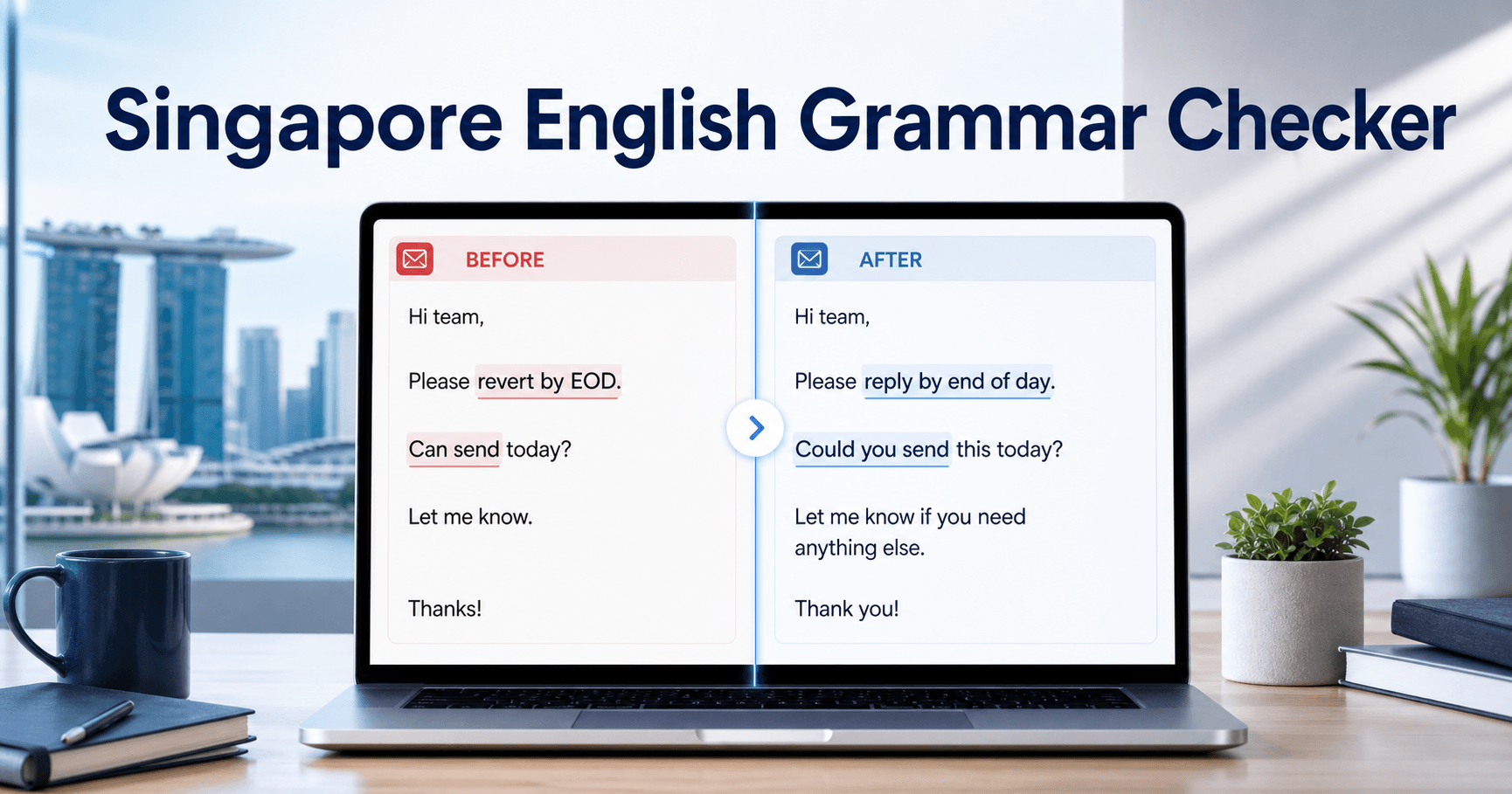
A good Singapore English grammar checker should do more than underline spelling errors. It should help you decide whether your sentence is fine for a local reader, too Singlish-heavy for formal writing, or clear enough for an international client.
That is the real problem behind this search. People looking for a Singapore English grammar checker usually do not want a generic grammar lesson. They want a tool they can use now, and they want to know whether it can catch local wording issues that standard grammar tools often miss.
A sentence like “Please revert by EOD” may look fine to a generic checker, but international readers can misread “revert” and miss your actual request. If you are writing client emails, resumes, cover letters, school assignments, or workplace updates, you need a checker that can handle both Singapore English and global business English.
Paste your sentence into AI Grammar Buddy to make it clearer, more polite, or more professional.
TL;DR
A useful Singapore English grammar checker should catch grammar mistakes, tone problems, and local phrasing that generic tools often miss, especially in work emails and client-facing writing.
Top alternatives:
- •Use a checker that understands both Singapore English and international business English.
- •Fix meaning issues like 'please revert' and tone issues like 'can send today?' before you send.
- •Keep local context when it helps, but rewrite for clarity when the reader is global.
AI Grammar Buddy
Check your sentence instantly
Get grammar, wording, and clarity fixes in one pass.
Jump to sections
Use these anchors to jump straight to the section you need.
Quick Answer
The best Singapore English grammar checker should help with three things at once:
- grammar mistakes
- tone problems
- local phrasing that generic tools often miss
That includes phrases like “please revert,” “can or not,” “kindly do the needful,” and compressed workplace English that works locally but sounds awkward or unclear in global settings. A strong tool should not only mark those phrases. It should rewrite them into cleaner, more natural English for the audience you are writing to.
If your sentence is meant for a client, recruiter, professor, or regional colleague, a good checker should help you rewrite it into clear Standard English without making your writing sound stiff or unnatural.
Here is the practical benchmark:
| If the tool only does this | It is probably not enough |
|---|---|
| Fixes spelling and commas | It may miss local meaning problems |
| Flags unusual words | It may wrongly “correct” Singapore context |
| Suggests formal rewrites only | It may make you sound robotic |
| Ignores audience | It cannot help with code-switching |
What a Singapore English Grammar Checker Should Catch
Most grammar tools are built for broad English correction. That sounds useful until you hit Singapore-specific usage.
A real Singapore English checker should help with:
- local business phrases that do not travel well
- Singlish sentence structure that sounds too casual in formal writing
- tone that feels too direct in client-facing emails
- meaning problems that are not strict grammar errors
- code-switching between local English and professional English
For example, these are common lines that a generic checker may not improve enough:
- Please revert by EOD.
- Can send today?
- Kindly do the needful.
- I apply leave tomorrow.
- Your side can confirm?
The issue is not always “wrong grammar.” Often, it is clarity, tone, or local usage.
Here is a fast way to judge whether a tool actually matches this search intent:
| Feature | Generic grammar checker | Singapore-aware checker |
|---|---|---|
| Spelling and punctuation | Usually good | Usually good |
| “Please revert” meaning | Often missed | Should rewrite clearly |
| “Can or not?” tone | Often under-corrected | Should soften naturally |
| Local workplace phrasing | Often treated as odd wording only | Should explain what to keep or change |
| Client-facing email clarity | Inconsistent | Should improve tone and action clarity |
If you are shopping for a tool, that comparison matters more than a long feature list.
If you want the deeper why behind that gap, read why standard grammar checkers fail in Singapore.
Which Checker Should You Use?
The right tool depends on what you are writing. Someone checking a school paragraph does not need the same help as someone sending a client escalation email.
Use this table as a shortcut:
| Your situation | What you need | Best next step |
|---|---|---|
| You wrote one sentence and want to know if it is correct | Grammar, spelling, punctuation, clarity | Use the Grammar Checker |
| Your email sounds too direct or too local | Tone, politeness, action clarity | Use the Email Improver |
| Your draft has phrases like “can or not” or “please revert” | Singlish to professional English | Read the Singlish translator guide, then rewrite the draft |
| You are applying for jobs | Grammar plus professional tone | Check your resume or cover letter wording before sending |
| You are writing to overseas clients | Local phrasing plus global clarity | Rewrite for Standard English and remove ambiguous phrases |
For Singapore users, this distinction matters. A generic grammar checker can be enough for a typo. It is usually not enough when the real problem is audience fit.
If you are checking a workplace message specifically, the business email grammar checker guide shows how to fix sentence structure, deadlines, and tone in one draft.
If you want to understand the rules before choosing a tool, follow the step-by-step process for checking grammar mistakes and use the checker only as your second pass.
Examples
Here is what readers usually want when they search for a Singapore English grammar checker: practical rewrites they can use immediately.
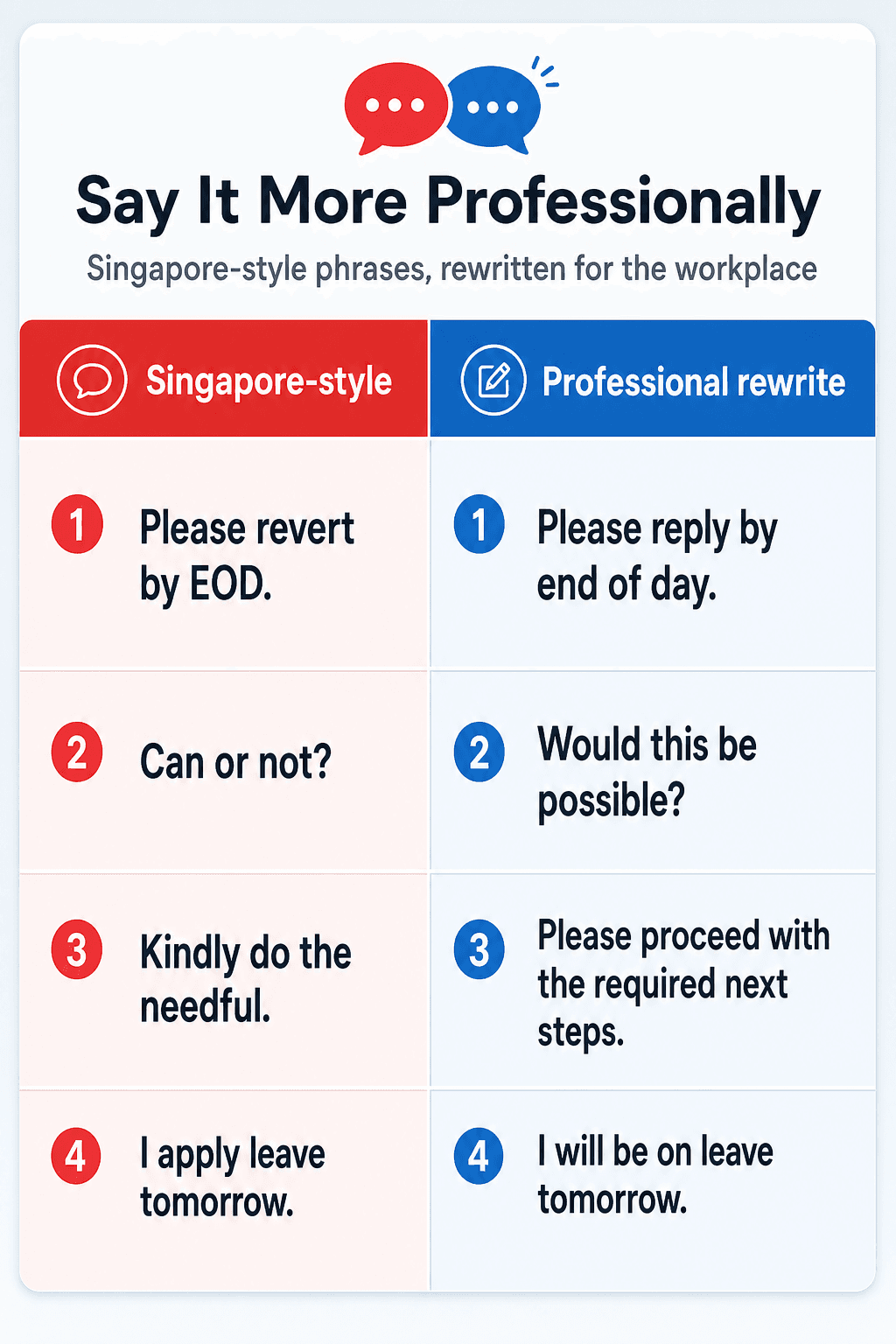
| Singapore-style sentence | Better professional version | Why it works |
|---|---|---|
| Please revert by EOD. | Please reply by end of day. | “Reply” is globally clear. |
| Can or not? | Would this be possible? | Keeps the meaning and sounds more polished. |
| Kindly do the needful. | Please proceed with the required next steps. | Replaces vague office jargon. |
| I apply leave tomorrow. | I will be on leave tomorrow. | Sounds more natural in business English. |
Here is a full email example:
Before
Hi John,
Can help to check the attached and revert by tomorrow? If can, we proceed. Thanks.
After
Hi John,
Could you please review the attached file and reply by tomorrow? If that works for you, we can proceed after your confirmation. Thanks.
That second version is easier for both local and international readers to process quickly.
Here are two more realistic workplace examples:
Before
Hi team,
Your side can confirm if the meeting still on tomorrow?
After
Hi team,
Could your team confirm whether the meeting is still on tomorrow?
Before
I apply leave on Friday. If urgent can text me.
After
I will be on leave on Friday. If anything urgent comes up, please text me.
These are small changes, but they make a big difference when the reader is a recruiter, manager, or overseas client.
If you are unsure whether your email sounds too direct, AI Grammar Buddy can rewrite it in a softer tone.
If you are dealing with more casual Singlish-heavy drafts, this Singlish translator guide shows how to move into professional English without sounding robotic.
Common Mistakes
The biggest mistake is assuming a standard grammar checker understands Singapore context automatically.
1. It fixes grammar but misses meaning
“Please revert” is often grammatically acceptable. The problem is that many international readers understand revert as return to a previous state, not reply.
2. It flags context but gives the wrong rewrite
Words and phrases can be local, intentional, and audience-dependent. You do not always want to erase them. You want to know when to keep them and when to rewrite them.
3. It misses tone problems
“Can send today?” is short and efficient, but it can sound abrupt in a formal email. Grammar alone does not fix that.
4. It over-corrects everything into stiff English
Some tools make the sentence sound “correct” but unnatural. That is not helpful if you still want to sound human.
5. It does not help with code-switching
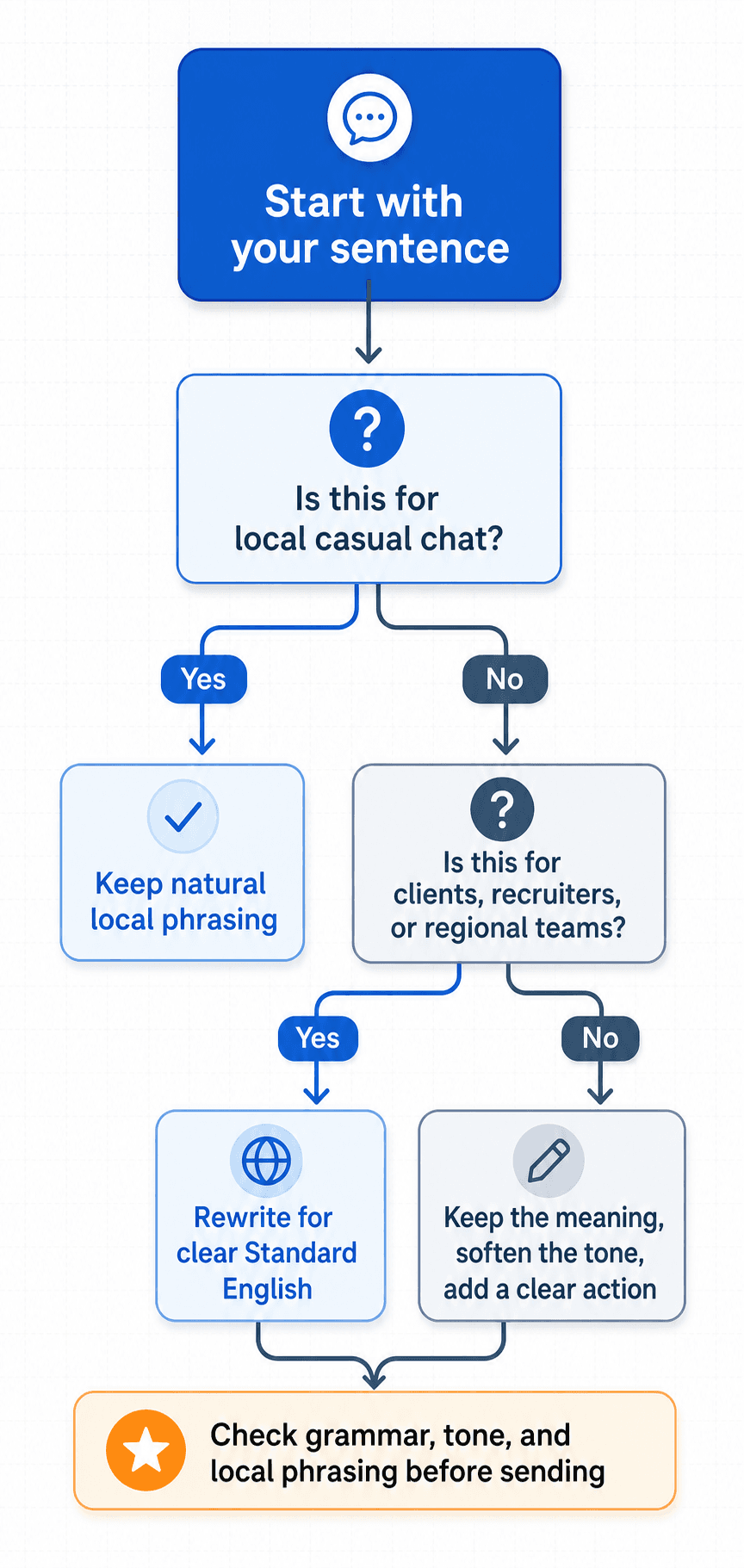
The real skill is knowing whether your sentence is for:
- local internal chat
- a mixed regional team
- a recruiter or hiring manager
- an external client
That is where context matters.
Another common mistake is choosing a tool based only on brand familiarity. If the checker was designed for broad US or UK English, it may still be useful, but you should not assume it understands how Singapore office English behaves in practice.
If your challenge is specifically resume and application wording, cover letter grammar mistakes that hurt your chances is another useful internal guide.
If your challenge is specifically workplace tone, email etiquette in Singapore is a useful companion read.
How to Test a Singapore English Grammar Checker in 60 Seconds
Before trusting any tool, test it with sentences that expose the real Singapore problem. Do not only paste a clean textbook sentence. Paste something a Singapore professional might actually write in a hurry.
Try these five lines:
| Test sentence | What the checker should notice |
|---|---|
| Please revert by EOD. | “Revert” should become “reply” or “respond.” |
| Can send today? | The rewrite should add a subject and soften the tone. |
| Kindly do the needful. | The tool should ask for or suggest a specific action. |
| I apply leave tomorrow. | The rewrite should become “I will be on leave tomorrow.” |
| Your side can confirm? | The rewrite should clarify who needs to confirm what. |
If the tool only fixes punctuation, it is doing surface correction. If it rewrites the sentence for meaning, tone, and audience, it is closer to what Singapore writers actually need.
This quick test is especially useful before sending:
- client follow-ups
- job application emails
- school essays
- vendor requests
- regional team updates
Paste one of your own sentences into AI Grammar Buddy and check whether the rewrite preserves your meaning while making the English clearer.
How AI Grammar Buddy Can Help
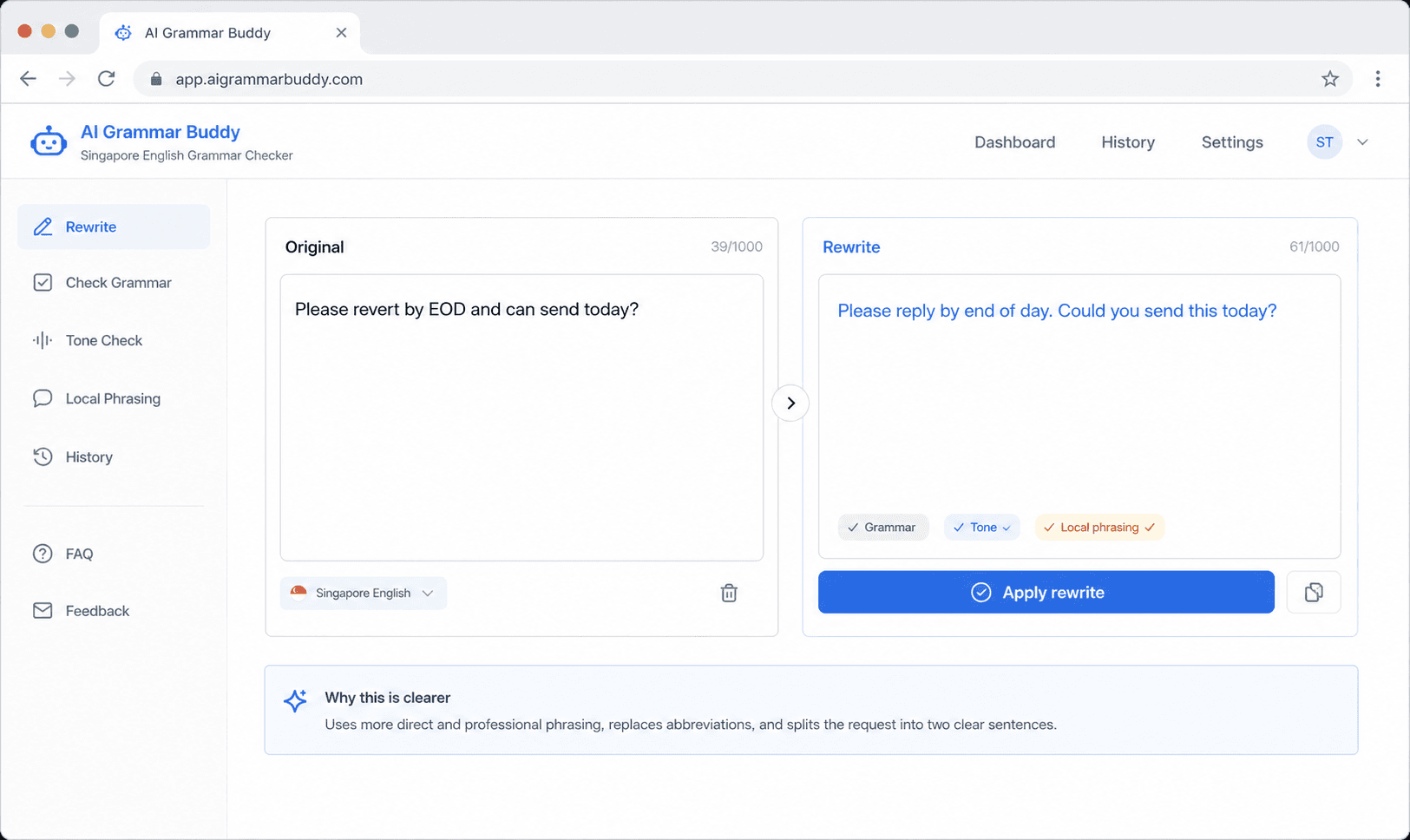
AI Grammar Buddy is useful here because it is not only checking textbook grammar. It can help you separate three different issues:
- grammar
- tone
- local phrasing
That matters because each problem needs a different fix.
For example:
- “Please revert by EOD” needs a usage rewrite
- “Can send today?” needs a tone and structure rewrite
- “I apply leave tomorrow” needs a more standard phrasing rewrite
Instead of giving you a generic red underline, a better tool should show a clearer professional version.
That makes it more useful for:
- client and vendor emails
- resumes and cover letters
- school assignments that need more formal English
- regional communication where local shorthand creates friction
Try this workflow:
- Paste your sentence or draft.
- Decide whether it is for a local or global audience.
- Check whether the issue is grammar, tone, or local phrasing.
- Use the rewrite that keeps your meaning but improves clarity.
If you already have a draft, use the Grammar Checker. If the bigger problem is email tone, use the Email Improver. If your message is still full of local phrasing, how to fix Singlish in business emails gives more targeted examples.
If you only test one sentence, use a high-risk one such as “Please revert by EOD” or “Can send today?” That tells you very quickly whether the tool understands local usage or only surface grammar.
FAQ
The most common questions are about whether generic grammar tools are enough, when to keep local phrasing, and how to test a checker properly. The short answer is simple: use a sentence with real Singapore office wording, then see whether the tool fixes meaning and tone, not just punctuation.
For example, “Please revert by EOD” is a better test than a simple typo. It shows whether the checker understands local usage, not just spelling.
Final Takeaway
The best Singapore English grammar checker is not the one that catches the most commas. It is the one that understands what you meant, knows when local phrasing is acceptable, and helps you rewrite only when clarity matters.
That is why generic grammar correction is often not enough for Singapore users. The real need is context-aware rewriting for work, school, and client communication.
If you are comparing tools, test them with a sentence that exposes the real issue: meaning, tone, and local phrasing. That is where a true Singapore English checker separates itself from a generic grammar app.
If your sentence is technically correct but still sounds too local, too blunt, or too vague, AI Grammar Buddy can help you turn it into clearer professional English.
Frequently Asked Questions
Can a normal grammar checker handle Singapore English?▼
It can catch some basic grammar, but it often misses local usage problems, tone issues, and phrases that sound normal in Singapore but unclear elsewhere.
What is the difference between Singapore English and Singlish?▼
Standard Singapore English is the more formal English used in school and work. Singlish is the more colloquial local variety. A good checker helps you move between them depending on context.
Who needs a Singapore English grammar checker most?▼
Professionals writing client emails, students editing assignments, and job seekers polishing resumes or cover letters benefit the most because they often need clearer Standard English.
Should I remove all Singlish from my writing?▼
No. The goal is not to erase your voice. The goal is to code-switch well and use clearer Standard English when the audience expects it.
What is the fastest way to check whether my sentence sounds professional?▼
Paste the sentence into AI Grammar Buddy or Email Improver and compare whether the issue is grammar, tone, or local phrasing.
How do I choose between a grammar checker and an email improver?▼
Use a grammar checker when you need sentence-level fixes for spelling, punctuation, and clarity. Use an email improver when the bigger issue is tone, politeness, structure, or whether the message sounds too direct.
Next step
Check your sentence instantly
Get grammar, wording, and clarity fixes in one pass.
Keep going
Continue with AI Grammar Buddy
AI Grammar Buddy
Grammar Checker
Run a fast grammar, wording, and clarity check on your sentence.
Check My SentenceRelated guide
Conserve Meaning in English: Preserve vs Conserve in Emails
Conserve meaning in English: use something carefully so it is not wasted. See workplace email examples, conserve vs preserve, reserve, and save.
22 August 2026
Related guide
How to Become a Proofreader With No Experience (2026)
No degree or clients yet? Learn skills, markup, a 3–5 sample portfolio, free tools, and realistic job steps—plus what proofreading courses actually require.
29 July 2026
Related guide
How to Check Grammar Mistakes in 8 Steps
Learn how to check grammar mistakes in English with an 8-step process, common error examples, a reusable checklist, and tips for using an online checker.
26 July 2026