Business Email Grammar Checker: 10 Rules + Examples
Use this business email grammar checker guide to fix tone, tense, and vague phrases with 10 clear rules and before-and-after examples.
Your email can be grammatically correct and still make the reader ask, "What exactly do you need me to do?"
The problem is usually not spelling. It is that the sentence does not make clear who should do what, by when, and in what tone. This guide treats a business email grammar checker as a clarity tool: 10 rules, before-and-after examples, and Singapore/Asia workplace phrases that often need rewriting.
When reviewing workplace drafts for AI Grammar Buddy, we keep seeing the same pattern: the writer knows what they mean, but the sentence hides the action. Good business email grammar fixes that gap before the email reaches a client, manager, recruiter, or overseas colleague.
TL;DR
Business email grammar is the set of sentence choices that makes a work email clear, polite, and easy to act on.
Top alternatives:
- •Use complete sentences instead of chat-style fragments.
- •Make the action, owner, and deadline explicit.
- •Replace vague office phrases with clear professional wording.
Jump to sections
Use these anchors to jump straight to the section you need.
Quick Answer
Business email grammar is the set of sentence choices that makes a work email clear, polite, and easy to act on. A useful business email grammar checker should catch more than typos: it should flag missing subjects, tense errors, vague requests, unclear deadlines, and local phrases that confuse global readers.
If you need a complete sentence-level process before checking workplace tone, use these eight steps to check grammar mistakes on the draft first.
Where Grammar Fits in a Professional Email
The current search intent around business email writing is broader than grammar alone. Readers often want to know how to write the whole email: greeting, opening line, body, request, and sign-off. Grammar matters because each part can either make the email easier to act on or harder to understand.
| Email part | Grammar question to check | Example fix |
|---|---|---|
| Greeting | Did I punctuate the name correctly? | "Hi Daniel," |
| Opening line | Did I explain the context in one clear sentence? | "I am writing about the revised invoice." |
| Body | Does each sentence have a clear subject and verb? | "I need your approval before we proceed." |
| Request | Is the action specific and polite? | "Could you reply by 5 PM today?" |
| Sign-off | Does the closing fit the relationship? | "Best regards," |
For general email structure, resources like the British Council's business email lessons and Purdue OWL's email etiquette guidance cover the basics. This article focuses on the sentence-level grammar decisions that affect clarity and tone.
10 Business Email Grammar Rules That Make Your Message Clear
Business emails fail when the reader has to guess what you mean. The grammar may look mostly correct, but the message still feels unclear.
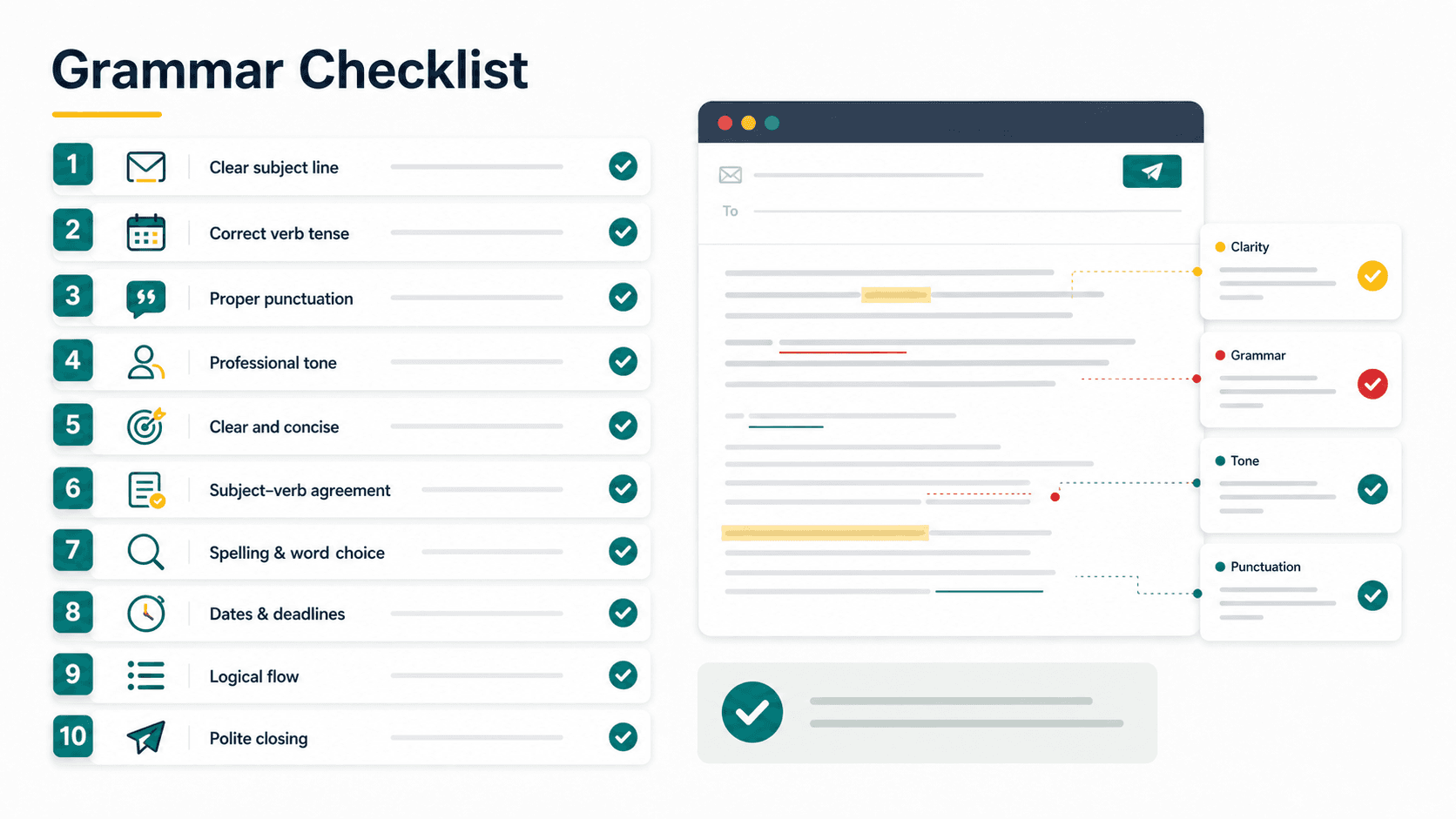
Here are the rules that matter most.
1. Use complete sentences for formal emails
Fragments are fine in chat. They are risky in client emails.
| Too casual | Better |
|---|---|
| Can send by today? | Could you send this by today? |
| Need approval. | I need your approval before we proceed. |
| Any update? | Could you share an update when you have a moment? |
2. Put the subject before the verb
Many rushed emails skip the subject. That makes the sentence sound unfinished.
| Weak | Better |
|---|---|
| Need to confirm the invoice. | I need to confirm the invoice. |
| Can review this today. | Could you review this today? |
| Will send later. | I will send it later today. |
3. Match singular and plural correctly
Subject-verb agreement is one of the most visible grammar errors in business writing.
| Incorrect | Correct |
|---|---|
| The team are reviewing the file. | The team is reviewing the file. |
| The documents is attached. | The documents are attached. |
| Each manager have approved it. | Each manager has approved it. |
4. Use the correct tense for updates
Tense tells the reader whether something is done, ongoing, or still pending.
| Meaning | Better sentence |
|---|---|
| Done already | I have submitted the report. |
| Happening now | I am reviewing the proposal. |
| Future action | I will send the revised version by Friday. |
Do not write "I submitted already" in a formal email. Write "I have submitted it" or "I submitted it this morning."
5. Use articles carefully
Articles are small, but they change meaning.
| Sentence | Meaning |
|---|---|
| Please send a report. | Any report is fine. |
| Please send the report. | A specific report is expected. |
| Please send an update. | One update is requested. |
If both people already know which file or task you mean, use the.
6. Make requests polite but specific
A business email should not sound like an order unless the context requires it. If the requirement is genuinely non-negotiable, learn how to use “insist” correctly without making an ordinary request sound hostile.
| Too direct | Better |
|---|---|
| Send me the file. | Could you please send me the file? |
| Reply ASAP. | Could you reply by 5 PM today? |
| Check this. | Could you review this and share your comments? |
Polite grammar does not mean long grammar. It means clear, respectful wording.
The same principle applies when you need to say no. If the message is a refusal rather than a request, use a clear reason and a respectful alternative. See these polite ways to decline a request at work for examples.
7. Avoid vague office phrases
Some phrases sound professional but do not tell the reader what to do.
| Vague | Clearer |
|---|---|
| Please do the needful. | Please approve the invoice by Friday. |
| Please revert. | Please reply by tomorrow. |
| Kindly advise. | Could you confirm which option you prefer? |
| Please cascade this. | Please share the revised process with all team leads by Friday. |
This is especially important for Singapore and Asian workplace emails. Local phrases may be understood internally, but they can confuse global readers.
For example, “kindly oblige” in an email is polite in intention but often hides whether the recipient should approve, send, sign, or confirm something.
The same clarity test applies to “for your kind information”: if the reader needs to act, replace the informational opener with a direct request.
Regional spelling consistency matters too. If one paragraph says organize and the next says organise, global readers notice. For a focused breakdown of when each spelling fits, read our guide on organize vs organise.
Another phrase to watch is cascade. It is useful in management updates, but only when the sentence names what is being passed down and who should act on it. See our guide to cascade meaning in business for examples.
When you need to describe a built-in feature or limitation precisely, see our guide to inherent meaning and usage.
8. Keep one main idea per sentence
Long sentences create grammar mistakes because too many ideas compete for space.
Before:
As discussed yesterday regarding the invoice and also the vendor issue which was raised by finance, please help to check and revert soonest so we can proceed accordingly.
After:
As discussed yesterday, could you review the invoice issue raised by Finance? Please reply by 3 PM today so we can confirm the next step.
Shorter sentences are usually clearer.
9. Use active voice for responsibility
Active voice makes ownership clear.
| Passive | Active |
|---|---|
| The file will be sent tomorrow. | I will send the file tomorrow. |
| The issue has been raised. | We have raised the issue with Finance. |
| Approval is needed. | I need your approval before we proceed. |
Passive voice is not always wrong, but it often hides who is doing the action.
10. Use commas to prevent confusion
Commas help readers process the sentence quickly.
| Hard to read | Better |
|---|---|
| After reviewing the proposal we recommend Option B. | After reviewing the proposal, we recommend Option B. |
| Hi Sarah can you check this? | Hi Sarah, can you check this? |
| If possible please reply today. | If possible, please reply today. |
In greetings, use a comma after the name: Hi Daniel,
Examples
Here are common business email grammar fixes you can copy.
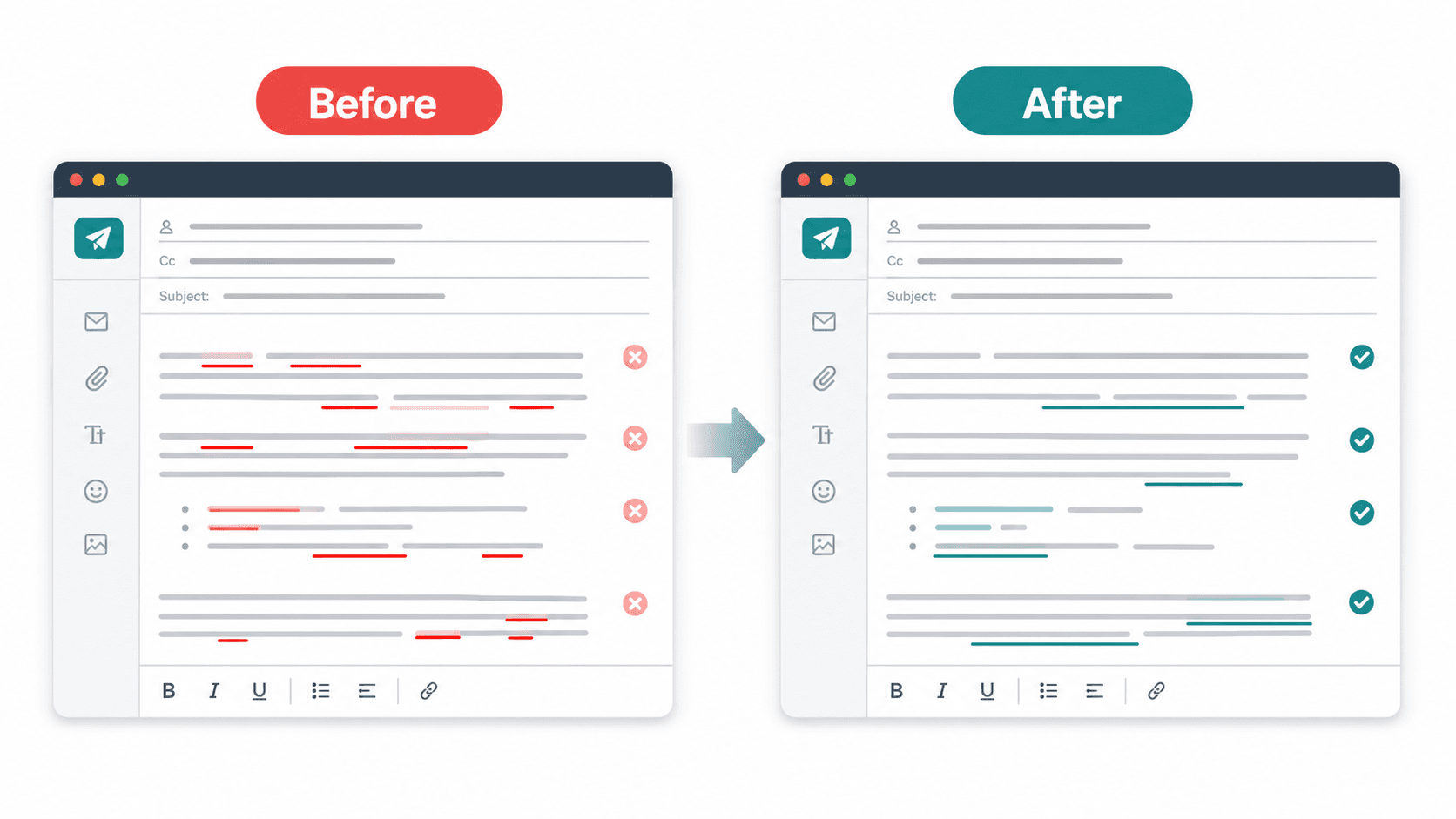
Example 1: Asking for a review
Before:
Hi Mark, can help to check this and revert?
After:
Hi Mark, could you please review this and share your comments by Thursday?
Why it works: The rewrite adds a subject, uses a polite request, and gives a clear action.
Do not want to remember every rule sentence by sentence? Paste the draft into AI Grammar Buddy's Email Improver to fix grammar, tone, and clarity in one pass.
If this is a reminder after someone has not replied, use a more specific pattern from our follow-up email after no response guide.
Example 2: Sending an attachment
Before:
Please find attached the report for your checking.
After:
I have attached the report for your review.
Why it works: "For your checking" sounds unnatural. "For your review" is cleaner.
Example 3: Asking for approval
Before:
Need your approval so can proceed.
After:
I need your approval before we can proceed.
Why it works: The sentence now has a clear subject and complete structure.
Example 4: Giving an update
Before:
I already send to client yesterday.
After:
I sent it to the client yesterday.
Why it works: Use simple past for a completed action at a specific time.
Example 5: Softening a direct request
Before:
Send the contract today.
After:
Could you please send the contract by 5 PM today?
Why it works: The request is still clear, but the tone is more professional.
Common Mistakes
Mistake 1: Writing like a chat message
Chat style often drops subjects and verbs. That can make a business email sound rushed.
Avoid:
Can send later?
Use:
Could you send this later today?
Mistake 2: Using revert to mean reply
In Singapore and India, "please revert" is common. In global business English, revert usually means return to a previous state.
Better:
Please reply by Friday.
For more examples, read please revert meaning in Singapore.
Mistake 3: Making the sentence too polite
Over-politeness can make the message harder to understand.
Too much:
I would humbly like to kindly request your good assistance to check the attached document.
Better:
Could you please review the attached document?
Mistake 4: Hiding the deadline
A polite email without a deadline may not get action.
Weak:
Please send this when free.
Better:
Could you send this by Wednesday afternoon?
Mistake 5: Mixing too many topics
If one email asks for approval, feedback, a meeting, and a separate file, the reader may miss something. Use bullets or split the email.
Mistake 6: Using stiff acknowledgement phrases
Phrases like "well received with thanks" are understandable, but they can sound translated or overly formal. If you only need to confirm receipt, write:
Thanks, I have received it and will review it today.
For more options, see better ways to say "well received with thanks".
For broader tone rules, see email etiquette in Singapore.
Not sure whether your email is too direct or too wordy? Paste one sentence into AI Grammar Buddy and compare it with the more professional rewrite.
How AI Grammar Buddy Can Help
AI Grammar Buddy helps with the grammar problems that matter in real workplace emails:
- missing subjects
- awkward phrasing
- unclear requests
- tense errors
- too-direct tone
- local phrases that confuse global readers
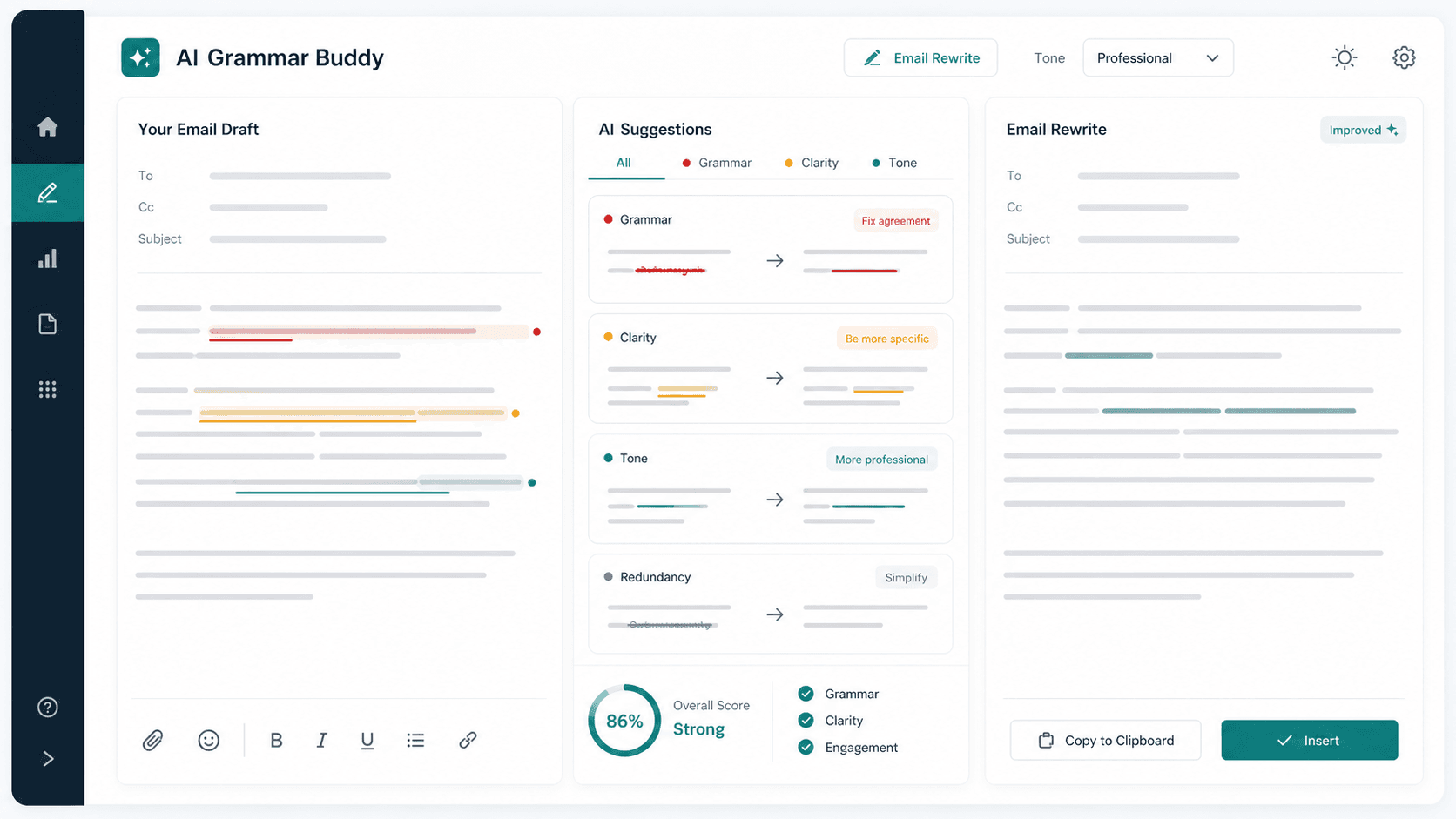
For example, it can turn:
Can help to review and revert soonest?
Into:
Could you please review this and reply by tomorrow morning?
That rewrite fixes grammar, tone, and clarity at the same time.
The Grammar Checker is best for sentence-level fixes. Email Improver is better when the whole email needs better tone, structure, or flow.
If you enjoy explaining these grammar choices as much as applying them, teaching English can be another way to use clear writing as a practical skill. See our guide to what TEFL certification means for English writers.
If you would rather polish client documents, learn how to build samples and find small projects in our guide to becoming a proofreader with no experience.
For a practical example of checking one business verb against its intended action, read conserve meaning and workplace examples.
Final Takeaway
Good business email grammar makes work easier for the reader. It tells them what happened, what you need, when you need it, and how they should respond.
Before sending an important email, check for complete sentences, correct tense, clear requests, polite tone, and one obvious next step. If anything sounds awkward, run the sentence through AI Grammar Buddy and compare the rewrite before you send.
About This Article
Kin
Senior Business English Editor
Kin reviews workplace email drafts, acknowledgement phrases, and tone problems for AI Grammar Buddy. She focuses on sentence-level fixes that help non-native English writers sound clearer without sounding stiff.
Last updated 30 June 2026
Frequently Asked Questions
What is business email grammar?▼
Business email grammar is the use of clear, correct sentence structure in workplace emails. It includes tense, punctuation, articles, subject-verb agreement, tone, and request wording.
Is grammar more important than tone?▼
Both matter. Grammar helps the reader understand your meaning. Tone helps the reader receive the message the right way.
Should I use formal English in every business email?▼
Not always. Internal emails can be warmer and shorter. Client emails, job applications, and manager updates should usually be more polished.
Is please revert correct in business email?▼
It is common in Singapore and India, but it can confuse global readers. Use please reply or please get back to me instead.
How do I check business email grammar quickly?▼
Use a business email grammar checker for typos, then read the email once for tone and once for the next step. If the action or deadline is unclear, rewrite it before sending.
Keep going
Continue with AI Grammar Buddy
AI Grammar Buddy
Grammar Checker
Run a fast grammar, wording, and clarity check on your sentence.
Check My SentenceRelated guide
Conserve Meaning in English: Preserve vs Conserve in Emails
Conserve meaning in English: use something carefully so it is not wasted. See workplace email examples, conserve vs preserve, reserve, and save.
22 August 2026
Related guide
How to Become a Proofreader With No Experience (2026)
No degree or clients yet? Learn skills, markup, a 3–5 sample portfolio, free tools, and realistic job steps—plus what proofreading courses actually require.
29 July 2026
Related guide
How to Check Grammar Mistakes in 8 Steps
Learn how to check grammar mistakes in English with an 8-step process, common error examples, a reusable checklist, and tips for using an online checker.
26 July 2026