AI Email Rewriter for Professional Emails (Before & After)
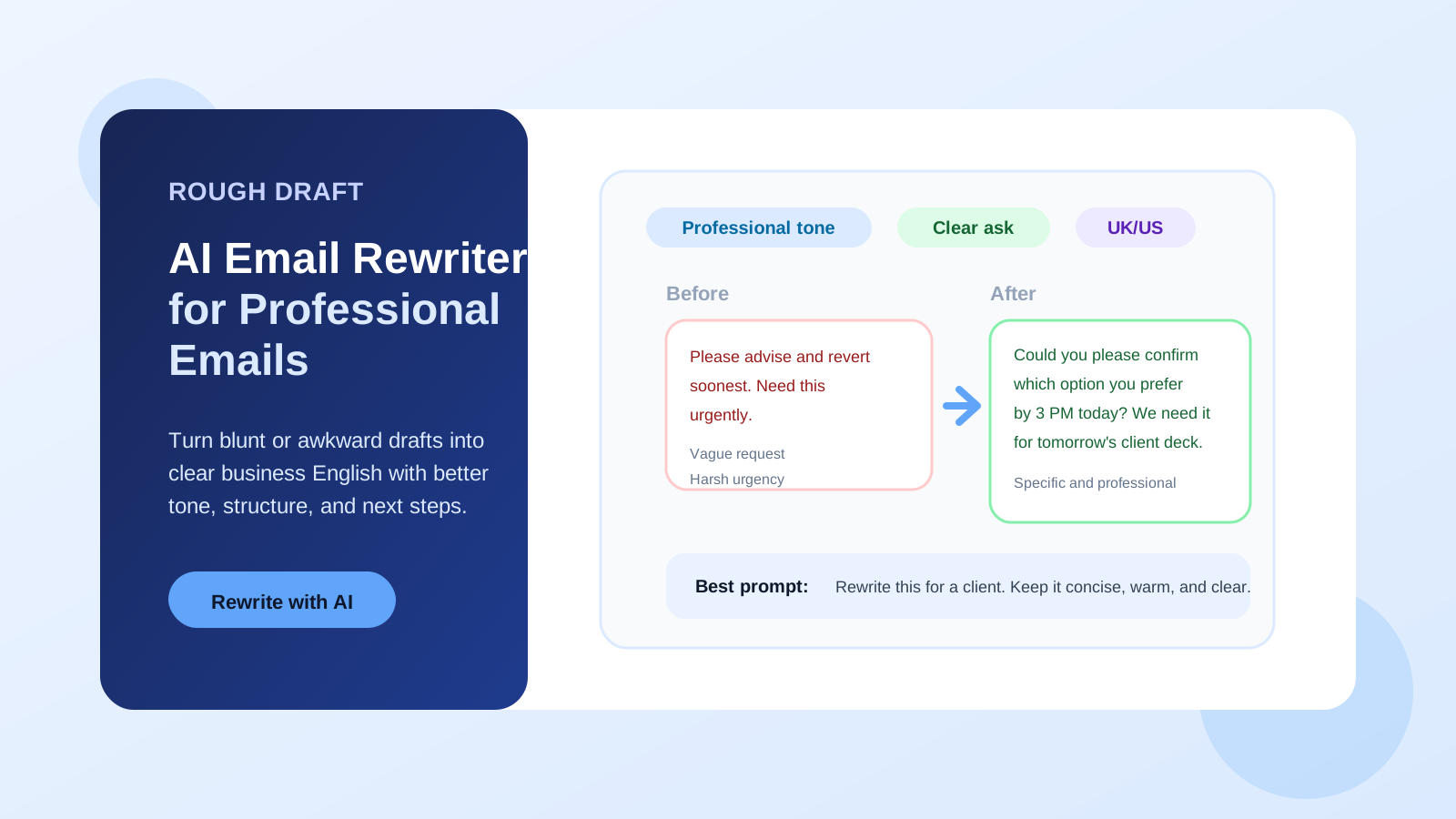
You hit send, then immediately wish you had rewritten the email first.
The request was fine. The tone was not. It read blunt, or stiff, or like office English run through a translator.
That is where an AI email rewriter for professional emails helps. It keeps your meaning, then rewrites the tone, structure, and wording so the message lands cleanly and gets a faster reply.
In reviewing workplace drafts inside AI Grammar Buddy, I keep seeing the same four problems: the ask is too vague, the urgency sounds harsher than intended, the sentences run too long, or the phrasing feels local instead of globally natural. If your draft already has the right content but the wrong tone, AI Grammar Buddy's Email Improver is built for exactly that kind of rewrite.
TL;DR
An AI email rewriter helps you turn rough, unclear, or too-direct drafts into professional emails by improving tone, structure, and clarity without changing the meaning.
Best results come from giving the AI your goal, audience, and preferred tone instead of asking for a generic rewrite.
Quick examples:
- •"Send me this today." -> "Could you please send this by 4 PM today?"
- •"Please advise." -> "Could you confirm which option you prefer by Friday?"
- •"I need this urgently." -> "Could you prioritize this today if possible? It affects tomorrow's client deadline."
Jump to sections
Use these anchors to jump straight to the section you need.
Quick Answer
An AI email rewriter for professional emails improves an existing draft by fixing tone, grammar, clarity, and structure. It is most useful when your email sounds too direct, too vague, too long, or not natural enough for work.
Use it when the message already says the right thing but says it badly.
| If your draft sounds... | The rewrite should do this |
|---|---|
| too direct | soften the tone without weakening the ask |
| too vague | add a specific action, option, or deadline |
| too long | shorten filler and keep the main point visible |
| too translated | turn local phrasing into natural business English |
How to Rewrite Work Emails with an AI Email Rewriter
The best AI email rewriter does not just replace words. It helps you make the email easier for the reader to act on.
When I review business email drafts, the strongest rewrites almost always fix one or more of these:
- soften a line that sounds too direct
- make a vague request more specific
- shorten a long email without losing the point
- clean up grammar and punctuation
- change local phrasing into global business English
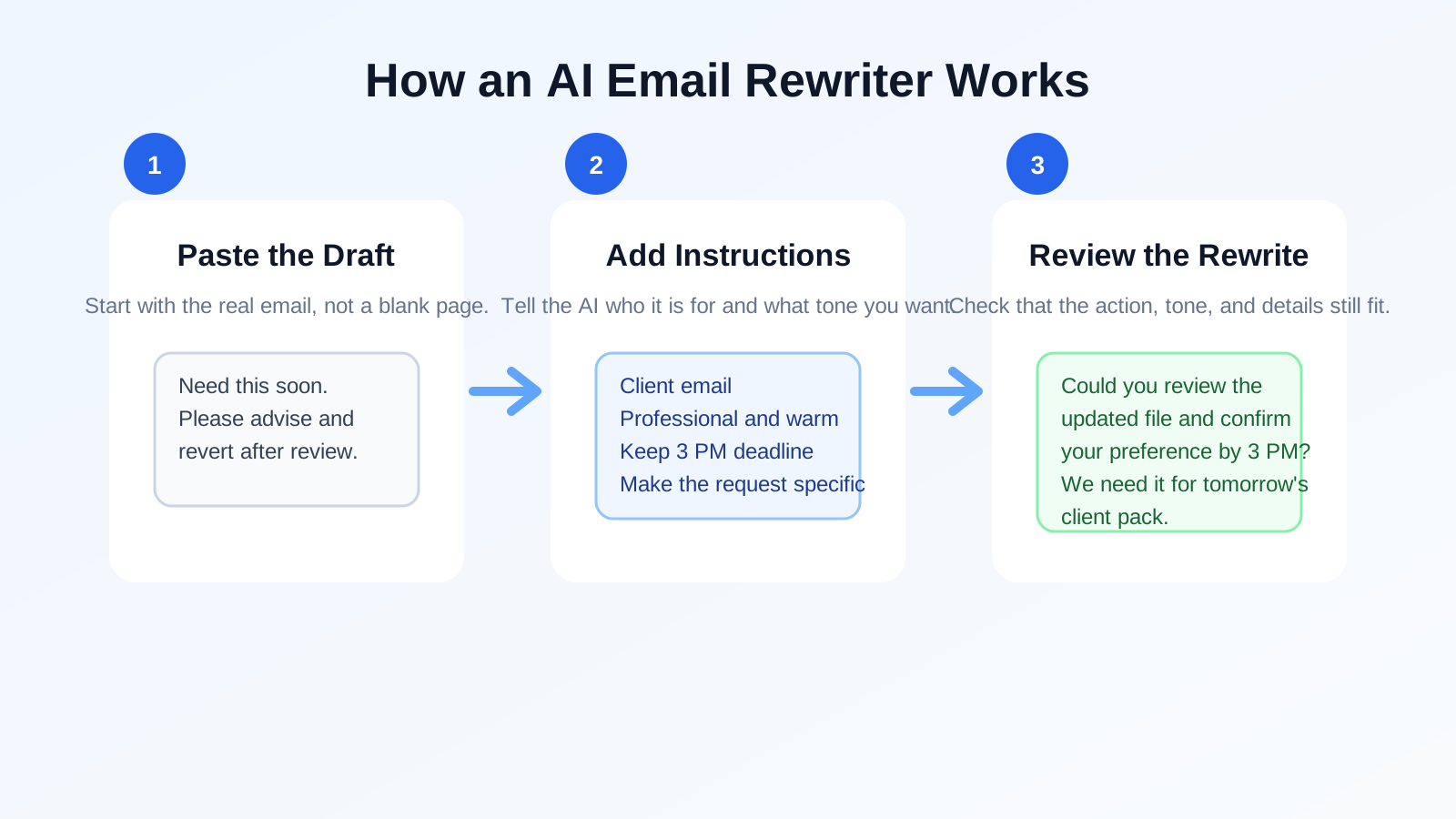
Here is the simplest workflow:
- Paste your rough draft.
- Tell the AI who the email is for.
- State the tone you want.
- Keep any deadline, action, or sensitive detail explicit.
- Review the final version before sending.
The prompt matters more than most people think.
Weak prompt:
Rewrite this email.
Better prompt:
Rewrite this email to sound professional, warm, and concise. The recipient is a client. Keep the Friday deadline and make the request clear without sounding pushy.
That second prompt gives the AI enough context to produce a rewrite you can actually send.
The fastest way to improve output quality is to tell the tool four things: who the reader is, what result you want, what tone you want, and which detail must not change.
| Situation | Weak prompt | Better prompt |
|---|---|---|
| Client follow-up | Rewrite this email. | Rewrite this for a client. Keep it polite, warm, and clear. Ask for feedback by Friday. |
| Manager update | Make this sound professional. | Rewrite this for a busy manager. Keep it concise and action-focused. Preserve the deadline and ownership. |
| Internal reminder | Fix grammar. | Rewrite this so it sounds firm but not rude. Keep the reminder short and mention the 3 PM cut-off. |
| Job application email | Improve tone. | Rewrite this for a recruiter. Make it professional, confident, and concise without sounding generic. |
If you often struggle with vague requests, this sits in the same problem family as better alternatives to "please advise" and our email clarity checklist for work messages. AI helps most when your own intent is already clear.
Examples
The easiest way to judge an AI email rewriter is to look at before-and-after drafts.
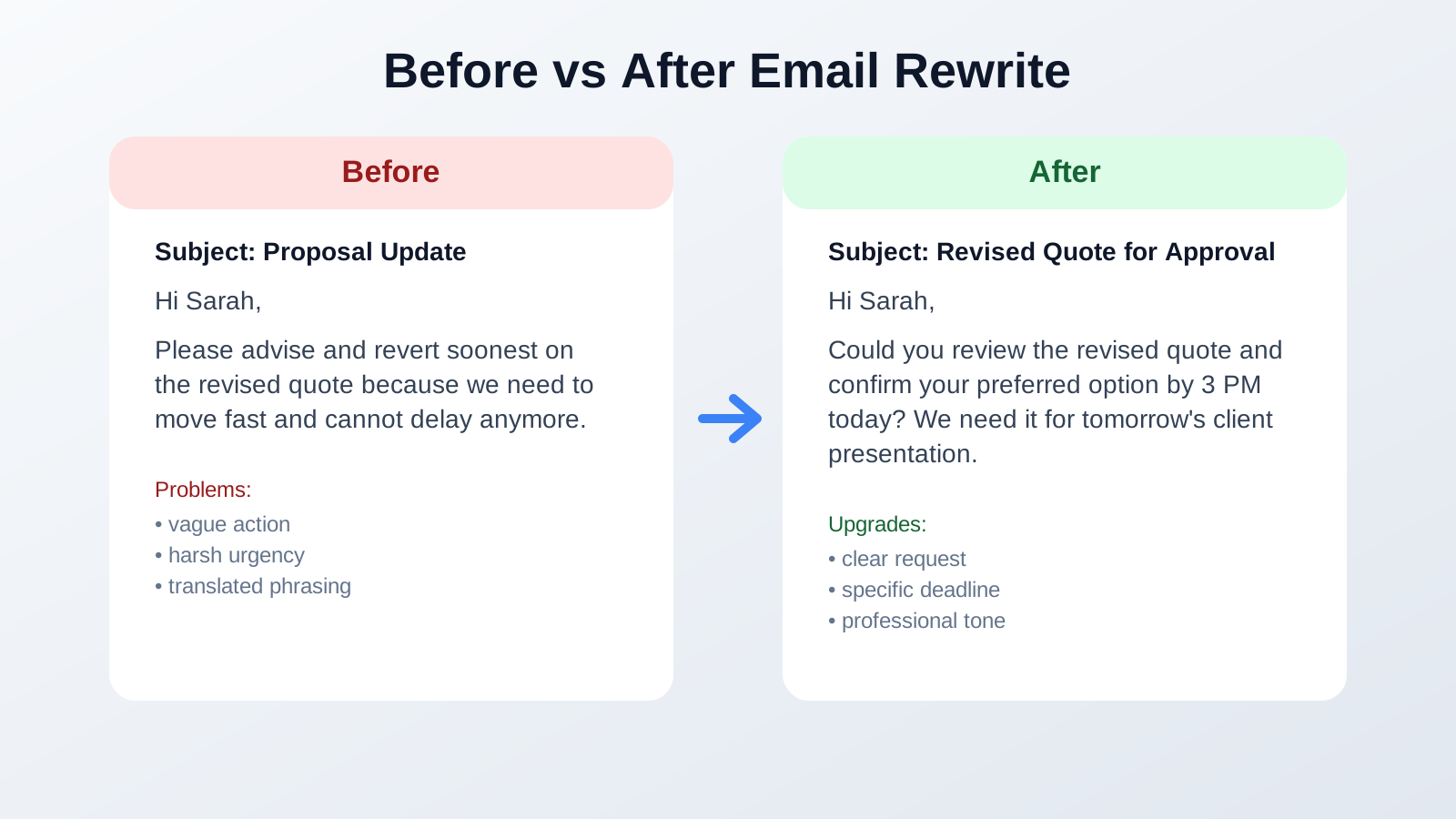
Example 1: Too direct
Before:
Send me the revised file today.
After:
Could you please send the revised file by 4 PM today? I would like to include it in tomorrow's client pack.
Why it works:
- adds politeness without sounding weak
- gives a reason for the urgency
- keeps the deadline specific
Example 2: Too vague
Before:
Please advise.
After:
Could you confirm whether you prefer Option A or Option B by Friday so I can update the proposal?
Why it works:
- turns a vague request into a clear decision
- gives the reader two options
- adds a deadline and next step
Example 3: Too long and messy
Before:
Hi John, just wanted to follow up again on the below and check if maybe you had time to review because we are kind of blocked on our side and need to move soon, so please let me know.
After:
Hi John, following up on the proposal below. Could you share your feedback today if possible? We are blocked on the next step until we have your confirmation.
Why it works:
- removes filler
- keeps the ask visible
- sounds more controlled and professional
Example 4: Too translated
Before:
Kindly revert soonest after checking.
After:
Please review this and reply by 3 PM if any changes are needed.
Why it works:
- replaces regional phrasing with global business English
- makes the action concrete
- keeps the urgency clear
Those four examples are the patterns I see most often. But they are not the only ones worth testing.
Here are four more situations where an AI email rewriter is useful:
| Scenario | Before | After |
|---|---|---|
| Asking for approval | Please check and confirm. | Could you confirm whether you approve this version by noon so I can send it to the client? |
| Deadline extension | Need more time for this. | Could I have until Thursday to complete this? I want to make sure the final version is accurate. |
| Recruiter reply | Thanks for your email. I am interested. | Thank you for reaching out. I am interested in the role and would be glad to discuss it further. |
| Customer issue | We are looking into this. | Thank you for flagging this. We are reviewing the issue now and will update you by 2 PM. |
Want to test this on your own draft? Paste one too-blunt email into the Email Improver and compare the rewrite side by side before you send it.
Common Mistakes
An AI email rewriter can save time, but it still needs good instructions and a quick human review.
1. Asking for a generic rewrite
If you only say "rewrite this professionally," the output may become stiff, too formal, or bland.
Better:
Rewrite this for a client. Keep it concise, polite, and slightly warm.
2. Forgetting the audience
The same rewrite should not be used for a boss, a teammate, and a customer. A client-facing email usually needs more context and softer phrasing than an internal status update.
3. Letting the AI remove the real ask
Some tools make emails sound smoother but accidentally weaken the action. If the original message asks for approval, date confirmation, or payment follow-up, make sure the rewrite still asks for it clearly.
This is one of the failure modes we tuned the Email Improver to avoid: preserve the core request, then soften the tone around it. If you want more follow-up wording patterns, our guide on how to chase an email politely shows what a stronger next-step message looks like.
4. Trusting the first version too quickly
Even a strong AI email rewriter may over-formalize a message or flatten your intent. Read the final draft out loud. If it sounds unlike you, adjust it.
5. Using AI to hide unclear thinking
If you do not know whether you want feedback, approval, a meeting time, or a decision, no rewrite tool can fully fix that. You still need to know the outcome you want.
That is also why broad template collections like professional email templates for work help. They show what the structure should be before the rewrite starts.
How AI Grammar Buddy Can Help
AI Grammar Buddy's Email Improver is designed for people who already have a draft but want it to sound better before they send it.
It is especially useful when your email:
- sounds too blunt for a client or manager
- includes Singlish, Indian English, or translated office phrases
- feels repetitive or too long
- needs a more professional tone without becoming robotic
- needs a clearer ask or stronger structure
You can prompt it with instructions like:
- "Rewrite this to sound more professional but still friendly."
- "Make this shorter and clearer for a busy manager."
- "Rewrite this for a client and keep the deadline polite but specific."
- "Fix the tone and grammar, but keep the message direct."
It also pairs well with your existing workflow. If you already use our sentence-level grammar checker for non-native writers to catch mistakes, the Email Improver adds the tone and rewrite layer that grammar-only tools usually miss.
Final Takeaway
The best AI email rewriter for professional emails does not just make your writing sound nicer. It helps your reader understand the point faster and know what to do next.
That matters most when the email carries risk: a client follow-up, a manager update, a request for approval, or a message that could easily sound too cold.
If the content is already there and the wording is the problem, paste the draft into AI Grammar Buddy's Email Improver. It can turn a rough work email into something clearer, more professional, and more natural before you hit send.
About This Article
Kin
Senior Business English Editor
Kin reviews workplace email drafts, rewrite patterns, and professional tone issues for AI Grammar Buddy. She focuses on practical email fixes that help non-native English writers sound clearer without sounding stiff.
Last updated 17 June 2026
Frequently Asked Questions
What is an AI email rewriter?▼
An AI email rewriter is a tool that improves an existing email draft. It rewrites the message for tone, clarity, grammar, structure, and professionalism while keeping the original meaning.
Can an AI email rewriter make my email sound more professional?▼
Yes. A good AI email rewriter can remove awkward phrasing, soften overly direct wording, tighten long sentences, and make the request clearer for professional emails.
What should I include in the prompt?▼
Include who the email is for, what outcome you want, the tone you want, and any deadline or sensitive detail the AI should preserve.
Should I use an AI email rewriter for client emails?▼
Yes, especially when tone matters. You should still review the final draft to make sure it matches the relationship, context, and any legal or commercial details.
What is the difference between an AI email writer and an AI email rewriter?▼
An AI email writer creates a message from scratch. An AI email rewriter improves an existing draft that you already wrote.
Can AI Grammar Buddy rewrite professional emails?▼
Yes. AI Grammar Buddy's Email Improver can rewrite professional emails for tone, clarity, and grammar, and it is especially useful when a draft sounds too stiff, vague, or translated.
Keep going
Continue with AI Grammar Buddy
AI Grammar Buddy
Email Improver
Paste your draft and rewrite it for clearer, more professional English.
Improve My ToneRelated guide
Business Trip English Phrases: Airport, Hotel & Meetings
Learn practical business trip English phrases for airports, immigration, hotels, meetings, and delays, with mini dialogues and ready-to-use examples.
30 July 2026
Related guide
OK Noted Meaning in Email: Rude? Better Replies
What does OK noted mean in email? Is okay noted rude? Why noted on this is wrong, plus clearer professional replies you can copy.
18 July 2026
Related guide
10 Better Ways to Say "In Conclusion" for Essays & Emails
Need a better way to say "in conclusion"? Compare 10 alternatives by tone, with essay paragraphs, professional email endings, and mistakes to avoid.
14 March 2026