Follow Up Email After No Response: 15 Professional Templates for Every Situation
Use these 15 professional follow-up email templates after no response. Includes client, vendor, payment, interview, and second follow-up examples.

Thursday afternoon. Your inbox is quiet, but the project is not.
You sent the proposal three days ago. The vendor is waiting. Finance is asking. The deadline is getting closer. This is exactly when you need a professional follow up email after no response that moves the work forward without creating friction.
This guide shows you when to send one, how to phrase it, and 15 templates you can copy in minutes.
At AI Grammar Buddy, we review real workplace drafts submitted to our Email Improver tool. One pattern appears again and again: people either follow up too aggressively or too vaguely, and both versions make replies less likely.
TL;DR
A follow up email after no response is a short, specific message that reminds the recipient about your earlier email and asks for one clear next step.
Best default formula: "Just following up on my note below about [topic]. Could you let me know by [day/date] whether we can proceed?"
Quick rules:
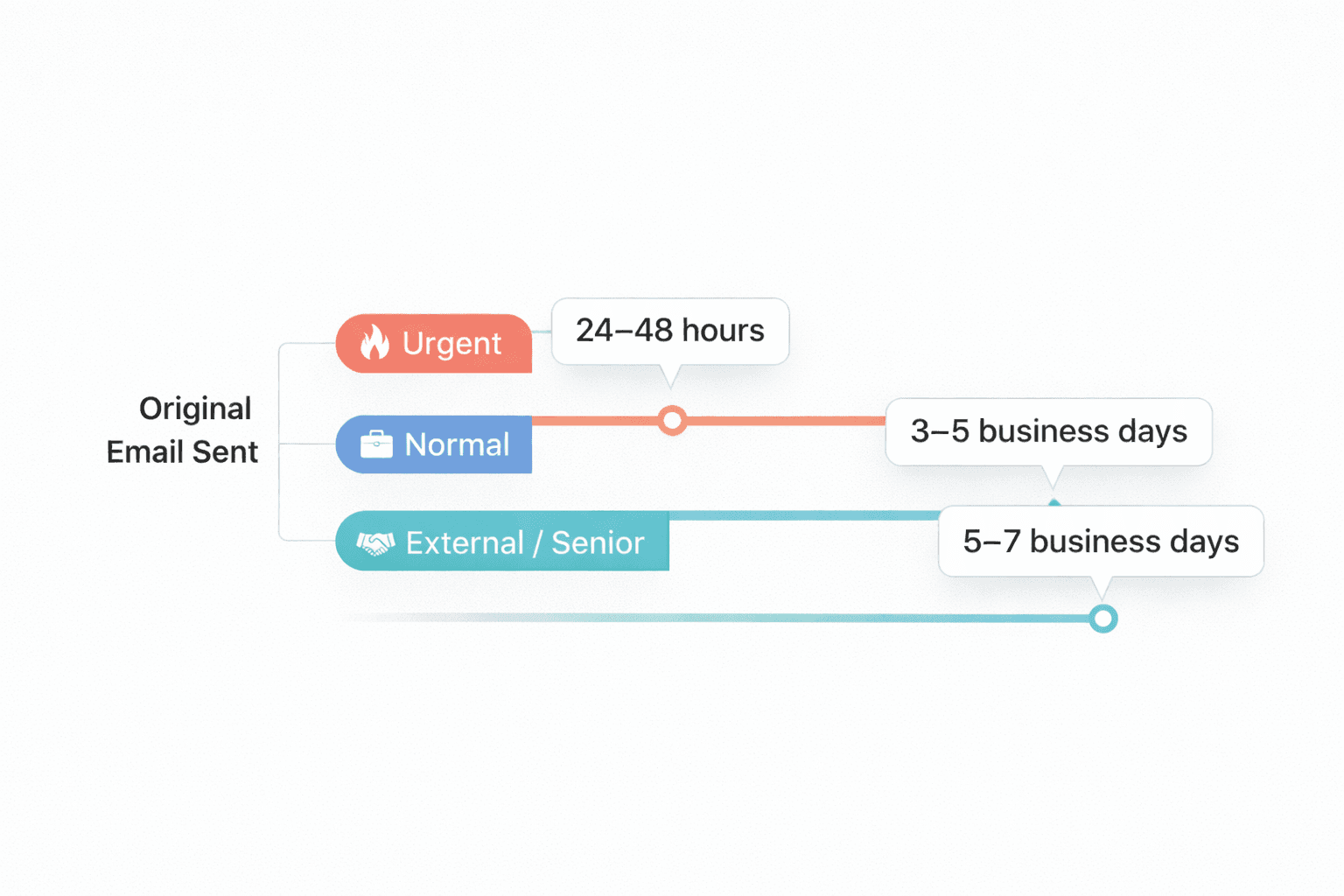
- •Wait 3 to 5 business days for a normal request, 24 to 48 hours for urgent work, and about 5 to 7 business days for external stakeholders.
- •Keep the follow-up short, restate the ask clearly, and give one realistic deadline.
- •If your draft sounds stiff or vague, AI Grammar Buddy's Email Improver can rewrite it into natural business English fast.
AI Grammar Buddy
Turn this template into your email
Start with the example, then rewrite it for your real situation.
Jump to sections
Use these anchors to jump straight to the section you need.
Quick Answer: What Is a Follow Up Email After No Response?
A follow up email after no response is a short message you send after your first email goes unanswered. Its job is to remind the person of the topic, make your request easy to answer, and move the conversation to one next step.
For most situations, this is the right rhythm:
- Urgent work: follow up in 24 to 48 hours
- Normal internal or external requests: follow up in 3 to 5 business days
- Recruiters, vendors, or senior stakeholders: follow up in 5 to 7 business days unless they gave a date already
Safest structure: reference the earlier email, restate the ask in one line, and give a practical deadline or decision point.
If you are looking for a clear follow up email example, that is the core pattern behind almost every strong follow-up in this article.
If you are following up on a proposed date or meeting time, see tentative meaning in emails and meetings for wording that keeps the uncertainty explicit.
Avoid ending the reminder with another unclear timeline. Our guide to “at your earliest convenience” meaning shows how to keep the polite tone while giving the reader a date they can act on.
Want a faster version? Paste your draft into AI Grammar Buddy's Email Improver to turn a stiff or vague reminder into clear professional English before you send it.
When to Send a Follow Up Email After No Response
Match your timing to business impact:
- Internal project task: 2 to 4 business days
- Client approval or feedback: 3 to 5 business days
- Vendor update or delivery ETA: 3 to 5 business days, sooner if the schedule is at risk
- Invoice or payment: follow the due date, not your frustration
- Interview follow-up: 5 to 7 business days after the timeline they gave you
If the unanswered message follows a flight delay or a changed overseas meeting, start with the update-impact-next-step examples in this business trip English phrase guide, then send one concise confirmation request.
If your original email included a deadline, follow up the day before or the morning of that deadline.
How to Write a Gentle Reminder Email Without Sounding Annoying
If you are wondering how to follow up email politely, the answer is usually simpler than people think.
A good gentle reminder email assumes positive intent, restates the ask, and makes replying easy. Use this formula:
Hi [Name], just following up on my note below about [topic]. Could you let me know by [day/date] whether [specific next step] works?
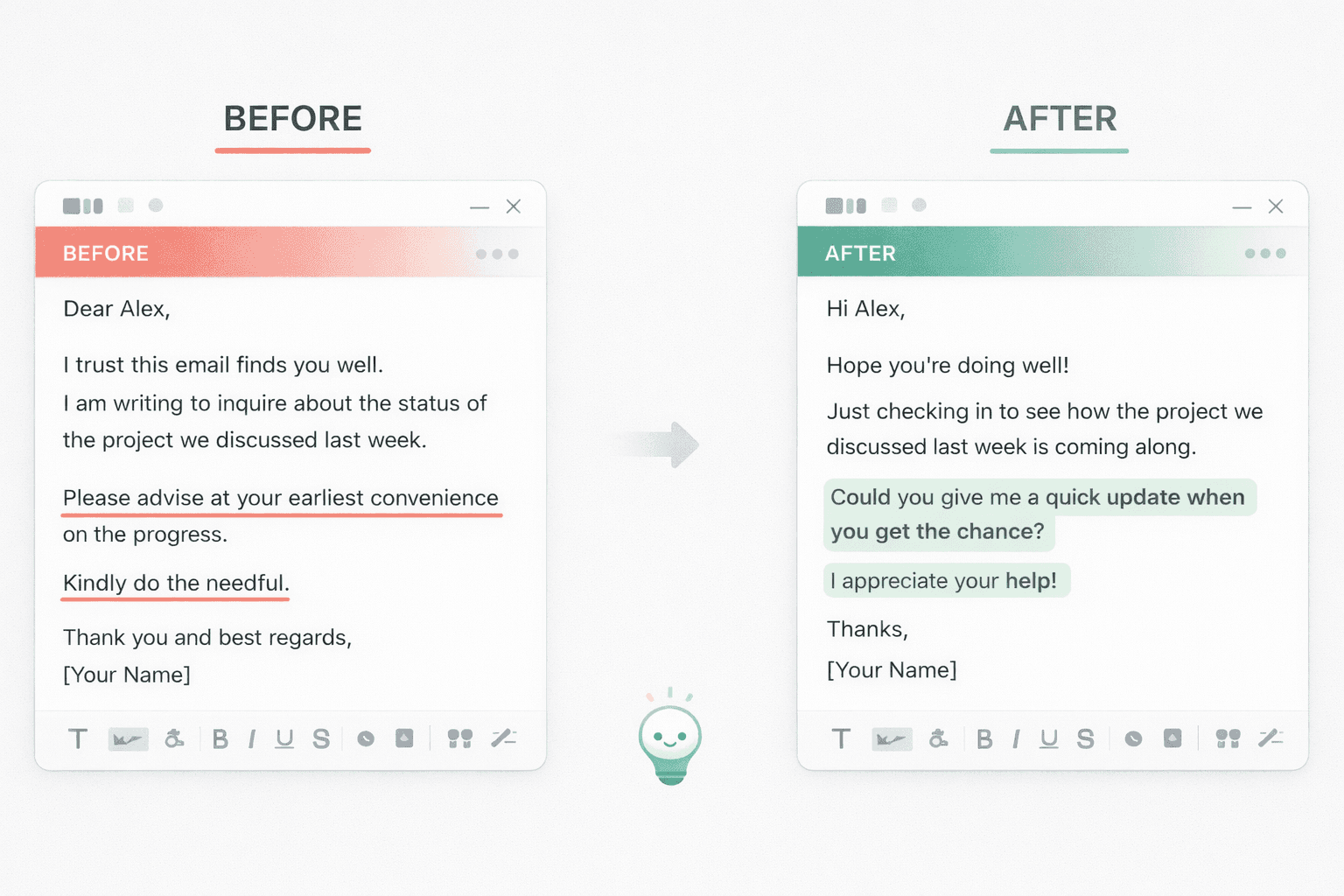
Before:
Any update?
After:
Hi John, just following up on my previous note about the proposal.
Could you confirm by Thursday whether we can proceed?
That is the difference between a vague nudge and a professional follow up email. AI Grammar Buddy can rewrite drafts like this automatically when your message feels too blunt or too thin.
That sounds better than vague or over-formal lines like please advise, requesting you to kindly, or for your kind perusal. If you are attaching a revised file, pair your follow-up with modern phrasing from please find attached alternatives, not old office filler.
Follow Up Email to Client Templates
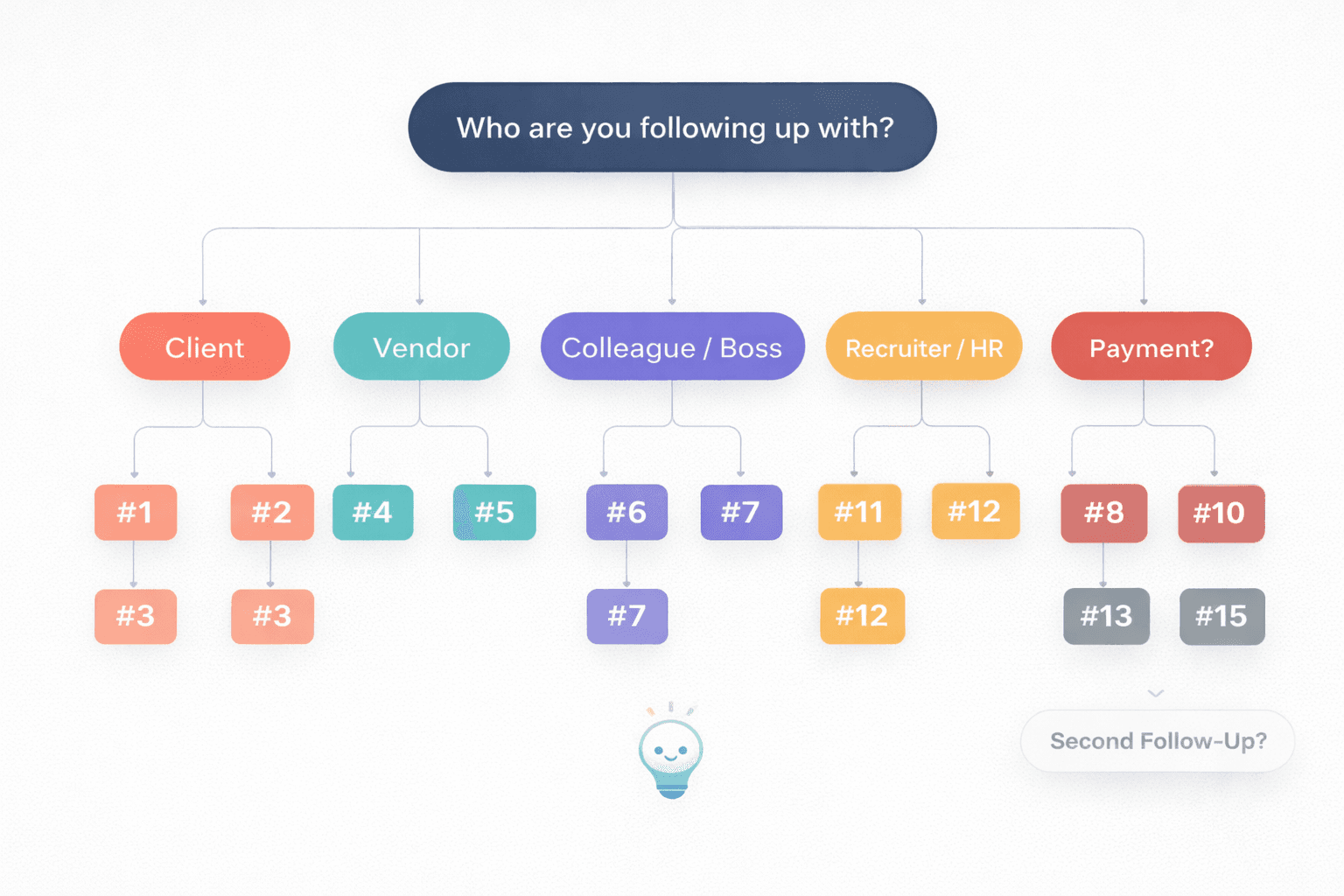
Use these as working examples, not scripts you must send word for word. The best follow up email template gives you a structure, then you adapt the wording to your relationship, deadline, and stakes.
1) Client Approval Follow-Up
Subject: Follow-up on [Project Name] approval
Hi [Client Name],
Just following up on my note below about approval for [Project Name].
If everything looks fine, could you please confirm by [Date] so we can move into the next phase?
Thanks,
[Your Name]
Why this works: It sounds calm, but it links the reply to a concrete project step.
Use this when: You are waiting on sign-off, comments, or a go/no-go decision.
Avoid this mistake: Do not write "Any update?" without saying what decision you need.
2) Quiet Client Re-Engagement
Subject: Quick check-in on [Project Name]
Hi [Client Name],
I hope your week is going well. I wanted to check in on [Project Name] in case this got buried.
Are you still aiming to move forward this month, or would a later timeline be better?
Best,
[Your Name]
Why this works: It gives the client two easy paths instead of forcing a long reply.
Use this when: A proposal or conversation has gone quiet without a formal no.
Avoid this mistake: Do not make the follow-up sound like a guilt trip.
3) Client Deliverable Feedback Reminder
Subject: Follow-up on feedback for [Deliverable]
Hi [Client Name],
Following up on the [deck/report/mockup] I shared on [Date].
If you can send feedback by [Date], we can keep the planned launch timeline.
Happy to consolidate comments in one round if that is easier.
Thanks,
[Your Name]
Why this works: It shows the consequence of delay without sounding dramatic.
Use this when: You need comments before work can continue.
Avoid this mistake: Do not assume the client remembers the attachment or deadline.
If you are unsure whether your follow-up sounds too formal or too casual for this client, paste it into AI Grammar Buddy's Email Improver and see the rewritten version side by side before you hit send.
Follow Up Email to Vendor Templates
4) Vendor ETA Follow-Up
Subject: Status update on [Order / PO Number]
Hi [Vendor Name],
Just following up on [Order / PO Number], which was originally scheduled for [Date].
Could you share the current status and revised ETA, if any?
Thank you,
[Your Name]
Why this works: It asks for status and ETA in one clean line.
Use this when: A vendor update is overdue and other teams depend on it.
Avoid this mistake: Do not say "urgent" unless the deadline risk is real.
5) Missing Document or Confirmation From Vendor
Subject: Follow-up on [document / confirmation]
Hi [Vendor Name],
I am following up on the [invoice, compliance form, shipping confirmation] requested on [Date].
Could you send it by [Date] so we can complete the next step on our side?
Best regards,
[Your Name]
Why this works: It frames the request around process completion, not blame.
Use this when: Procurement, finance, or operations is waiting on paperwork.
Avoid this mistake: Do not ask for multiple unrelated items in the same follow-up.
Follow Up Email to Colleague or Boss Templates
6) Internal Dependency Follow-Up
Subject: Quick follow-up on [task / request]
Hi [Name],
Just checking in on the [file, approval, data point] I asked about on [Date].
Once I have that, I can complete [next step] by [Date].
Thanks,
[Your Name]
Why this works: It makes the dependency visible without sounding defensive.
Use this when: Your work is blocked by an internal handoff.
Avoid this mistake: Do not imply they are the reason the project is failing.
7) Manager Approval Reminder
Subject: Follow-up on approval for [Project Name]
Hi [Manager Name],
Following up on the approval request I sent for [Project Name].
If approved by [Date], we can proceed with [specific next step] on time.
Please let me know if you would like a shorter summary before deciding.
Thanks,
[Your Name]
Why this works: It respects hierarchy while reducing friction for a busy manager.
Use this when: You need a decision, not a discussion.
Avoid this mistake: Do not send a long paragraph of repeated background.
Payment Follow Up Email Templates
8) Payment Reminder Before Due Date
Subject: Reminder: Invoice [Invoice Number] due on [Date]
Hi [Client Name],
A quick reminder that Invoice [Invoice Number] for [Amount] is due on [Date].
I am attaching it again here for convenience. Please let me know if anything is needed from my side.
Best,
[Your Name]
Why this works: It sounds routine, not confrontational.
Use this when: The due date is approaching and you want a professional nudge.
Avoid this mistake: Do not sound accusatory before the invoice is actually overdue.
9) Overdue Payment Follow-Up Email
Subject: Follow-up on overdue invoice [Invoice Number]
Hi [Client Name],
I am following up on Invoice [Invoice Number], which was due on [Date].
Could you let me know the payment status or expected transfer date?
If helpful, I can resend the invoice or supporting details.
Thank you,
[Your Name]
Why this works: It is direct, but it leaves room for an administrative delay rather than assuming bad faith.
Use this when: Payment is late and you need clarity fast.
Avoid this mistake: Do not write "Please settle immediately" unless you are ready to escalate.
10) Final Payment Follow-Up Before Escalation
Subject: Final follow-up on Invoice [Invoice Number]
Hi [Client Name],
This is a final follow-up regarding Invoice [Invoice Number], outstanding since [Date].
Please confirm by [Date] whether payment is scheduled. If not, I will need to escalate this through our finance process.
Regards,
[Your Name]
Why this works: It is firm because the process has moved beyond a friendly reminder.
Use this when: You have already sent earlier payment reminders.
Avoid this mistake: Do not threaten action you will not actually take.
Payment escalation emails carry real risk — one wrong word can damage the relationship. If you want to check the tone before sending, run your draft through AI Grammar Buddy's Email Improver to catch anything that reads harsher than you intended.
Follow Up Email After Interview Templates
11) Post-Interview Status Check
Subject: Follow-up on [Role Title] interview
Hi [Interviewer Name],
Thank you again for speaking with me about the [Role Title] position.
I wanted to follow up to see whether there are any updates on the hiring timeline. I remain very interested in the role.
Kind regards,
[Your Name]
Why this works: It is concise, professional, and still shows interest.
Use this when: The timeline they gave you has passed.
Avoid this mistake: Do not ask "Did I get the job?" in a follow-up.
12) Second Interview Check-In With Value Add
Subject: Follow-up on [Role Title] application
Hi [Interviewer Name],
I am following up on my application for the [Role Title] role.
Since our last conversation, I also put together [portfolio item / work sample / short note] that may be relevant, and I would be glad to share it if useful.
Best regards,
[Your Name]
Why this works: It adds value instead of just asking for status again.
Use this when: You want a stronger second touch after silence.
Avoid this mistake: Do not attach extra files without context. If you do send one, use clearer wording from please find attached alternatives.
Second Follow Up Email Templates
A second follow up email needs more care than the first one. You are no longer just bumping the thread. You are trying to get movement without sounding annoyed.
13) Second Follow Up Email After No Reply
Subject: Second follow-up: [topic]
Hi [Name],
Just checking in again on my earlier emails about [topic].
I know inboxes get crowded, so if this is not the right time, feel free to let me know. Otherwise, could you update me by [Date]?
Thanks,
[Your Name]
Why this works: It is persistent without sounding irritated. See when persist sounds determined rather than critical for the word-choice distinction.
Use this when: Your first follow-up also got no response. For more detailed chasing strategies, see our guide on how to chase an email politely.
Avoid this mistake: Do not change the request every time you follow up.
By the second follow-up, wording matters even more. AI Grammar Buddy's Email Improver can help you adjust tone from firm to friendly in one click — useful when you are tired of rewriting the same email.
14) Closing the Loop Follow-Up
Subject: Closing the loop on [topic]
Hi [Name],
I have not heard back on my notes below, so I will close the loop for now.
If [topic] becomes relevant again, I would be happy to reopen the conversation.
Best,
[Your Name]
Why this works: It protects your time and creates a clean ending.
Use this when: You need a professional final touch after repeated silence.
Avoid this mistake: Do not keep sending identical reminders forever.
Gentle Reminder Email Template for Low-Urgency Situations
15) Friendly Nudge
Subject: Gentle reminder on [topic]
Hi [Name],
Just a gentle reminder on the note below when you have a moment.
No rush, but if possible, it would help to have your input by [Date].
Thanks so much,
[Your Name]
Why this works: It fits lower-stakes situations where relationship tone matters more than speed.
Use this when: You need a polite follow up email for a colleague, partner, or familiar client.
Avoid this mistake: Do not use a "gentle" tone when the issue is actually urgent or overdue.
Subject Line Examples for a Follow Up Email After No Response
Use these subject lines:
- Follow-up on [Project Name]
- Quick check-in: [topic]
- Gentle reminder: [topic]
- Second follow-up on [topic]
- Approval needed for [Project Name]
- Status update request: [Order Number]
- Feedback needed on [Deliverable]
- Reminder: Invoice [Invoice Number]
- Follow-up on [Role Title] interview
- Closing the loop on [topic]
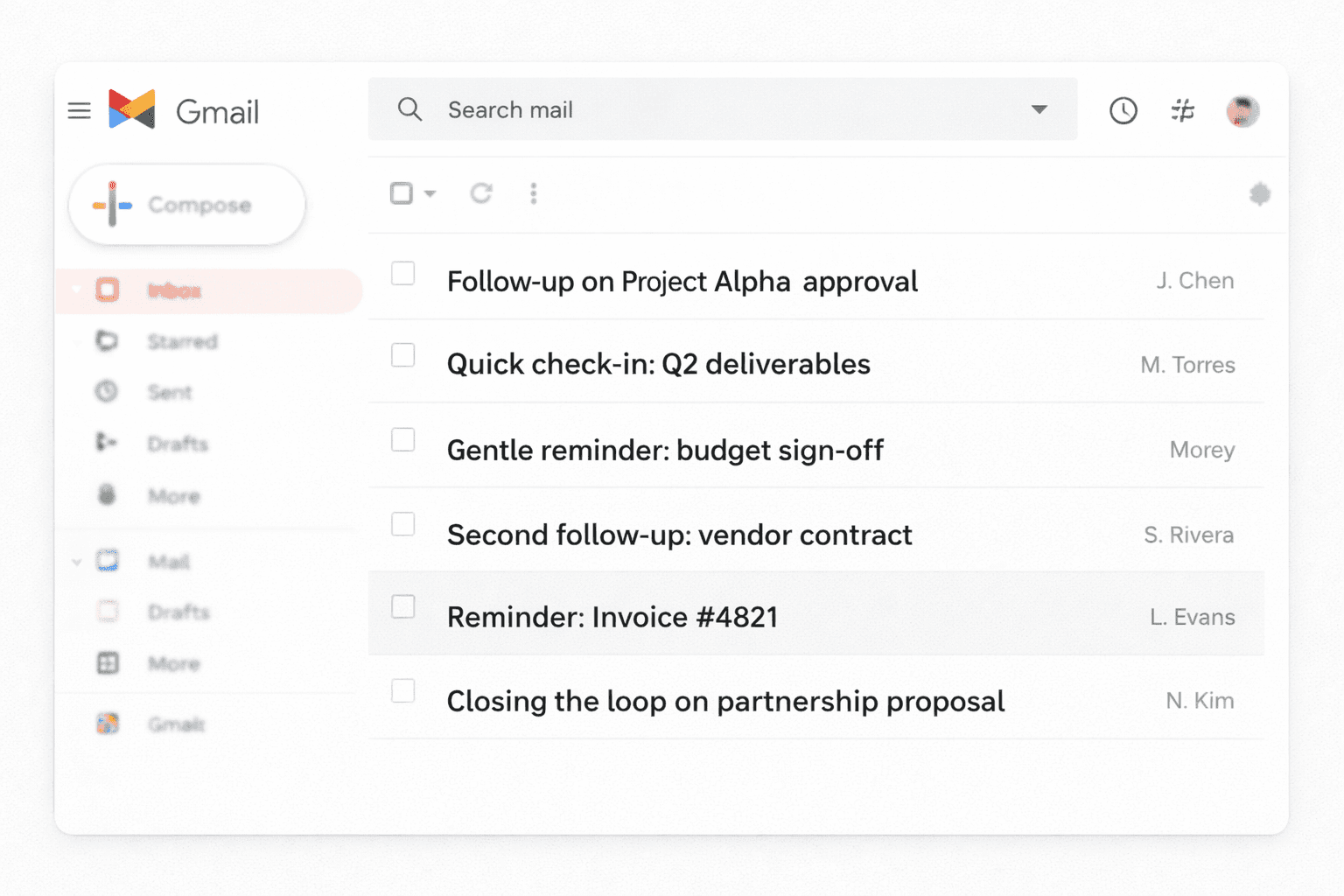
If the original thread still fits, keep the same subject line so the context stays intact.
Common Mistakes That Make Follow-Ups Feel Annoying
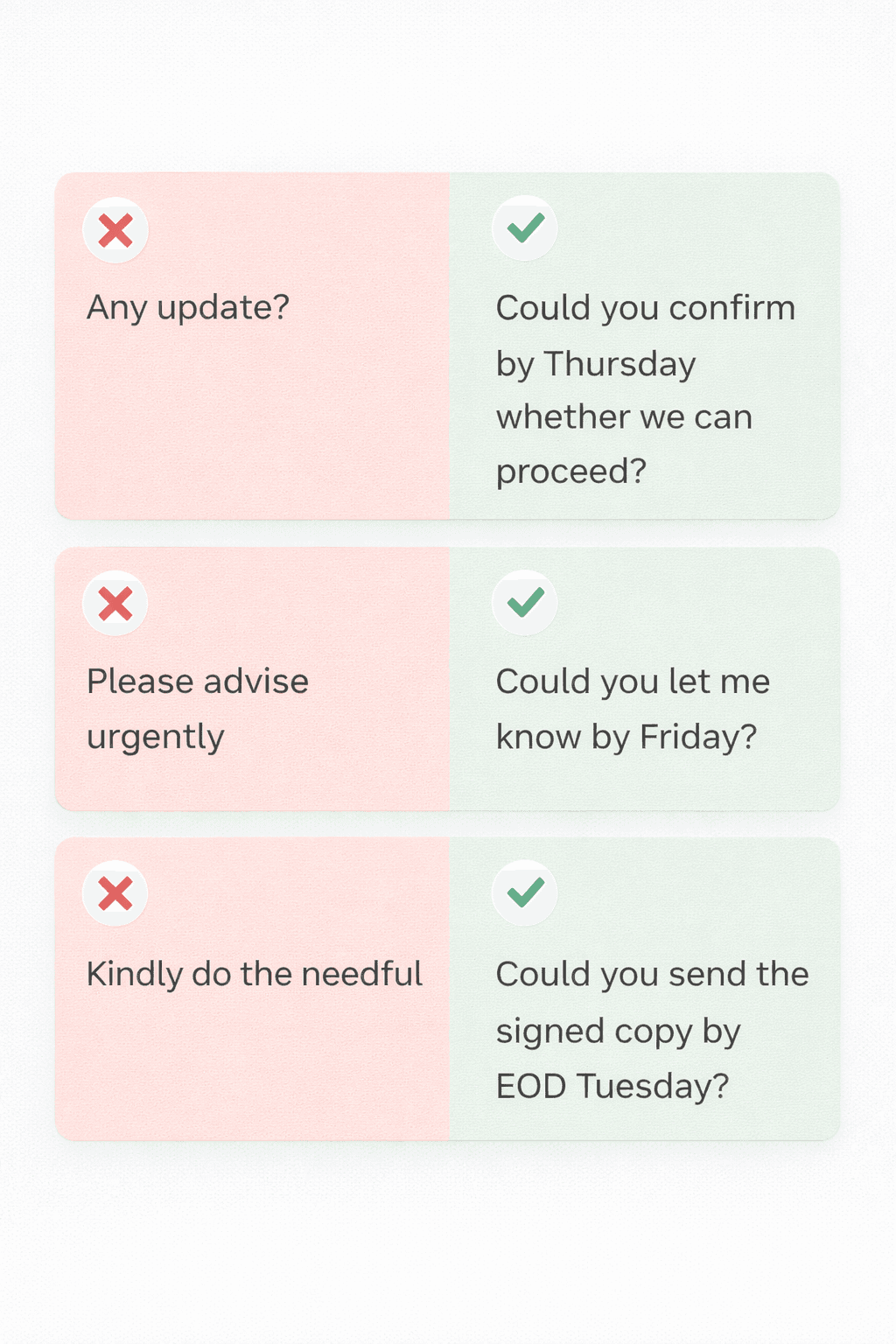
- Being vague. "Any update?" is weaker than "Could you confirm by Thursday whether we can proceed?"
- Writing emotionally. Your recipient should feel guided, not scolded. If you need to own a delay or reset tone, use a cleaner structure from how to apologize professionally in an email.
- Using stiff filler. Phrases like "kindly do the needful," "please advise urgently," or "for your kind perusal" add friction instead of clarity.
- Adding too many asks. One follow-up should usually contain one decision or one next step.
- Following up without context. Restate the topic, file, invoice number, or deadline so the other person does not need to reconstruct the thread.
When to Stop Following Up
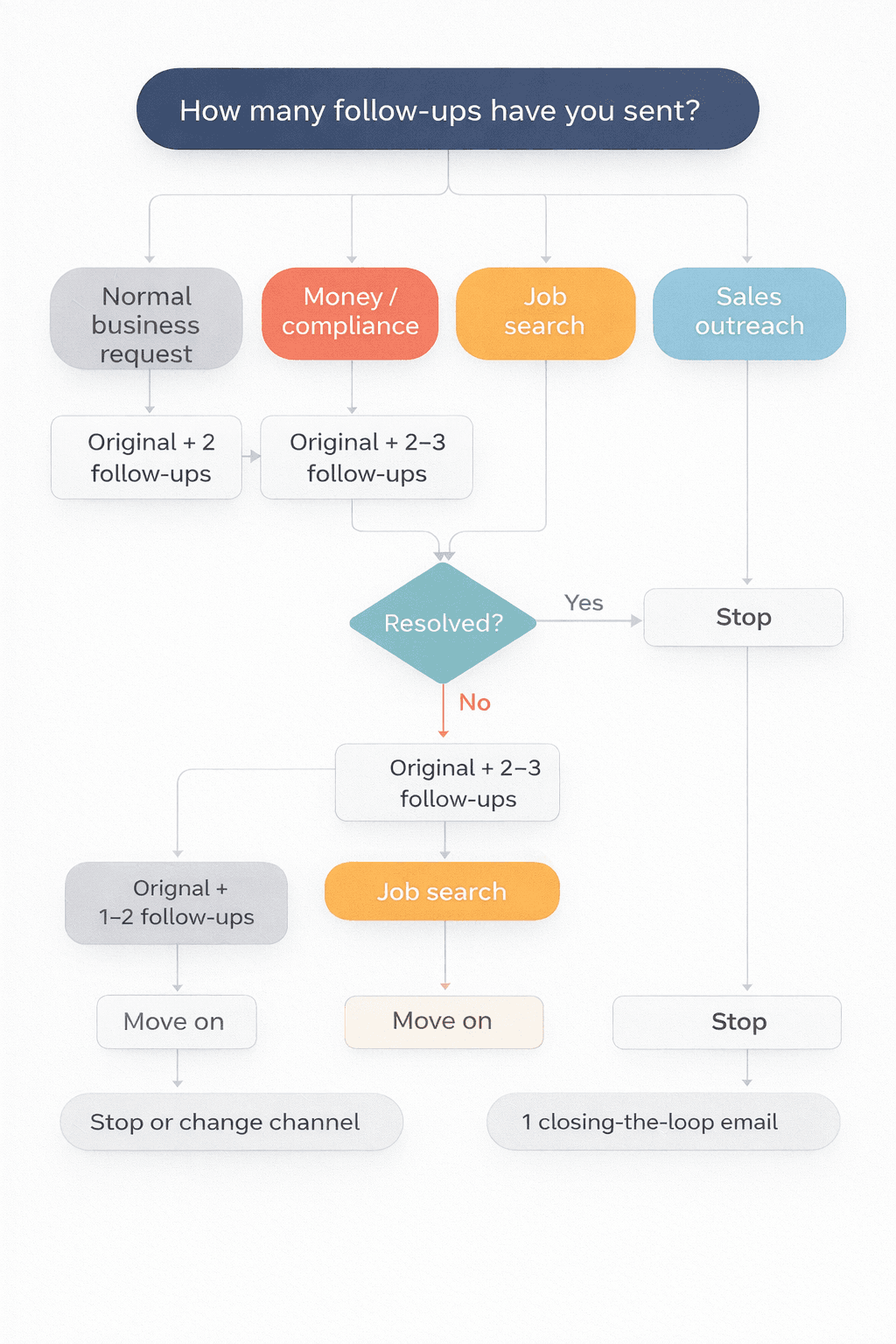
Most situations fall into one of these patterns:
- Normal business request: original email + 2 follow-ups
- Money or compliance issue: original email + 2 to 3 follow-ups, then escalate
- Recruiting or job search: original email + 1 to 2 follow-ups, then move on
- Sales or partnership outreach: one final "closing the loop" email is usually enough
If the other person finally replies just to confirm they received your message, switch to a simple confirmation style instead of another chase. Our guide to acknowledge receipt emails covers that side of the exchange.
Final Thought: Use This Follow Up Email After No Response as a Starting Point
The best follow up email after no response is not the most formal one. It is the one that makes replying easy.
Templates are a good starting point. But every follow-up still needs to sound natural for your situation, your recipient, and your deadline.
Start with the template that matches your situation, add the real topic and deadline, then trim anything that sounds passive, vague, or overly corporate.
If your draft feels stiff or unclear, run it through AI Grammar Buddy's Email Improver. It rewrites follow-up emails into clear professional English in seconds.
Frequently Asked Questions
How do you politely follow up after no response?▼
Use a short message that assumes the other person is busy, not ignoring you. Mention the original topic, ask for one clear next step, and give a reasonable timeline. For example: 'Just following up on my earlier note about the revised quote. Could you let me know by Thursday if we can proceed?'
How long should I wait before sending a follow-up email after no response?▼
For most normal requests, wait 3 to 5 business days. For urgent operational work, 24 to 48 hours can be reasonable. For clients, vendors, or recruiters, 5 to 7 business days is often safer unless a deadline was already agreed.
What is the best subject line for a follow-up email after no response?▼
Use a clear subject line that keeps the original context visible, such as 'Follow-up on [Project Name]' or 'Quick check-in: [topic]'. Avoid dramatic phrases like 'Urgent!!!' unless the matter is genuinely urgent.
How many follow-up emails are too many?▼
For most business situations, two or three follow-ups after the original email is enough. After that, either change channel, close the loop, or stop. If money, compliance, or project risk is involved, you may need a firmer escalation path instead of endless reminders.
What should I avoid in a polite follow-up email?▼
Avoid guilt-tripping language, vague asks, and stiff filler such as 'kindly do the needful' or 'please advise urgently' when the message does not explain the actual action needed. A follow-up works better when it is calm, specific, and easy to answer.
Next step
Turn this template into your email
Start with the example, then rewrite it for your real situation.
Keep going
Continue with AI Grammar Buddy
AI Grammar Buddy
Email Improver
Paste your draft and rewrite it for clearer, more professional English.
Rewrite My EmailRelated guide
50 Professional Email Templates for Work (With Examples)
Professional email templates for work with examples and quick rewrites from AI Grammar Buddy.
17 March 2026
Related guide
Essential Client & Vendor Email Templates: Apology Email to Customer, Quotations and More
Copy, personalize, and send practical apology email to customer templates, request for quotation email examples, payment reminders, complaint replies, and vendor follow-ups.
13 March 2026
Related guide
Interview Invitation Email: 18 HR Templates That Work in 2026
Interview invitation email, job rejection, meeting minutes & confirmation templates. 18 copy-paste HR samples for modern workplace communication.
12 March 2026